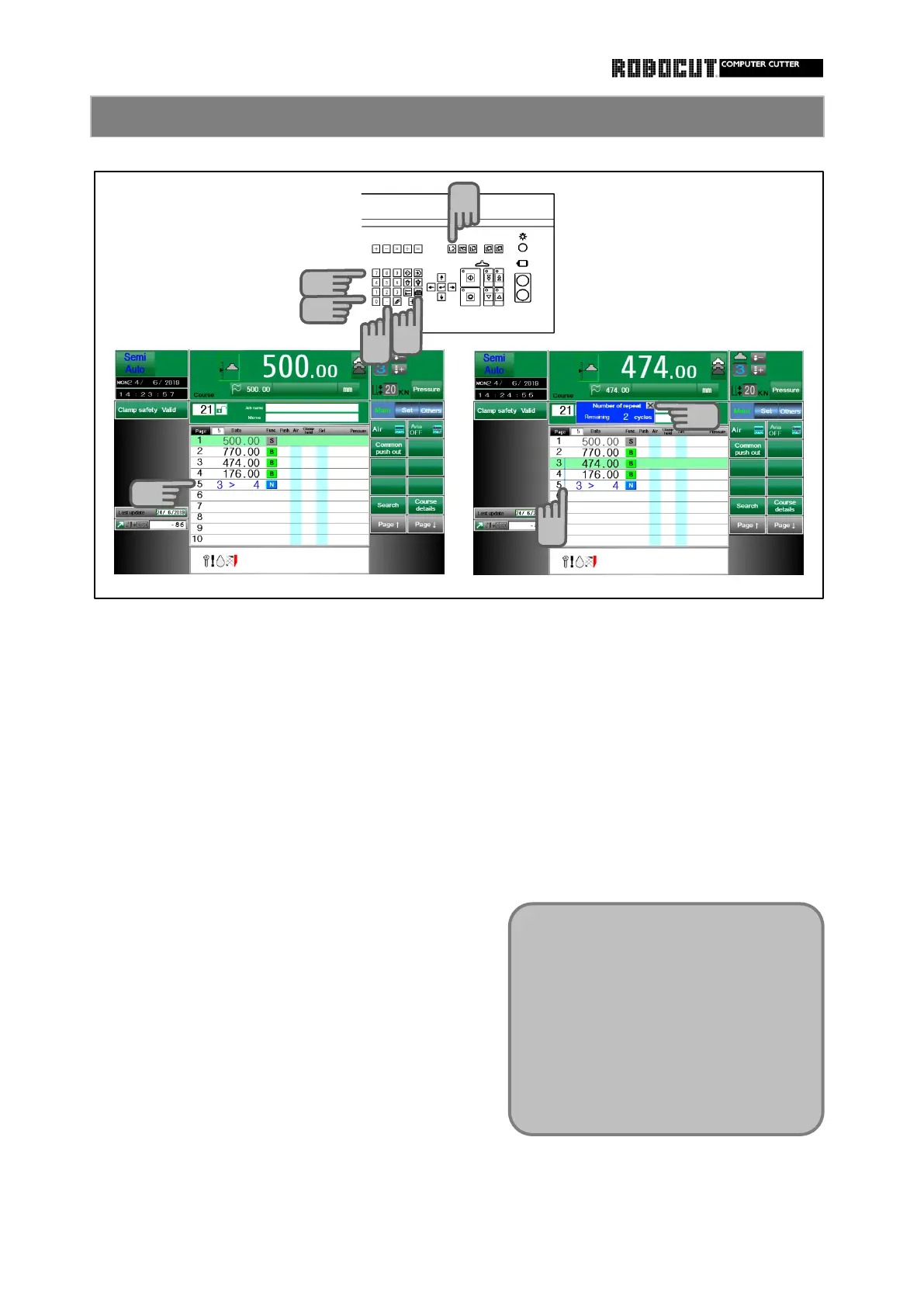
Select the memory mode. When paper cutting is executed in the
automatic mode, a line is displayed in the
Enter the first page nuimber of the repetition range at the timing of start of
repeated range, followed by the decimal number of repeat cyles view. (The line is
point key. not displayed in the first cycle when the
remainingnumber of repeat cycles is not
Next, enter the number of repeat cycles displayed.)
and press the number of repeat cycles This line is displayed, too, at the number
key. The first page number of repetition of repeat cycles where no regular range
is separated from the number of repeat
cycles with the decimal point key.
The stored data is displayed as follows :
To modify the first page number or
number of repeat cycles, enter again.
A page number larger than the current
one does not cause an error even if it is
entered as first page of repetition , a
page number smaller than current one is
automatically stored in memory.
There is no limit in the range or number
of repeat cycles.
A duplicate range setting result in an
error.
As well, an error is also caused if the
page is repeat size.
If page copying, deletion or insertion is
executed, range modification imay be



 To Next Page