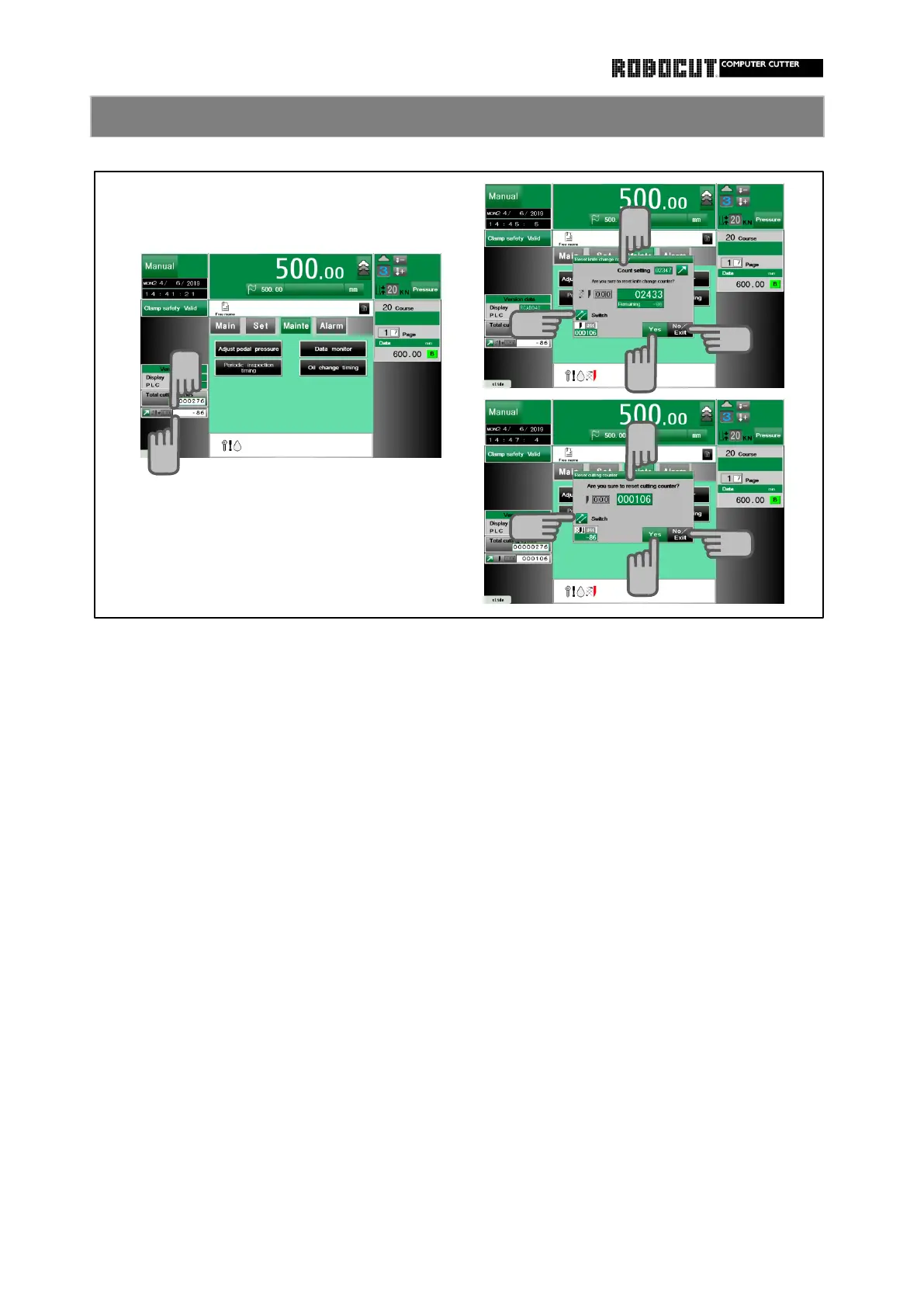
◆ In all mode.
Press the counter on the lower left of Press the counter on the lower left of
the screen. the screen.
Displayed the knife change counter reset. Displayed the cuting counter reset.
Press 【 Yes 】 and reset the counter. Press 【 Yes 】 and reset the counter.
Press display switching, displayed the Press display switching, displayed the
cutting counter reset and the counter on knife change counter reset and the
the lower left of screen is changed to counter on the lower left of screen is
the cutting counter. changed to the knife change counter.
Press 【 Exit 】 . Press 【 Exit 】 .



 To Next Page