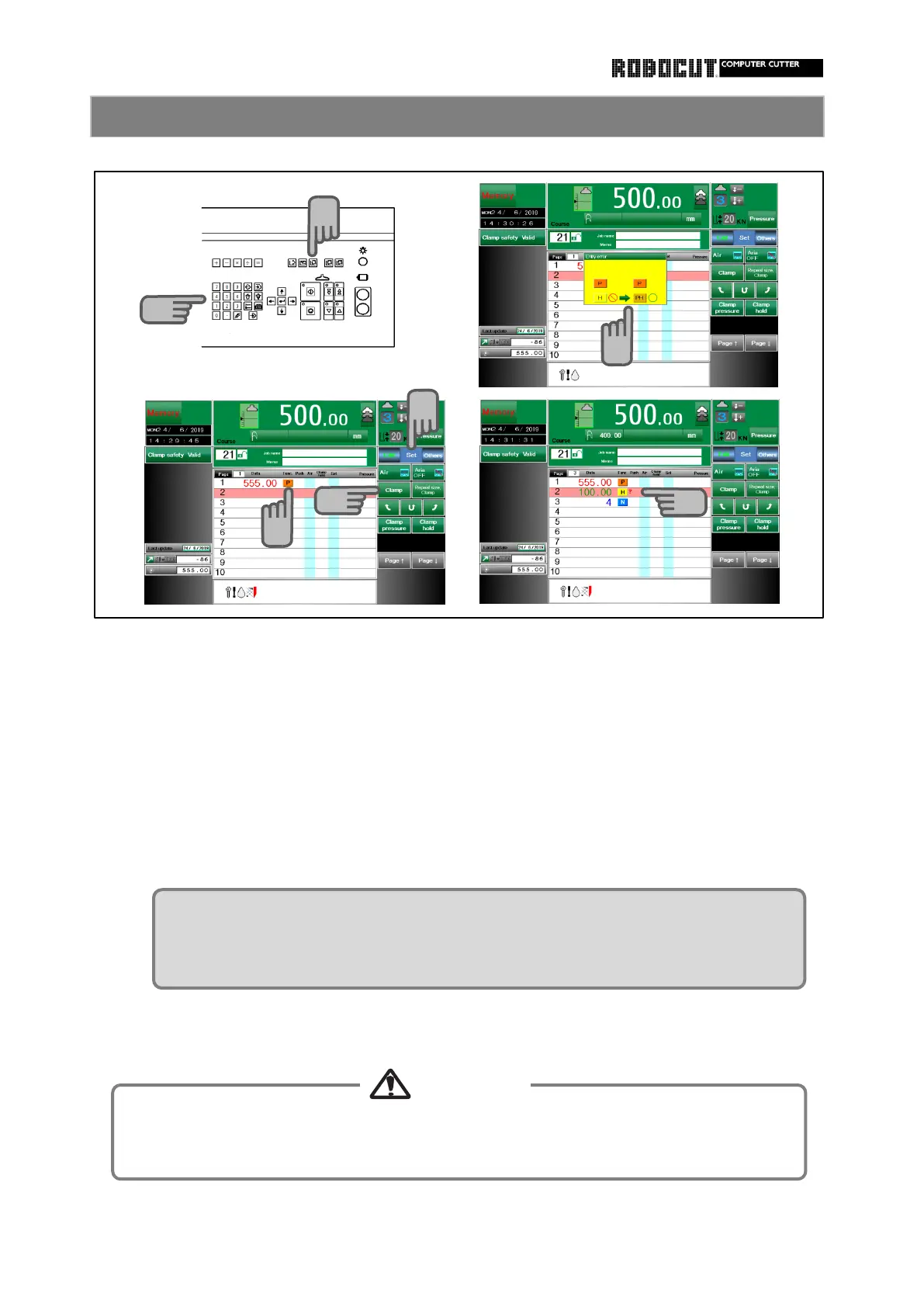
Select the memory mode.
Press 【 Clamp 】 .
An error message is displayed in case of erroneopus entry.
To expel air out of stacked paper, lower merely the clamp.
The clamp mark is displayed in the air field.
Press sub mode menu 【 Set 】 .
Enter the clamping size, using the ten-key pad.
How to use clamping function to expel air
In the memory mode, even if the displayed page data is clamped, the press of the cutting
button caused to move the clamp and knife.
Repeat size may not be entered on the page next to clampin,
If clamping followrs repeat size as result of deletion of page, a " ? "mark is
displayed.



 To Next Page