5
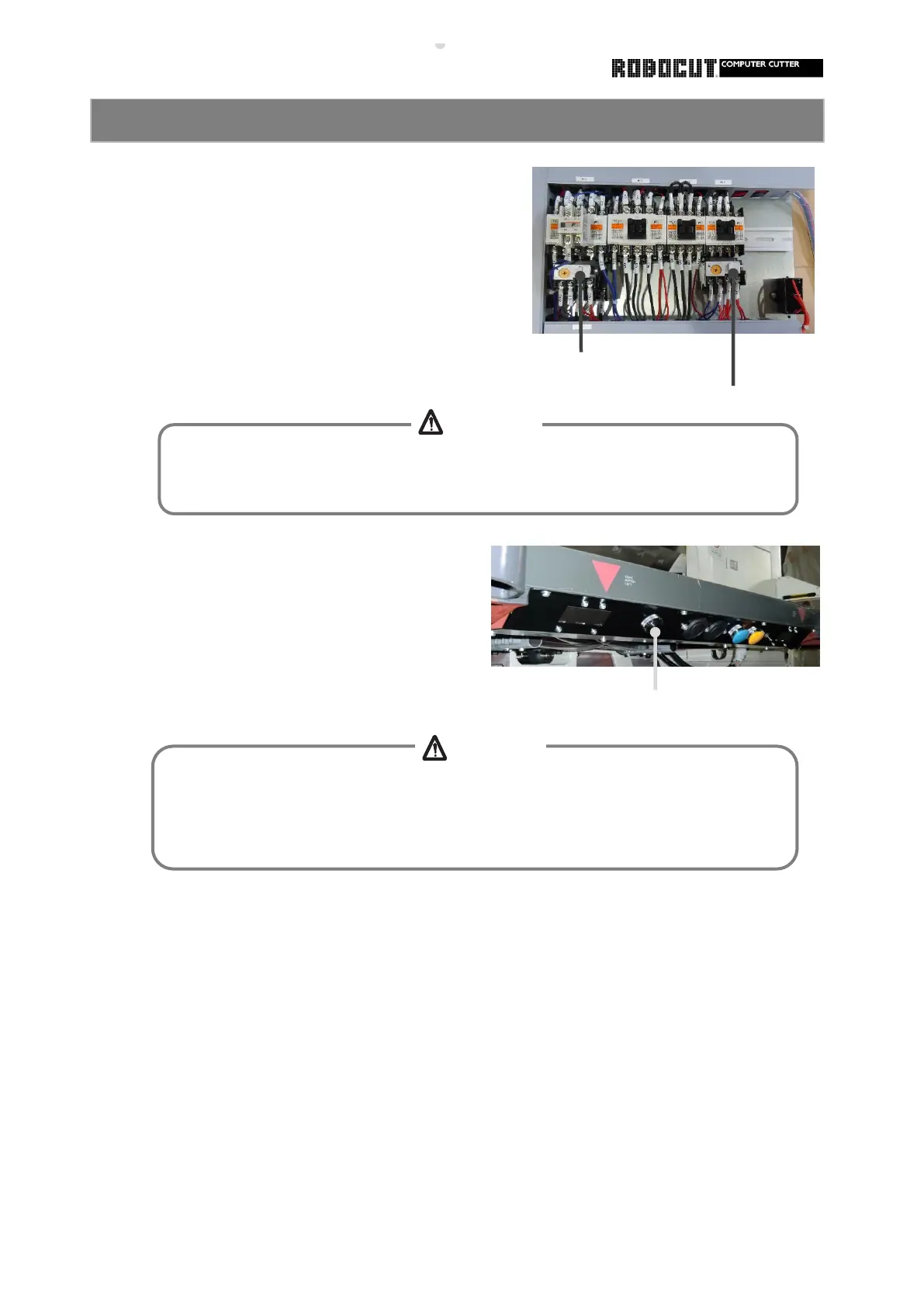
Resetting the thermal relay
① Determine the cause of overload
and remove it.
reset.
Resetting a pressure alarm
Restore from the clamp hold or pressure
alarm.
① Press the reset button (Black ) at
the knife pushbutton plate.
③ If the relary is activated repetitively after
being reset, inspection is necessary.
② The thrmal relay is broken
Case ① An excessive load is detected.
② The thermal reray is activated thermally.
Wait until it coolsdown beforepushing to
How to reset the thermal relay or pressure alarm
Keep away from other than the thermal relay and reset button.
Otherwise failures will be caused to the machine or injuries will be caused due to
electric shock.
Do not reach beneath the knife.
The cutting edge of the knife may be stopped at a position lower than the bottom
face of the clamp.



 To Next Page