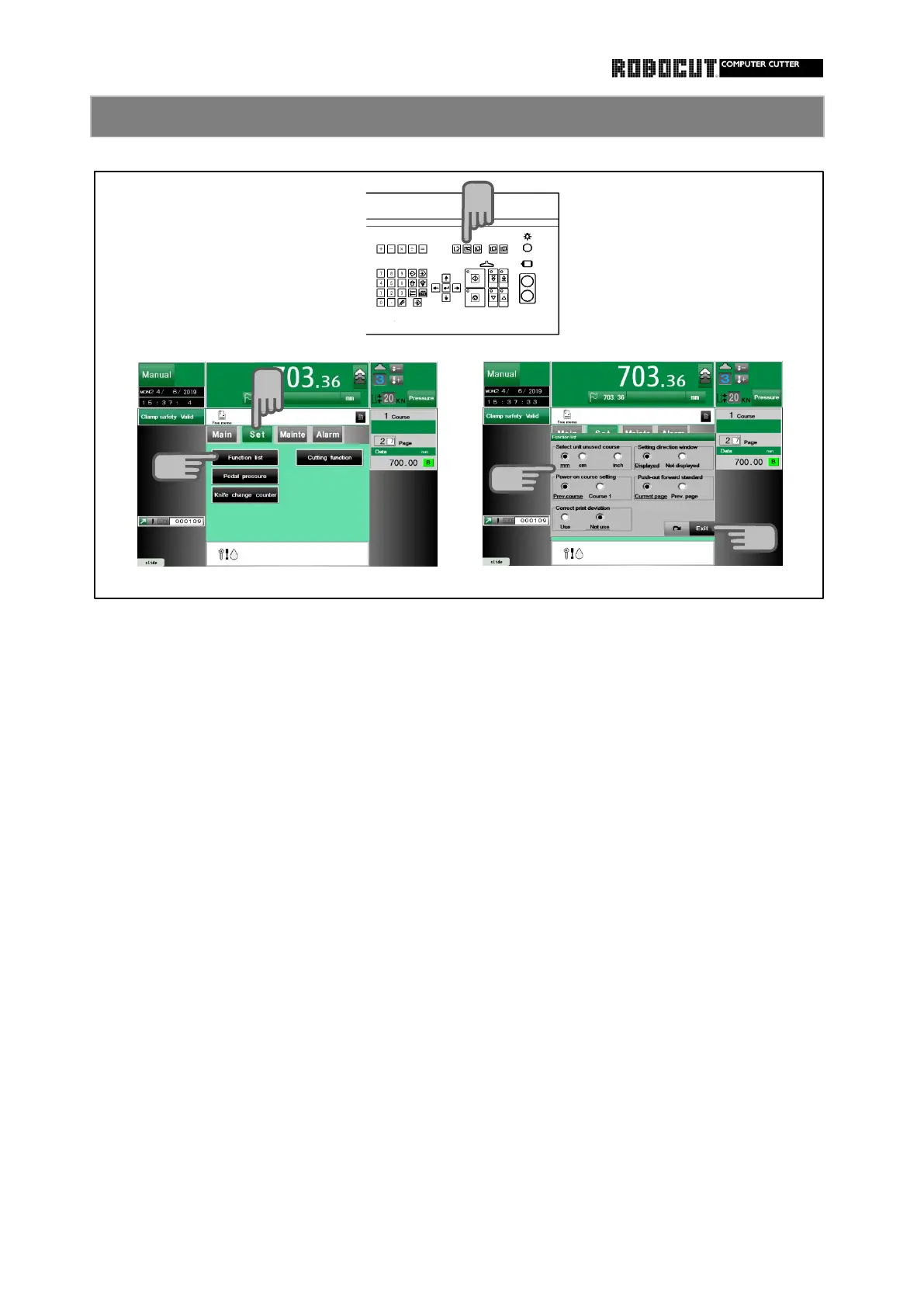
Select the manual mode.
◆ 【 Select unit unused course 】
Press sub mode menu 【 Set 】 . ◆ 【 Power-on course setting 】
Press 【 Function list 】 . ◆ 【 Correct print deviation 】
Select the using correction.
Place check mark at the disired function. ◆ 【 Setting direction window 】
Select the animation displayed upon setting
setting . direction window setting.
◆ 【 Push-out forward standard 】
Press 【 Exit 】 .
Slect the push-out setting page position.
◆ 【 Backgauge interlock 】
Select the function with which backgauge
is prohibited when the clamp prdal is
pressed.
With the initial setting, the backgauge is
stopped temporarily with inching enabled
upon the press of the pedal during auto-
matic advance.
◆ 【 Character entry keyboard 】
Select between kana (50-syllable layout)
and letter (QWERTY) layout.
◆ 【 Function notation character change 】
The characters displayed in the function
field on the memory or automatic screen
are changeed.



 To Next Page