○
○
○
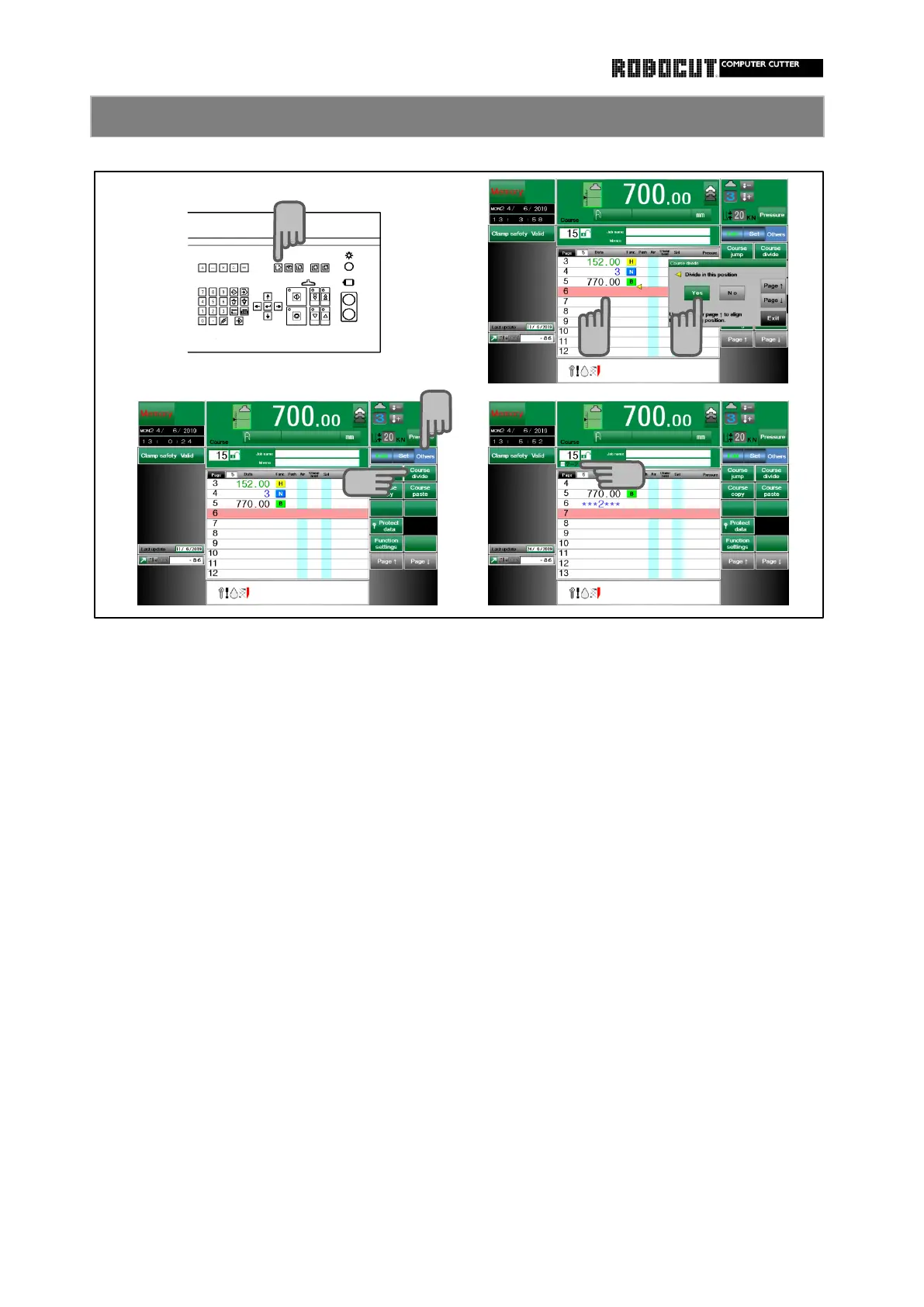
Select the memory mode.
To memorize the different task content,
divides when memorize, or memorize it
Press 【 Others 】 of sub mode menu. in advance continuously and later divides
す。
at the required place.
Press 【 Course divide 】 . In the course being divided, under course
number, display division number and
Move the cursor to the page to be current cusor position.
divided.
To run, press 【 Yes 】 .
A vivided line is displayed at the cursor
position.
The cursor moves to the next page
automatically.



 To Next Page