5
Stop the main motor.
Leave the power switch turned on.
Turn clockwise to raise the knife.
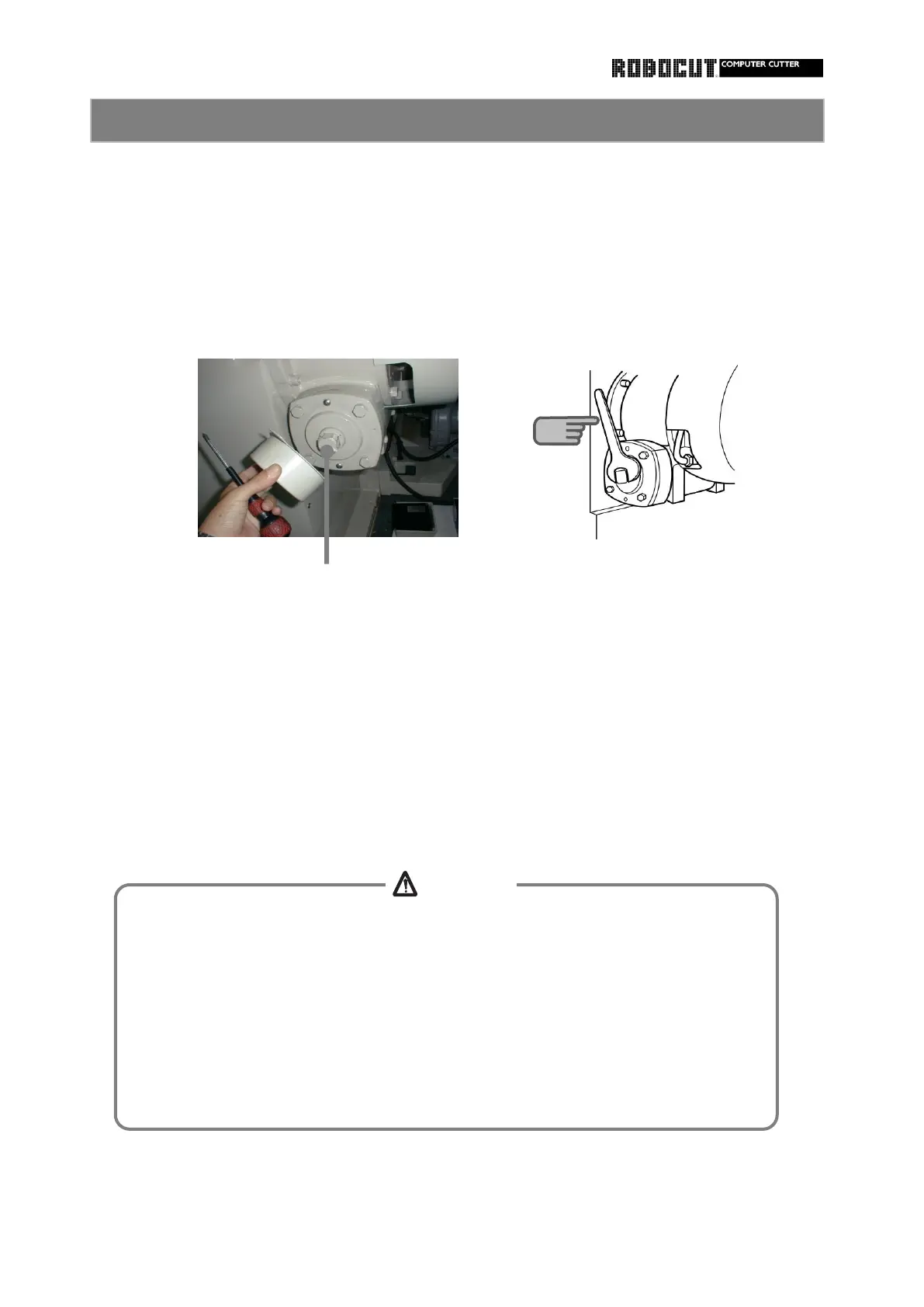
Remove the wrench and install the cover to the worm shaft.
After the knife rises to the top or after manual rotation is finished, turn the clutch key off.
Remove the cover from the worm shaft at the right side face of the main body and
Turn the clutch key in the electric box 1 on.
The knife mechanism is manually operated.
check the position where the wrench is installed.
After clutch operation noise is issued, install the wrench to the shaft and turn the shaft.
If the knife is stopped during descent ( if it is stopped beyond the bottom dead center,
do the opposite to the following description.
Turn counterclockwise to lower the knife.
Turning clutch key on releases the knife brake. Leave the clutch key turned off
unless the manual shaft is turned or held with a wrench.
Otherwise the knife will drop due to its own weight, causing injuries.
Never reach beneath the knife.
Otherwise injyries will be caused.
4
CAUTION
Do not leave tolls ( such as the wrench ) used for manual rotation. Remove them
from the shaft
Otherwise the tool will jump out the shaft, causing injuries.



 To Next Page