5
Stop the main motor.
Remove the knife bolt.
Temporarily place the knife holder on the
knife is aligned with the right end of the
holder cover.
lower the knife.
installation hole enters the holder groove
and install and tighten the knife handle to
fix the knife to the knife holder.
Remove the hanging bolt.
toward you.
While holding the knife handles, pull the knife
surface plate so that the right end of the
Insert the T up/down wrench into the knife
up/down screw and turn countclockwise to
Adjust the holder so that the knife handle
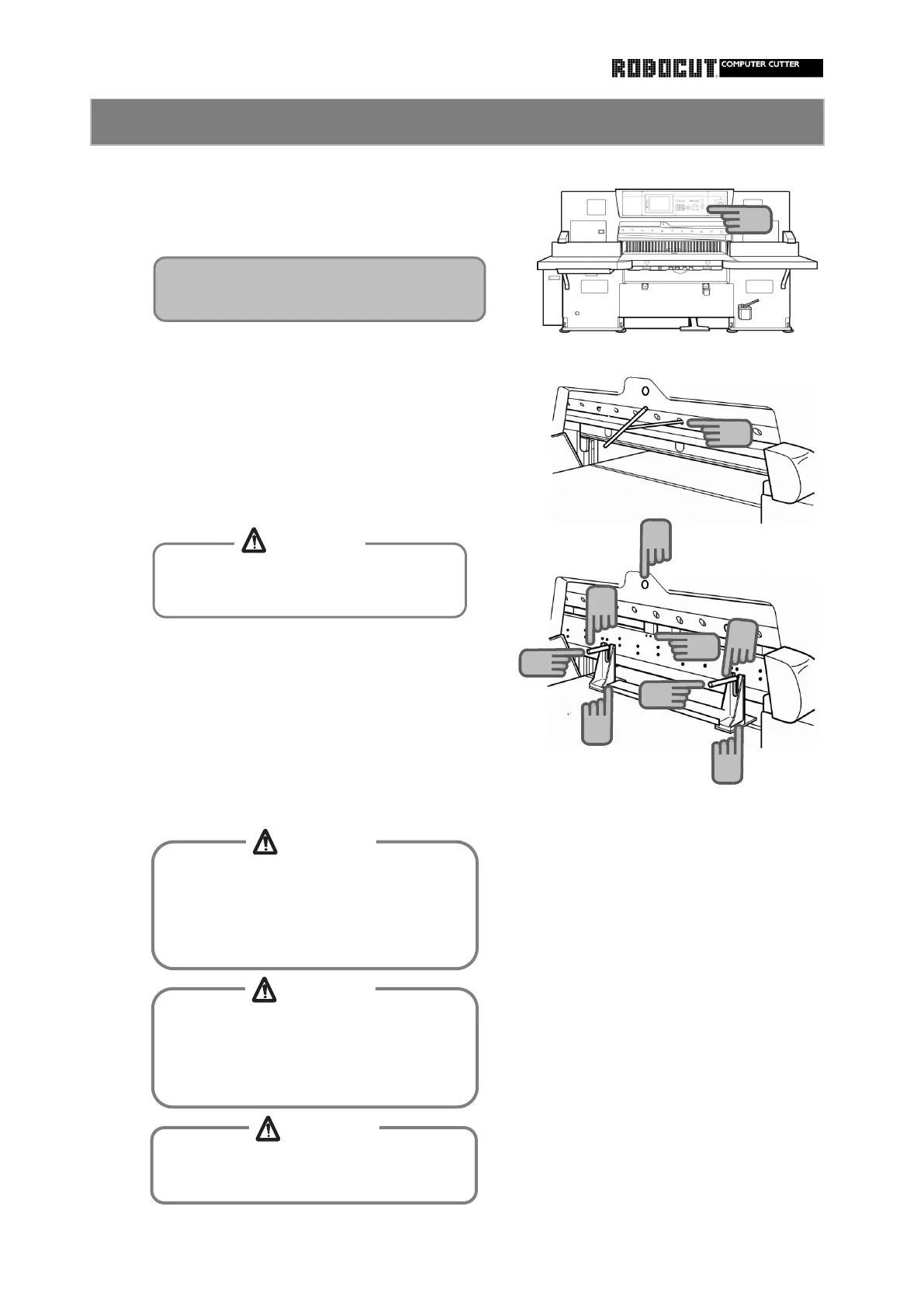
How to remove the knife (Knife lifter) 2
To remove the leftmost bolt, open the
knife height adjustment window.
Do not allow the cutting edge to be
extended out of the leveling block.
When removing or installing the holder
or handle from/to the knife, be careful
of the cutting edge of the knife
Otherwise injuries will be caused.
When using the knife handle, be careful
no to allow fingers to slip due to oil or
the like.
Otherwise injuries will be caused.
Avoid hitting the cutting edge agains
the main body when pulling the knife.
6
7
11
8
8
10
10
12
12
9
CAUTION
CAUTION
CAUTION
CAUTION



 To Next Page