5
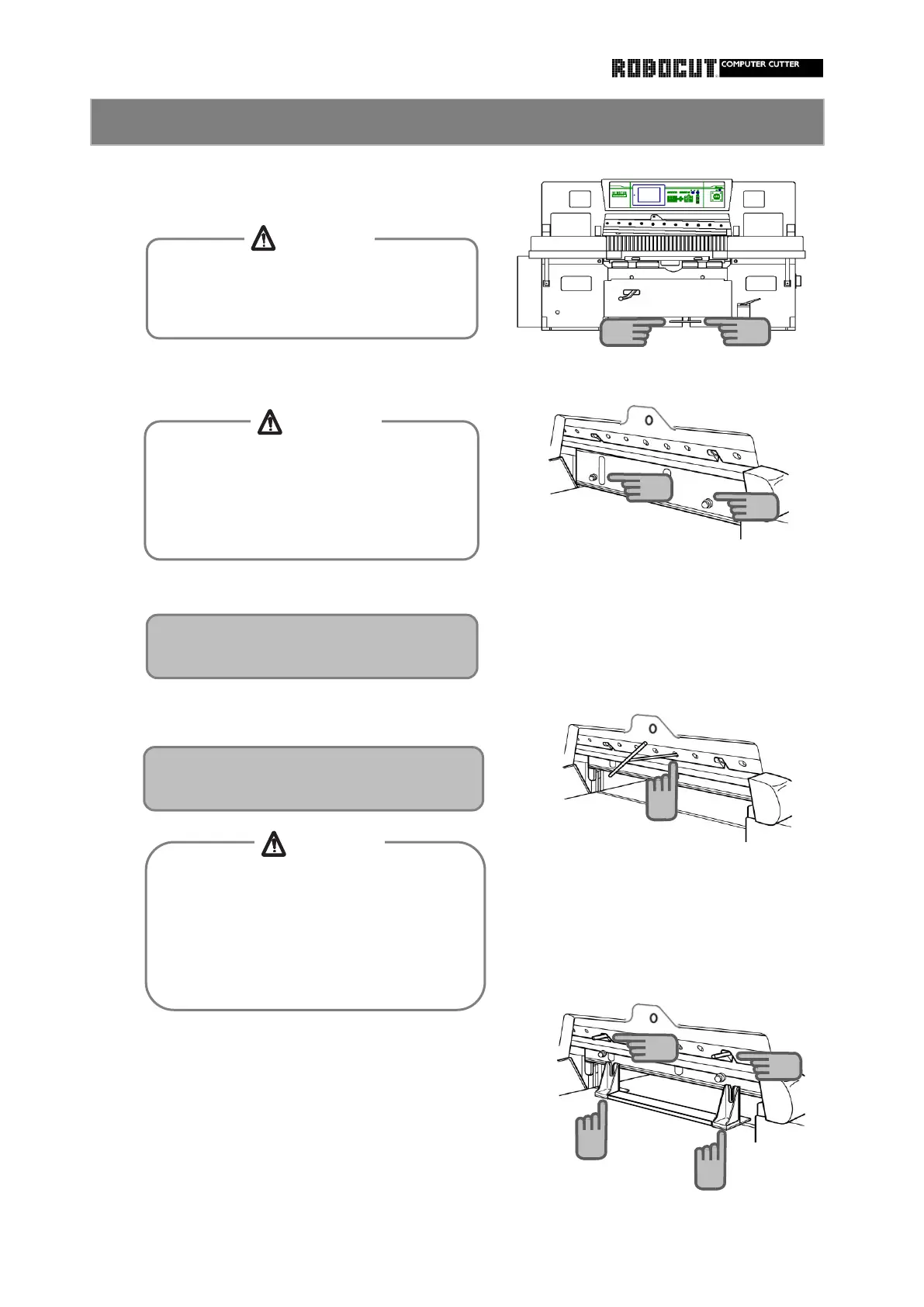
support bolt at two places.
Slowly release the clamp pedal.
Remove all the knife installation bolts.
handle.
smaller one on the right side, under the knife
Step on the clamp pedal to lower the clamp.
Install the knife handle in the notch position of
Place a larger knife holder on the left side a
While stepping on the pedal, install the clamp
the knife carrier. Do not tighten completely.
How to remove the knife 2
The clamp rises and the knife support
bolt supports the cutting edge.
Do not reach beneath the knife support
bolt and surface plate.
Otherwise entanglement between knife
support bolt and surface plate will be
caused.
When stepping on the clamp pedal, do not
reach beneath the operating range of the
clamp. Otherwise injyuries will be caused.
Open the knife height adjustment window
to remove the bolt at the left end.
After the knife support bolt supports the
cutting edge and all knife installation bolts
are removed, never lower the clamp until
the knife handle presses the knifr.
Otherwise the knife will fall, resulting in
11
11
12
12
10
CAUTION
CAUTION
CAUTION



 To Next Page