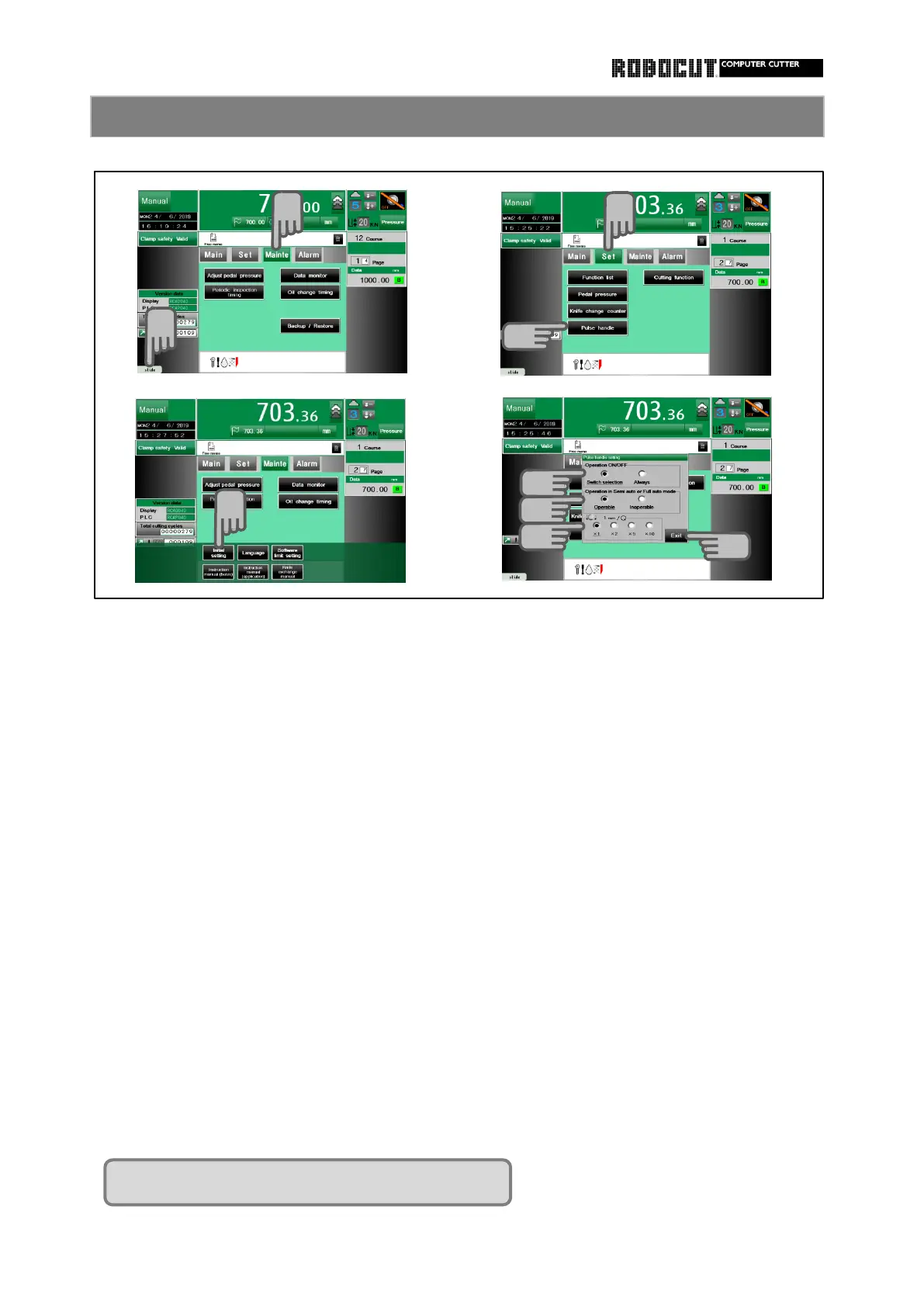
Select the manual mode. Option set in the procedure on the left.
Press sub mode menu 【 Mainte 】 . Selwct the manual mode.
Press Option-key. Press sub mode menu 【 Set 】 .
Press 【 Initial setting 】 .
Press 【 Pulse handle 】 .
【 Option setting 】 .
Displaed various options. Select the operation
・ Switching / ・ Always operation
※
Setting requires password input.
Select the operation in the automatic
Press 【 Set 】 . mode.
・ Possible / ・ Impossible
Enter the password and press 【 Enter 】.
Select the magnification
Check 【 Pulse handle 】 . ・ × 1 / ・ × 2
・ × 5 / ・ × 10
Press 【 Exit 】 .
Press 【 Exit 】 .



 To Next Page