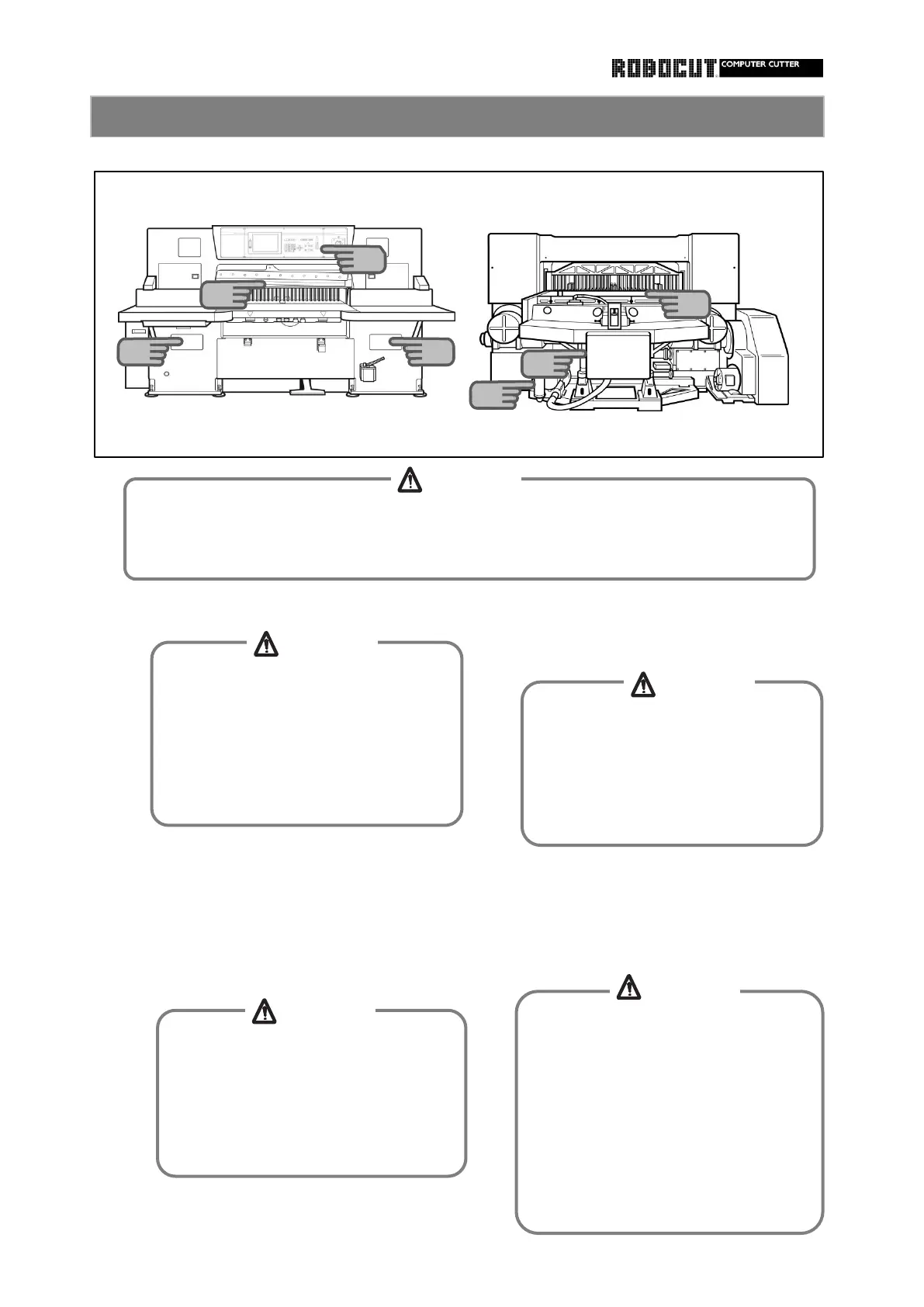
Stop the main motor. Move the waste cloth across the front
face of the knife and clamp from the top
to the bottom to remove dirt.
Remove paper powder, cutting waste and
so on from the sraface plate. Use silicone
Lower the knife so that it makes contact
spray or other sliding agents to handle
with the cutting stick. Press the reset
the product easier. button and raise the clamp and wipe the
knife and back face of the knife carrier
Open rhe left and right waste removal to remove dirt.
windows and remove cutting waste inside.
When removing cutting waste from the
waste removal window on the left side,
be careful of the left end of the cutting
edge of the knife.
Otherwise injuries will be caused with
When cleaning the front face of the
knife and clamp, wear gloves. Avoid
wiping from the bottom to the top or
sidewise along the cutting edge.
Otherwise injuries will be caused with
cutting edge of the knife.
When cleaning the back face of the
knife, turn the power off.
Otherwise entanglement will be caused
with the clamp or backgauge operated
by a third party.
When stopping the knife at the bottom
dead center to clean the back face of
the knife, make the cutting edge of
the knife into full contact with the
5
4
7
6
3
3
CAUTION
CAUTION
CAUTION
CAUTION
CAUTION
1
When conducting inspection, maintenance or repairs, turn the power off, post " work
under way ", post supporting workers and take other measures so that another person
will not turn the power on or start operation.
The flywheel, pump pulley, V-belt and
main motor pulley keep rotating due to
inertia for about 150 seconds after
the main motor is stopped. Check for
stoppage befor continuing to work.
Otherwise entanglement and injuries



 To Next Page