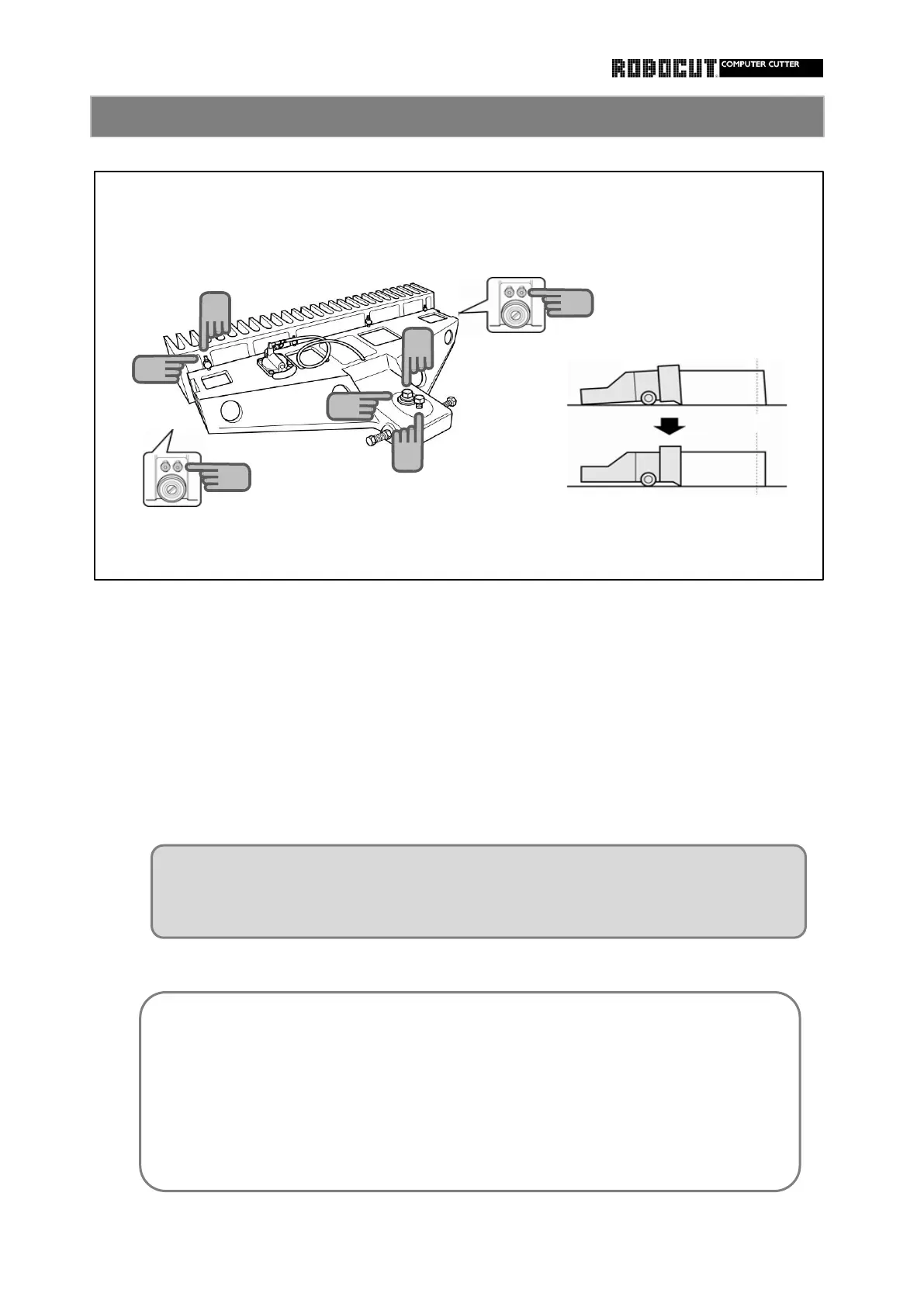
Loosen the fixing bolt.
Tighten the fixing bolt.
the backgauge comb and surface plate.
Turn the vertical adjustment screw clockwise by the amount of the error.
Turn the backgauge comb adjusting screw clockwise to raise.
Using the backgaugecomb adjusting screw, adjust the gap between the front end of
Adjust so that the guide roller makes light contact with the surface plate.
ガイドローラーを定盤に軽く当たるように調整します。
Vertical adjustment of the backgauge 2
Turn the backgauge comb adjusting screw clockwise to widen the gap. Turn
counterclockwise so that the backgauge comb is pushed down, to narrow the gap.
The bap should be adjusted so that the product does not enter the gap.
Adjust to the best clamp pressure.
If the bottom layer is cut larger, reduce the pressure.
If the upper layer is cut larger, increase the pressure.
If warp is caused to the cutting edge, the bottom layer is cut larger.
Grind to correct.
Vertical difference and other essential point.



 To Next Page