CHAPTER 31
Maintaining Components and Cables
•
Tools and Parts Required to Maintain M120 Hardware Components on page 263
•
Maintaining the M120 Air Filter on page 263
•
Maintaining the M120 Fan Trays on page 264
•
Maintaining the M120 Host Subsystem on page 266
•
Taking the M120 Host Subsystem Offline on page 267
•
Maintaining M120 FPCs and CFPCs on page 270
•
Storing an M120 FPC on page 271
•
Holding an M120 FPC on page 271
•
Maintaining M120 PICs and PIC Cables on page 275
•
Maintaining the M120 Power Supplies on page 277
•
Maintaining the M120 FEBs on page 278
Tools and Parts Required to Maintain M120 Hardware Components
To maintain hardware components, you need the following tools and parts:
•
ESD grounding wrist strap
•
Flat-blade (–) screwdriver
•
Phillips (+) screwdriver, number 1
•
Phillips (+) screwdriver, number 2
Related
Documentation
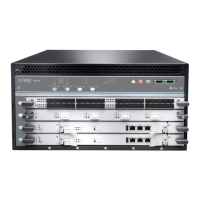
M120 Router Chassis Description on page 7•
• M120 Clearance Requirements for Airflow and Hardware Maintenance on page 85
Maintaining the M120 Air Filter
Purpose For optimum cooling, verify the condition of the air filters.
Action A dirty air filter restricts airflow in the unit, producing a negative effect on the ventilation
of the chassis. The filter elements degrade over time, so the filter elements in use,
•
263Copyright © 2018, Juniper Networks, Inc.


 To Next Page