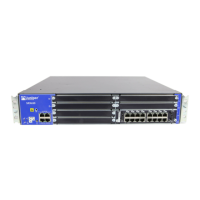
Table 5: Interface Port Number Examples (continued)
Interface Number ExampleInterface Type
cl–1/0/0
NOTE: The LTE Mini-PIM can be installed in any of the
Mini-PIM slots on the SRX320, SRX340, SRX345, and
SRX550 HM Services Gateways.
LTE
ge–3/0/0 through ge–3/0/7
NOTE: The SRX550 High Memory Services Gateway
has high gigabit and non-high gigabit slots.
•
In the high gigabit slot, you can achieve a maximum
bandwidth of 8 gigabits.
•
In the non-high gigabit slot, you can achieve a
maximum bandwidth of 1 gigabit.
8-Port Gigabit Ethernet small form-factor pluggable (SFP)
XPIM
•
SRX550 High Memory Services Gateway—ge–3/0/0
NOTE: When installing the 16–Port Gigabit Ethernet
XPIM, which uses 2 slots, you must install it in the
10–Gigabit or 20–Gigabit GPIM slots:
•
SRX550 High Memory Services Gateway—Slots 3 and
6, which refer to the right side bottom two standard
slots (slots 3 and 4) ) and the right side top two
standard slots (6 and 8).
16-Port Gigabit Ethernet XPIM
wl–1/0/0Wi-Fi Mini-PIM
SRX300 Series and SRX550 High Memory Services Gateway Interface
Modules and Compatibility
Table 6 on page 24 shows the types of Mini-Physical Interface Modules (Mini-PIMs) with the SRX Series
devices and the Junos OS releases that support them.
23


 To Next Page
 Loading...