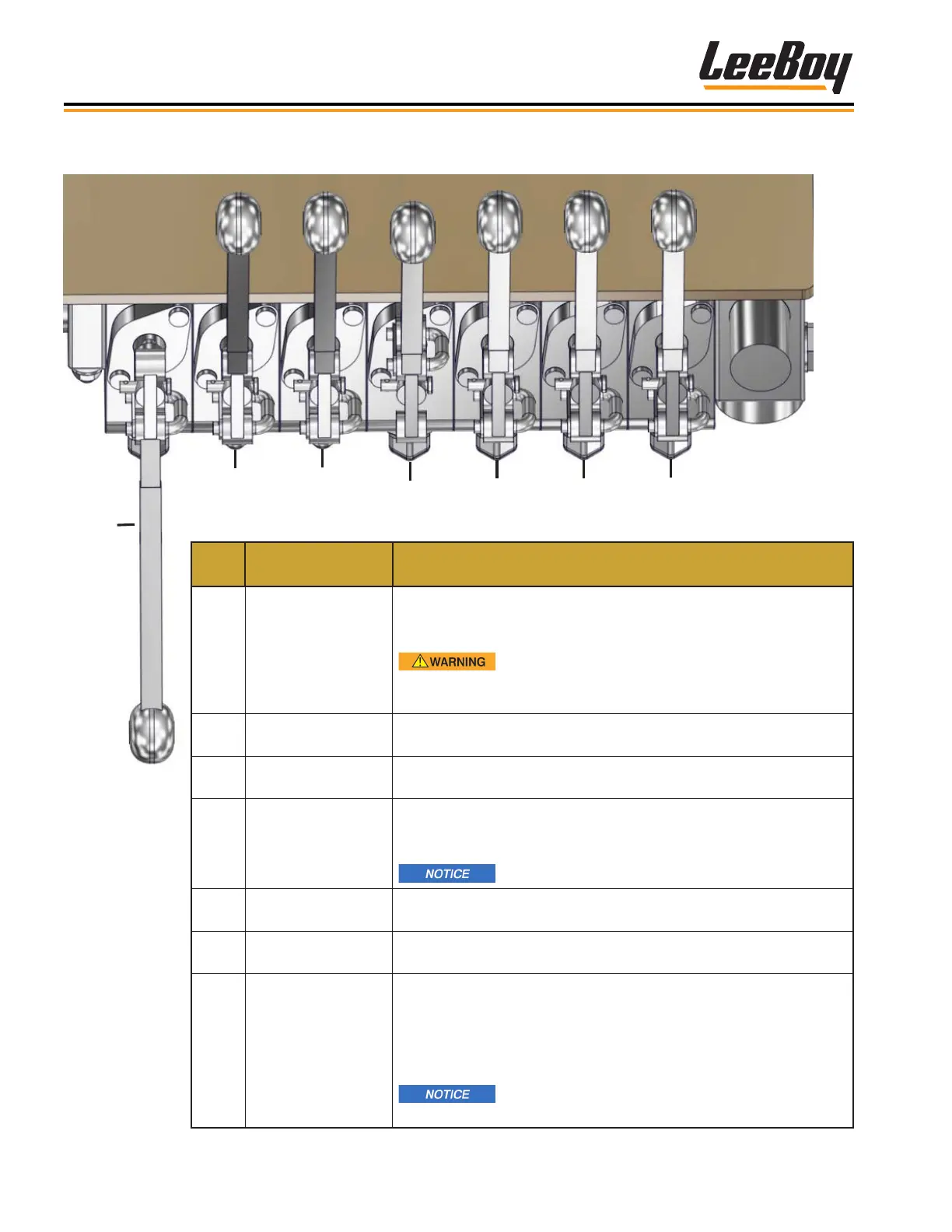
3-8 Leeboy Model 8510E Conveyor Paver
Component Location
Left Hydraulic Controls
1
2
3
4
5 6
7
Figure 3-5. Left Hydraulic Controls
ITEM
NO.
CONTROL NAME FUNCTION
1
Conveyor Raise/
Lower
Raises and lowers conveyor. Push lever forward to raise
conveyor (see WARNING below). Pull lever rearward to lower
conveyor.
Always close the hopper wings before raising
conveyor. Immediately insert the safety prop as an additional
safety measure.
2
Left Screed
Extension
Moves left screed extension in or out. Push lever UP to move left
extension in. Pull lever DOWN to move left extension out.
3
Right Screed
Extension
Moves right screed extension in or out. Push lever UP to move
right extension in. Pull lever DOWN to move right extension out.
4 Screed Float
Raises or oats screed. Push lever UP to lower screed in FLOAT
position. Once pushed UP, lever locks in FLOAT position. Pull
back out of FLOAT and push lever UP again to raise screed.
Screed must be in FLOAT position when paving.
5 Left Cut-Off Gate
Opens and closes left cut-off. Push lever UP to open left cut-off.
Pull lever DOWN to close left cut-off.
6 Right Cut-Off Gate
Opens and closes right cut-off. Push lever UP to open right cut-
off. Pull lever DOWN to close right cut-off.
7
Hopper Wings
In/Out
Moves hopper wings in or out. Push lever up to the OUT position
to open hopper wings. Pull lever down to the IN position to close
hopper wings in.
NOTE: Hopper wings will not close unless the hopper is in lowest
position.
Never close the hopper wings when hopper is
full of asphalt.



 To Next Page