4-20 LeeBoy 8510E Conveyor Paver
Operation
Paver Operation
Spray Down
Always spray down the LeeBoy Model 8510E Conveyor
Paver before and after paving. Spray clean with solvent
or release agent on any part of the paver that comes into
contact with asphalt to prevent buildup that will damage
the machine over time.
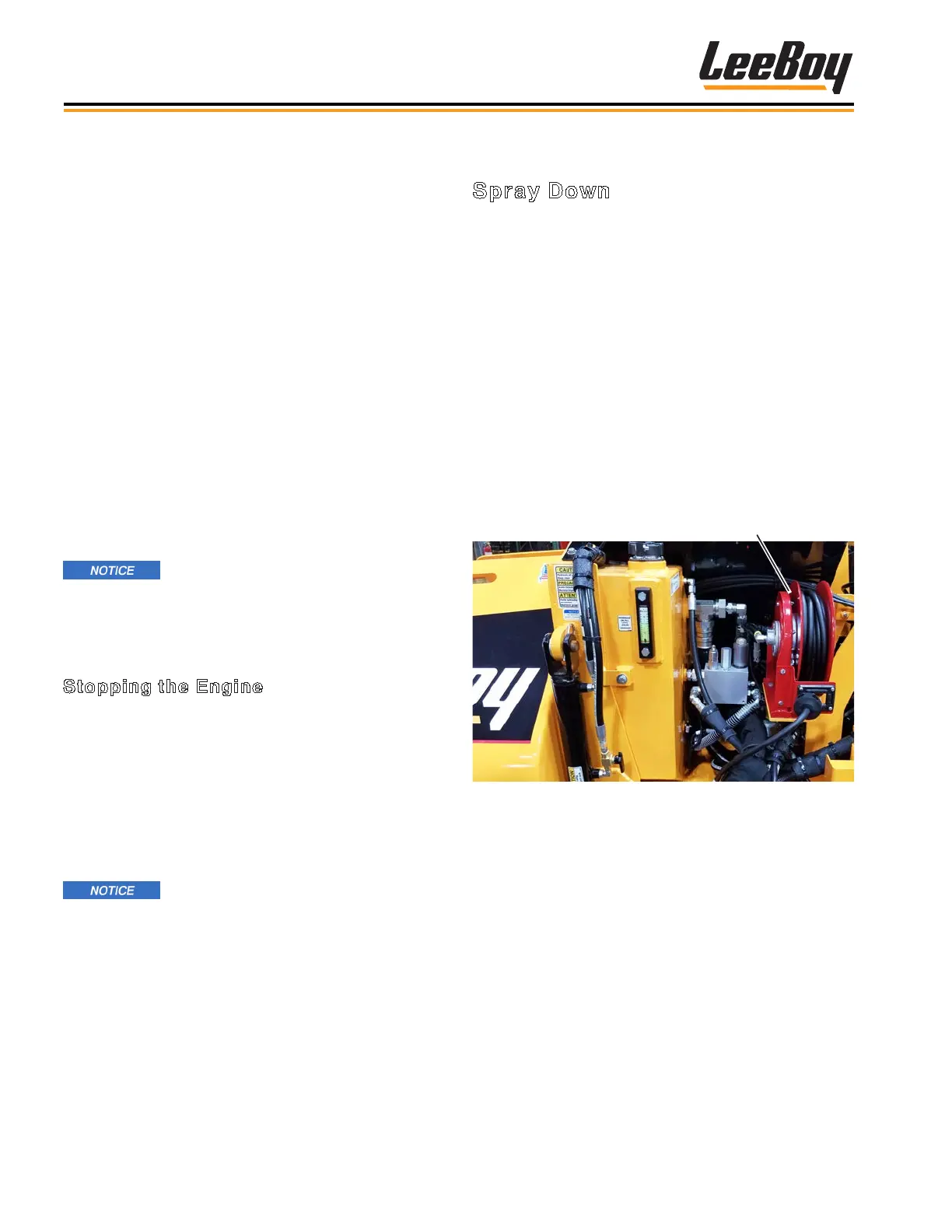
There is a spray down system on sides of the Leeboy
8510E paver for your convenience. The wand is
conveniently located on each side of the operator’s
station. (Figure 4-33) The hose reel is located on the
side of the paver.
1. Extend hose from the reel.
2. Squeeze the wand handle and spray area. Release
the wand handle when nished.
3. Rewind hose back onto the reel.
Hose Reel
Figure 4-33. Spray Down Hose Reel
• Ensure the area is clear of others before spraying.
• Open the hopper wings and raise the screed.
• Allow the screed to cool at least 10 minutes before
spraying to prevent possible burns from solvent spray
on a hot screed. The screed should be warm, but not
hot.
• To steer the unit to the left, SLOWLY push the right
joystick farther forward than the left joystick. The
farther the joystick is pushed, the more the paver
turns. Slow and easy adjustments are required for
safe operation.
• To steer the unit to the right, SLOWLY push the left
joystick farther forward than the right joystick. The
farther the joystick is pushed, the more the paver
turns. Slow and easy adjustments are required for
safe operation.
NOTE: If the joysticks are in the forward position
and the Run/Stop switch is set to the STOP
position, the system will time-out after 30
minutes. You must put joysticks back into
neutral and toggle the Run/Stop switch
from RUN to STOP and back to RUN again to
regain control.
NOTE: If equipped with the optional steering wheel
control box: If the joystick steering function
is not being used, the Run/Stop switch must
be in the OFF position.
Before leaving the operator platform,
the operator must return joysticks to the neutral
position and switch the Run/Stop (on the Steering
and Speed Control Box) to the STOP position.
Stopping the Engine
1. Throttle back to idle using settings on the digital
display screen.
2. Turn ignition key on instrument panel
counterclockwise to the OFF position and remove
key.
NOTE: If the engine does not shut down when key
is turned to OFF, press the E-Stop button on
the control panel to terminate power.
Before leaving the operator platform,
the operator must return joysticks to the neutral
position and switch the Run/Stop (on the Steering
and Speed Control Box) to the STOP position.



 To Next Page