4
LeeBoy 8510E Conveyor Paver 4-31
Operation
1
2
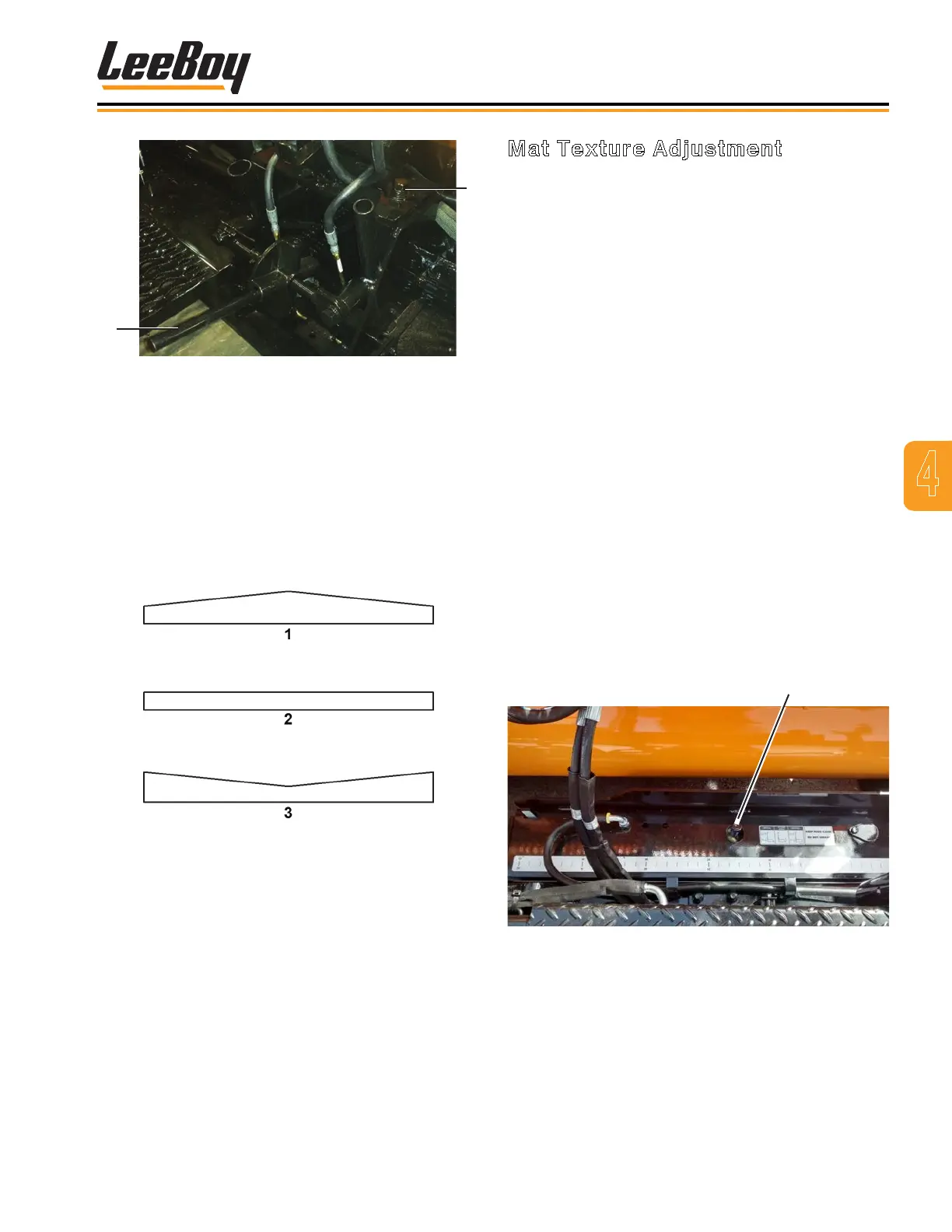
Figure 4-52. Crown Adjustment
1 - Adjuster
2 - Crown Handle
NOTE: Maximum crown is two inches.
• Positive crown is when the middle of the mat is raised
to permit water to drain to each side. (Figure 4-53)
• Negative crown is the lower in the center of the
screed plate, often used in an alley where drainage is
necessary. (Figure 4-53)
Figure 4-53. Crown Settings
1 - Positive (+)
2 - Zero (0)
3 - Negative (-)
NOTE: Crown may be placed in the leading edge
and/or the trailing edge of the screed plate.
Crown in the leading edge aids material ow
under the screed plate only. Trailing edge
crown puts a crown in the mat.
Example: The trailing edge crown is 0 and the
leading edge crown is 1/8 inch. There will not be
any crown in the mat, but the material ow under the
screed plate will be improved.
Mat Texture Adjustment
The screed extension can be adjusted for a smoother or
coarser mat texture by using the Angle of Attack (AOA)
adjustment screw. (Figure 4-54)
There are three adjusters in each extension. The two
adjusters at each end of the screed extensions are
preset by the dealer and should not need adjustment.
You can adjust the mat texture using the AOA
adjustment screw in the center. To make the AOA
adjustment:
1. Spray down the screed.
2. Turn on the screed heat.
3. Turn the screw in the direction for desired result:
• Turning the AOA adjuster counterclockwise
will increase the pressure on the back of the
extension, which gives a smoother, slicker
nish.
• Turning the adjusters clockwise will decrease
the pressure on the back of the extension,
resulting in a coarser nish.
NOTE: Too much pressure on the back of the
screed extension will take the weight off the
screed wearplate and cause poor material
compacting, resulting in a poor nish.
Angle-of-Attack
Adjuster
Figure 4-54. AOA Adjustment



 To Next Page