4
LeeBoy 8510E Conveyor Paver 4-35
Operation
Steering Wheel Option
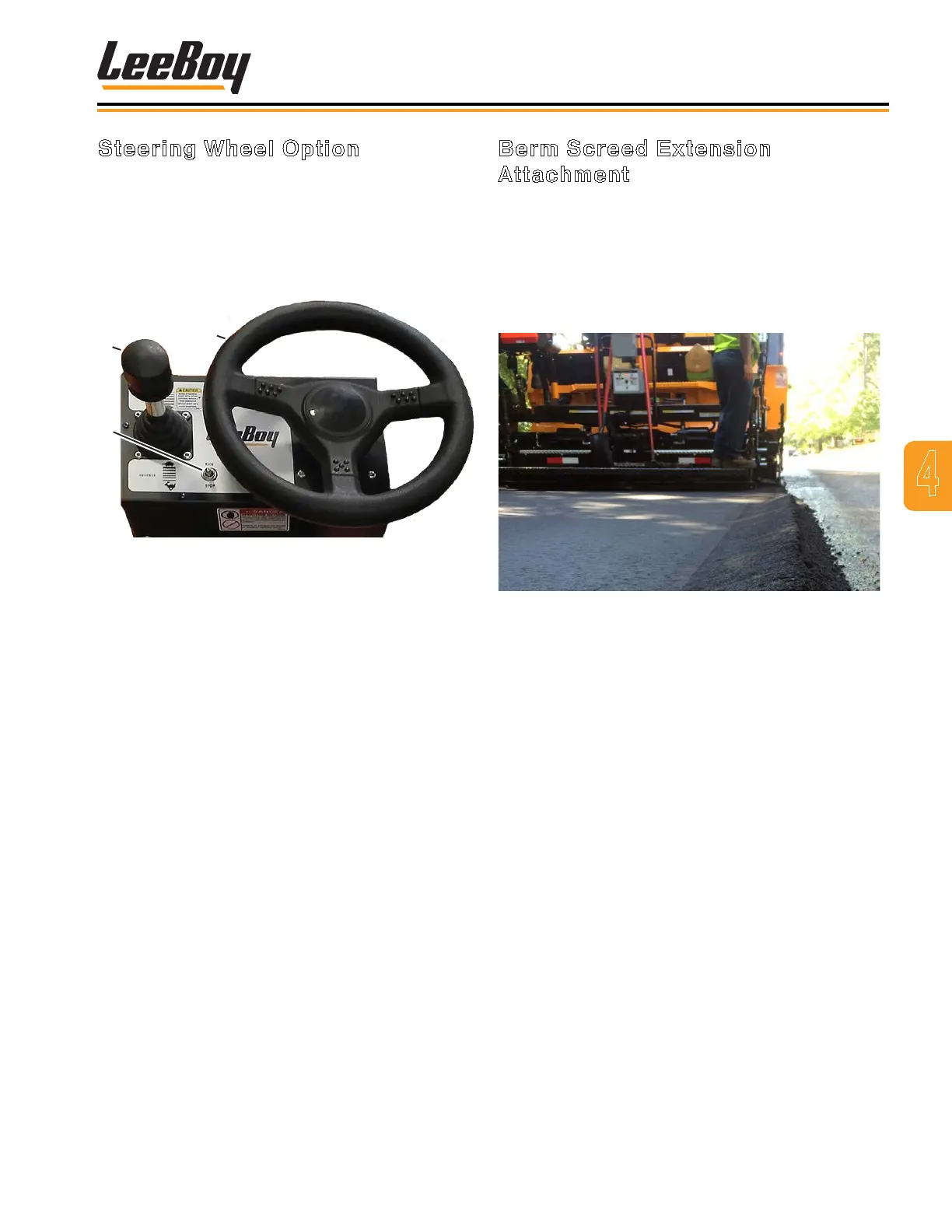
A steering wheel option is also available in lieu of
joystick steering. (Figure 4-60) The Run/Stop switch
on the steering panel controls running and stopping
the machine, and applies parking brake when set to
the STOP position. The joystick controls forward and
reverse travel along with speed.
1
3
2
Figure 4-60. Steering Wheel Option
1 - Forward/Reverse
2 - Steering Wheel
3 - Run/Stop Switch
• To drive the paver forward, push joystick forward to
reach the desired speed.
• To move in reverse, pull joystick(s) and move
backwards to reach desired speed. A back-up alarm
will automatically turn on when in reverse.
• To slow the paver, move joysticks closer to the
neutral position.
• Return joystick to the neutral position to stop paver.
NOTE: If the joystick steering function is not being
used, the Run/Stop switch must be in the
center OFF position.
NOTE: The engine will not start unless the E-STOP
button is disengaged and the joystick must
be in the NEUTRAL (center) position.
Berm Screed Extension
Attachment
The Berm Screed Extension Attachment (HD Screed
only) allows you to adjust the last one foot of each
extension to pave up to a four-inch roll-up curb. (Figure
4-61) You can also raise the height to easily allow more
material alongside buildings or other objects on various
paving jobs. The berm attachment is adjustable while
paving and controlled via a remote toggle switch.
Figure 4-61. Paving with Berm Attachment
The berm attachment is adjustable while paving. To
operate:
• Place toggle switch in the BERM position to raise and
lower the berm attachment.
• Place toggle switch in the EXT position to move the
screed extension in or out.



 To Next Page