4-14 LeeBoy 8515E Conveyor Paver
Operation
Inhibit/Uninhibit RegenInhibit/Uninhibit Regen
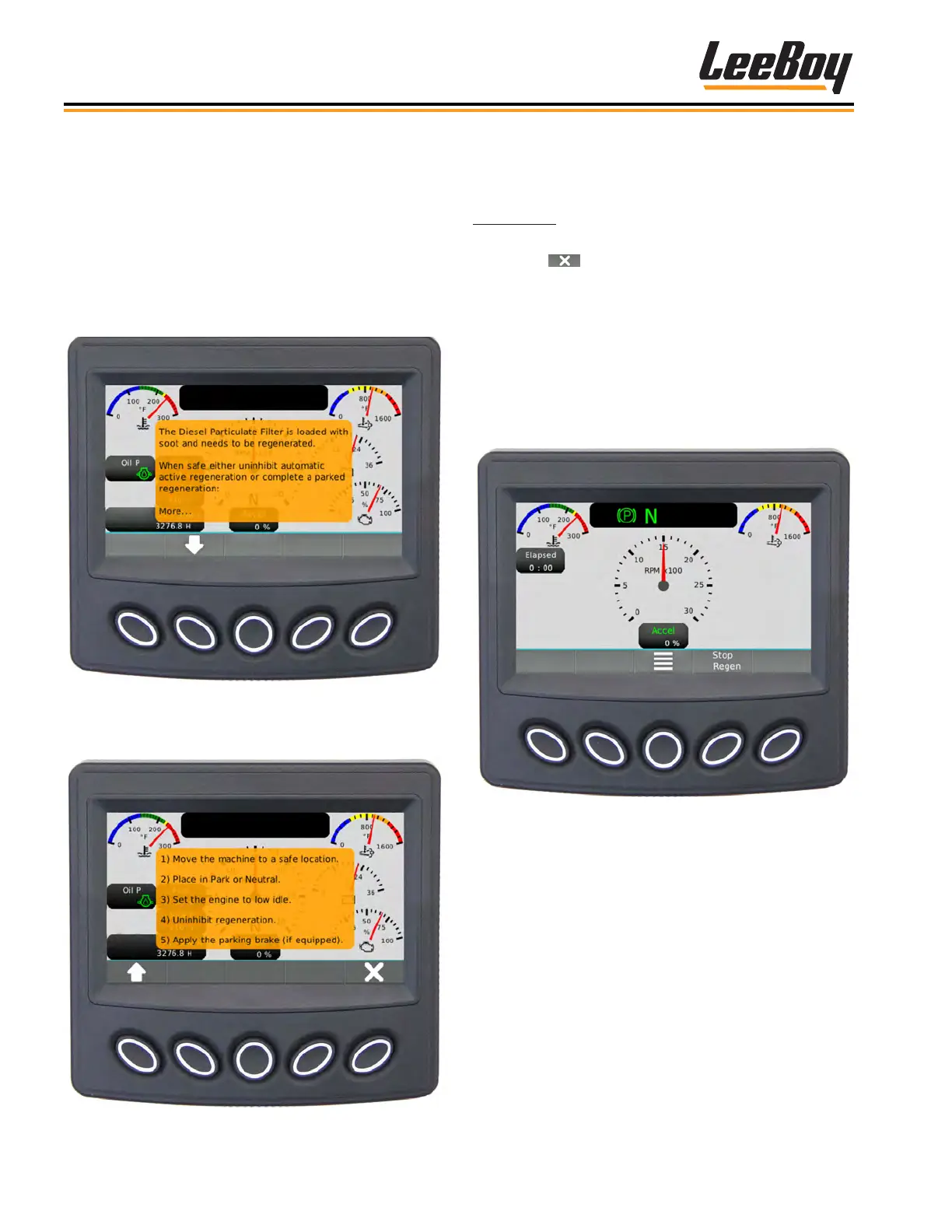
If conditions are unsafe for the engine to perform a
regeneration automatically, the operator may choose to
temporarily inhibit (disable) the regeneration process
after scrolling to the previous screen. (Figure 4-24)
• Click the soft key to cancel (Inhibit) regen in the
previous screen, which removes the pop-up message,
and returns the operator back to the Gauge Screen.
• The “Stop Regen” appears in the soft key command
window. (Figure 4-25) Press the soft key button to
inhibit regeneration.
• Regeneration will remain disabled until the engine is
turned off. When the engine is restarted, “Request
Regen” will appear in place of “stop regeneration.”
Figure 4-25. Inhibit Regen Screen
NOTE: The ability to inhibit (disable) regeneration is
only possible at DPF Levels 1 and 2. (See DPF
Levels on the following pages.)
It is important to read all pop-up messages on the
PV480 controller and follow any instructions. Ignoring
warning messages can lead to costly engine repairs.
• Use the UP (
>
) or DOWN (
>
) buttons to scroll
through messages if shown on the soft key banner.
• To exit screens, press X.
Some messages require scrolling using the Up/Down
soft keys to maneuver through the entire message.
(Figures 4-23 and 4-24):
Figure 4-23. Regen Message Popup Screen
Press the DOWN (V) arrow to scroll to the remainder of
the messages. (Figure 4-24)
Figure 4-24. Regen Message Continued



 To Next Page