DEF Frozen/ThawDEF Frozen/Thaw
Sensors on the DEF tank detect the ambient air temper-
ature within seconds of starting the engine. If the DEF is
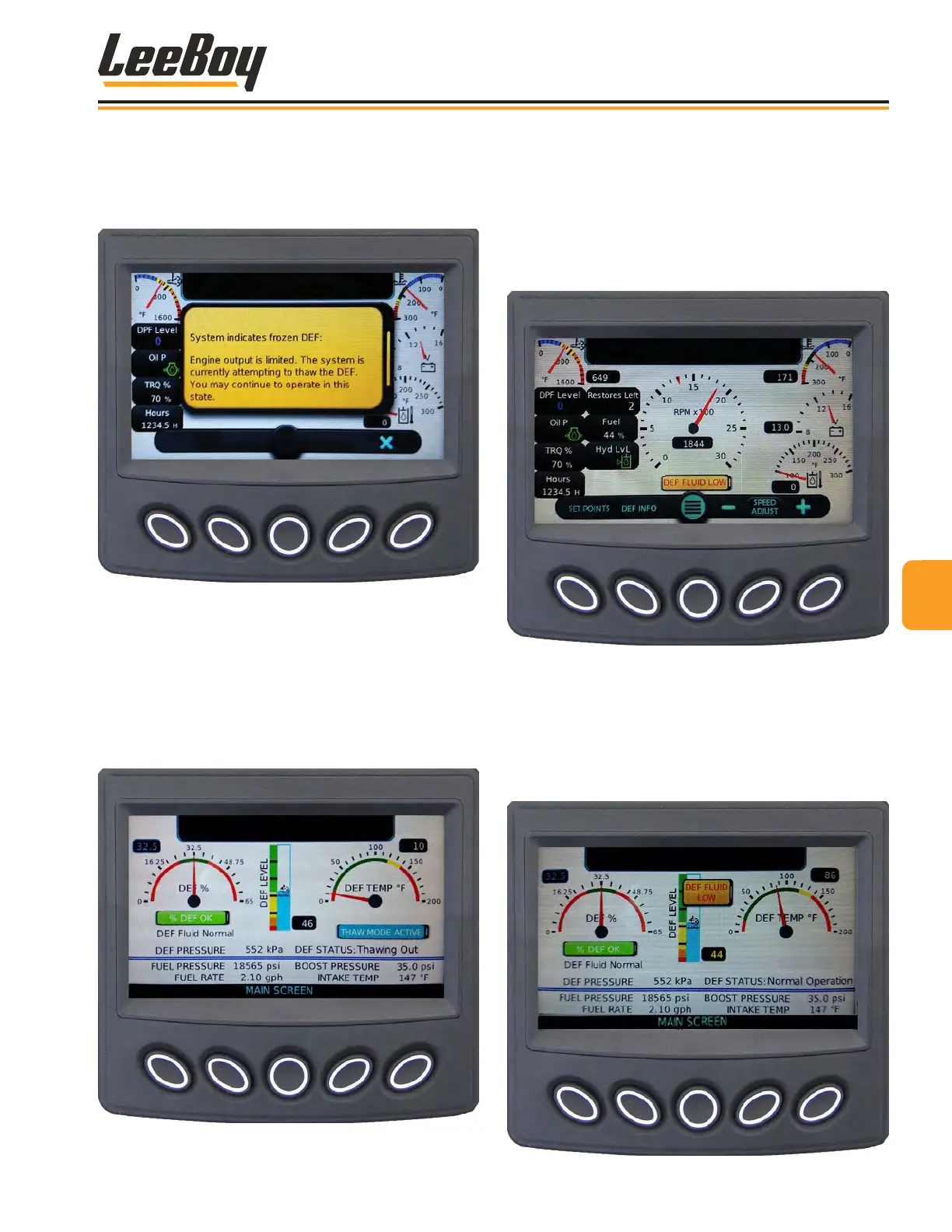
frozen, an alert will appear. (Figure 4-9)
Figure 4-9. DEF Frozen Error Message
The SCR system automatically starts the Thaw Con-
trol Mode and turns on the DEF pump, tank and tube
heaters. Engine maximum torque may be limited to
protect the DEF injector. You can press the DEF Info
button to check the status. An icon on the lower right of
the screen displays Thaw Mode Active beneath the DEF
temperature gauge. (Figure 4-10) Press Main Screen
(center button) to exit and return to main screen.
Figure 4-10. DEF Info Thaw Mode Screen
DEF Level LowDEF Level Low
If the DEF tank level runs low (15 percent) during opera-
tion, a yellow DEF icon and engine trouble symbols
appear in the alerts window at the top of the screen. If
the DEF level reaches 45 percent, an early warning
DEF Fluid Low alert appears on the screen as shown in
Figure 4-11.
Figure 4-11. DEF Fluid Low Error Message
If this error message appears, press the Def Info button
to navigate to the DEF Info screen for details. The DEF
Level bar graphic in the center of the screen displays
the level gauge, with the percentage value shown at
the bottom right of the bar. (Figure 4-12) Press Main
Screen (center button) to exit and return to main screen.
Figure 4-12. DEF Info Low Screen
44
Operation
8608 Commercial Paver 4-9



 To Next Page