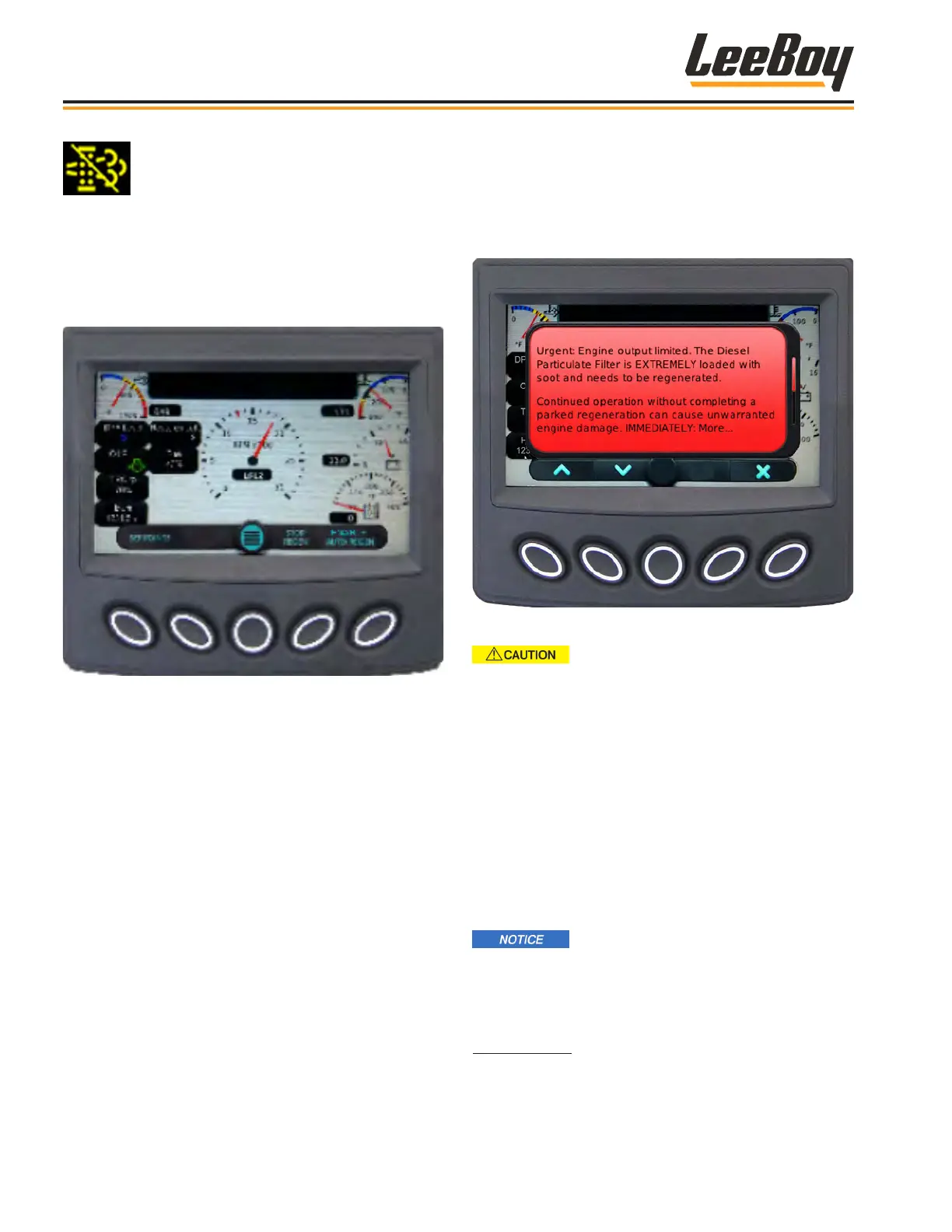
Press the button to disable automatic regen-
eration. The DPF Regen Set to Inhibit icon
appears in the alerts window as a reminder
regen is disabled.
NOTE: Regeneration will remain disabled until the
engine is turned off or the operator navigates
back to DPF Commands where “Enable Auto
Regen” now appears in the soft key banner
(button #5) and selects. (Figure 4-34)
Figure 4-34. Enable (Uninhibit) Regen Screen
The soot level will continue to rise while the regen
function is disabled (inhibited). If the DPF level reaches
Level 3 (described on the following page), a warning
message appears notifying the operator that the parked
regeneration procedure MUST be performed as soon
as possible. (Figure 4-35)
Figure 4-35. Level 3 Regen Screen
If the soot level reaches Level 4 (or
5), specialized equipment is needed to perform
regeneration and the machine must be serviced
by your authorized dealer. The DPF system may
become damaged and require replacement.
Therefore, performing regeneration BEFORE
reaching Level 4 is imperative to preventing costly
repair.
DPF Levels
There are ve DPF levels. DPF warning messages will
appear according to the soot level present. (Figures
4-36 to 4-42)
It is important to perform a parked
regeneration BEFORE the DPF level reaches Level
4. If the regeneration process is not performed and
the soot level reaches Level 4, non-warranty factory
assistance from the engine manufacturer is required.
Regen Level 1: The DPF is loaded with soot and needs
to be regenerated. (Figure 4-36) This message alerts
the operator of the system’s need for regeneration.
Operation
8608 Commercial Paver4-18



 To Next Page