June 2018
Legrand PDU User Guide 101
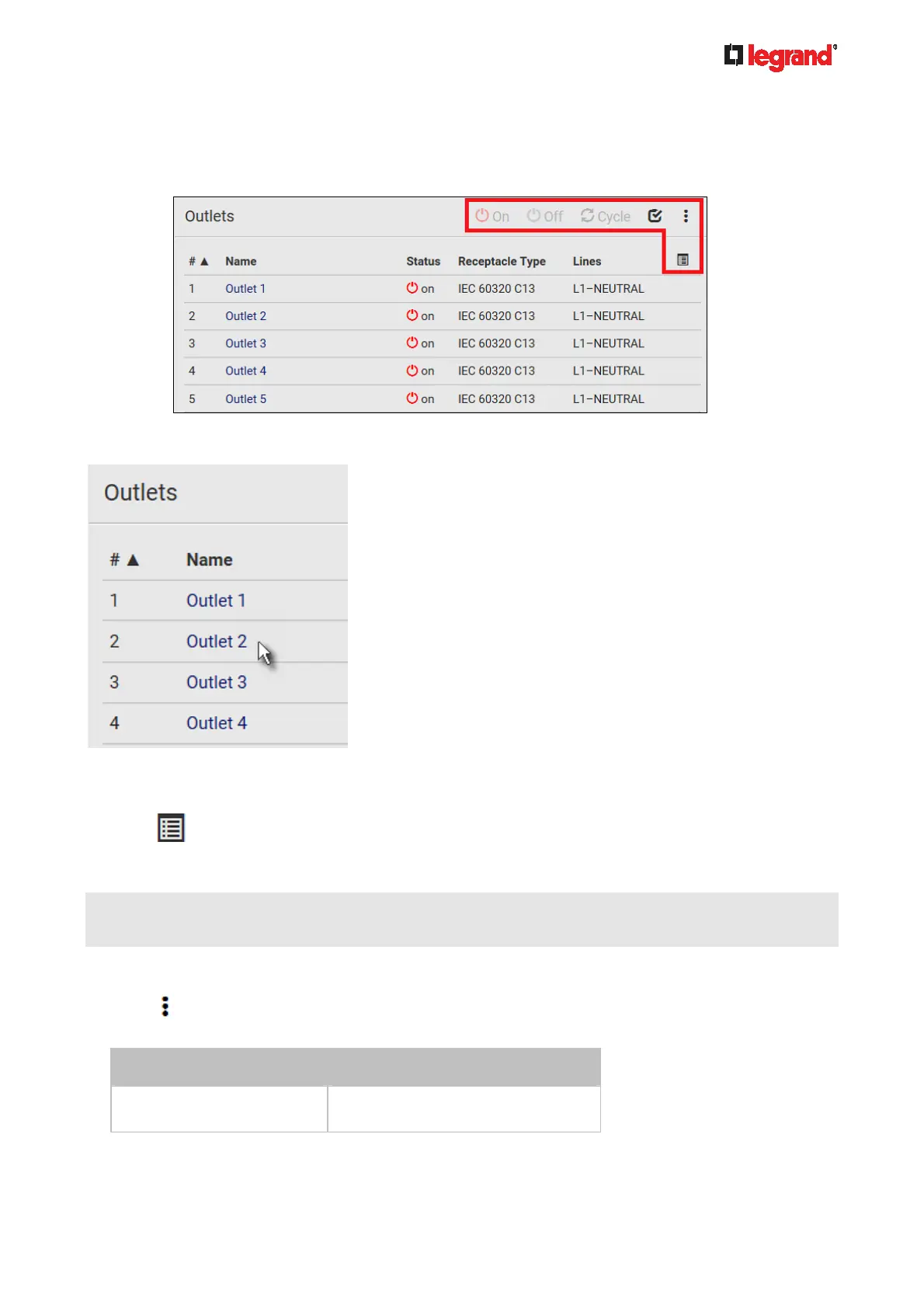
Perform actions on all or multiple outlets simultaneously with setup/power-control commands on
the top-right corner.
Note that only outlet-switching capable models show the power-control buttons, and you must have the
Switch Outlet permission to perform outlet-switching operations.
Go to an individual outlet's data/setup page by clicking an outlet's name. See Individual Outlet
Pages (on page 107).
If wanted, you can resort the list by clicking the desired column header. See Sorting a List (on page 86).
To show
or hide specific columns on the outlets overview page:
1. Click
to show a list of outlet data types.
2. Select those you want to show, and deselect those you want to hide. See Available Data of the Outlets
Overview Page (on page 103).
Only Legrand Switched PDUs support all of the following features while Legrand Metered PDUs do NOT
support them.
To configure global outlet settings or perform the load-shedding command:
1. Click
to show a list of commands.
2. Select the desired command.
Command Refer to
Sequence Setup
Setting Outlet Power-On Sequence
and Delay (on page 104)



 To Next Page