June 2018
Legrand PDU User Guide 119
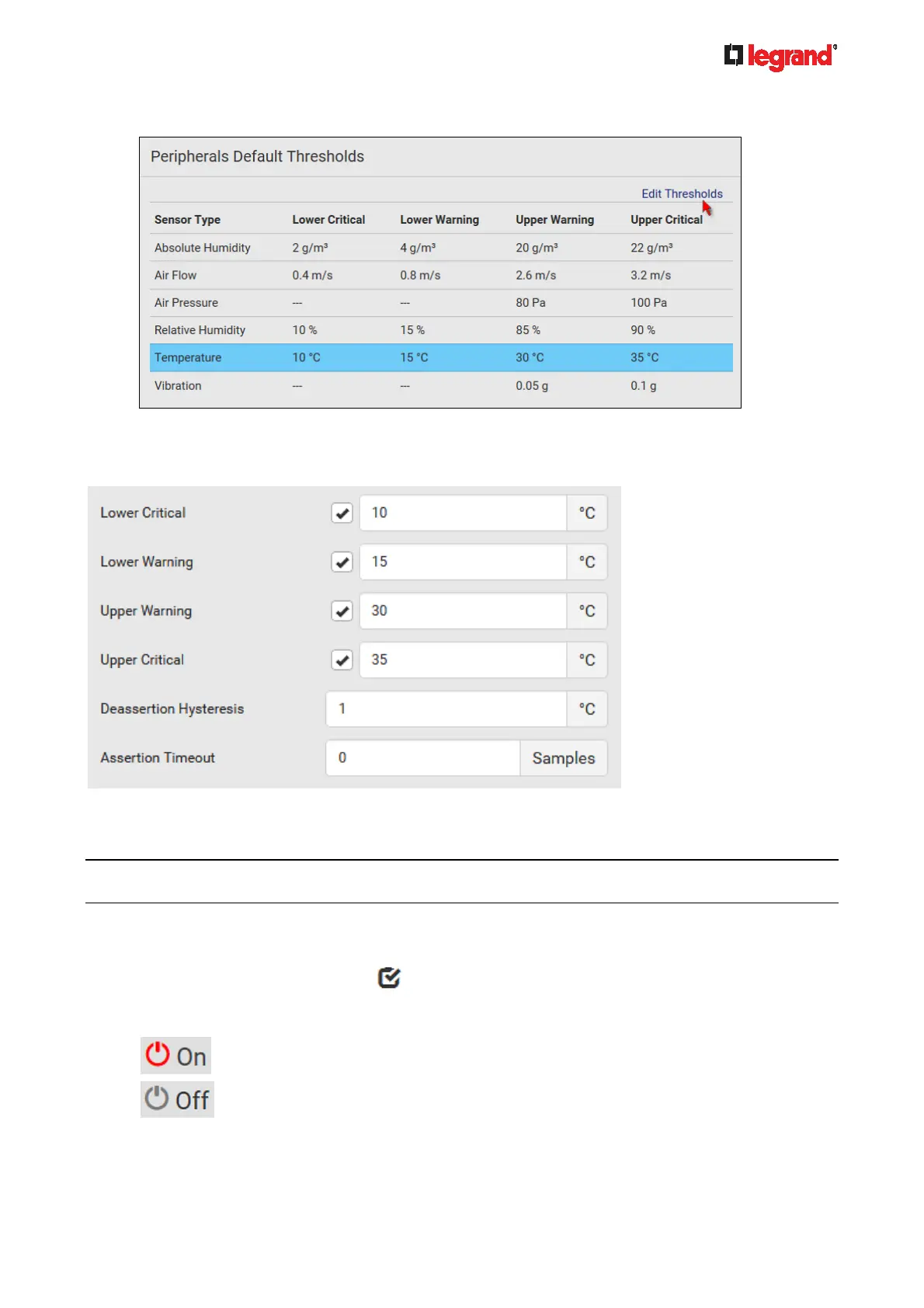
2. Click the desired sensor type (required), and then click Edit Thresholds.
3. Make changes as needed.
To enable any threshold, select the corresponding checkbox.
Type a new value in the accompanying text box.
For concepts of thresholds, deassertion hysteresis and assertion timeout, see Sensor Threshold
Settings (on page 473).
4. Click Save.
Tip: To custo
mize the threshold settings on a per-sensor basis, go to Individual Sensor/Actuator Pages
(on page 125).
To turn on or off any actuator(s):
1. Select one or multiple actuators which are in the same status - on or off.
To select multiple actuators, click
to make checkboxes appear and then select desired
actuators.
2. Click the desired button.
: Turn ON.
: Turn OFF.



 To Next Page