June 2018
118 Legrand PDU User Guide
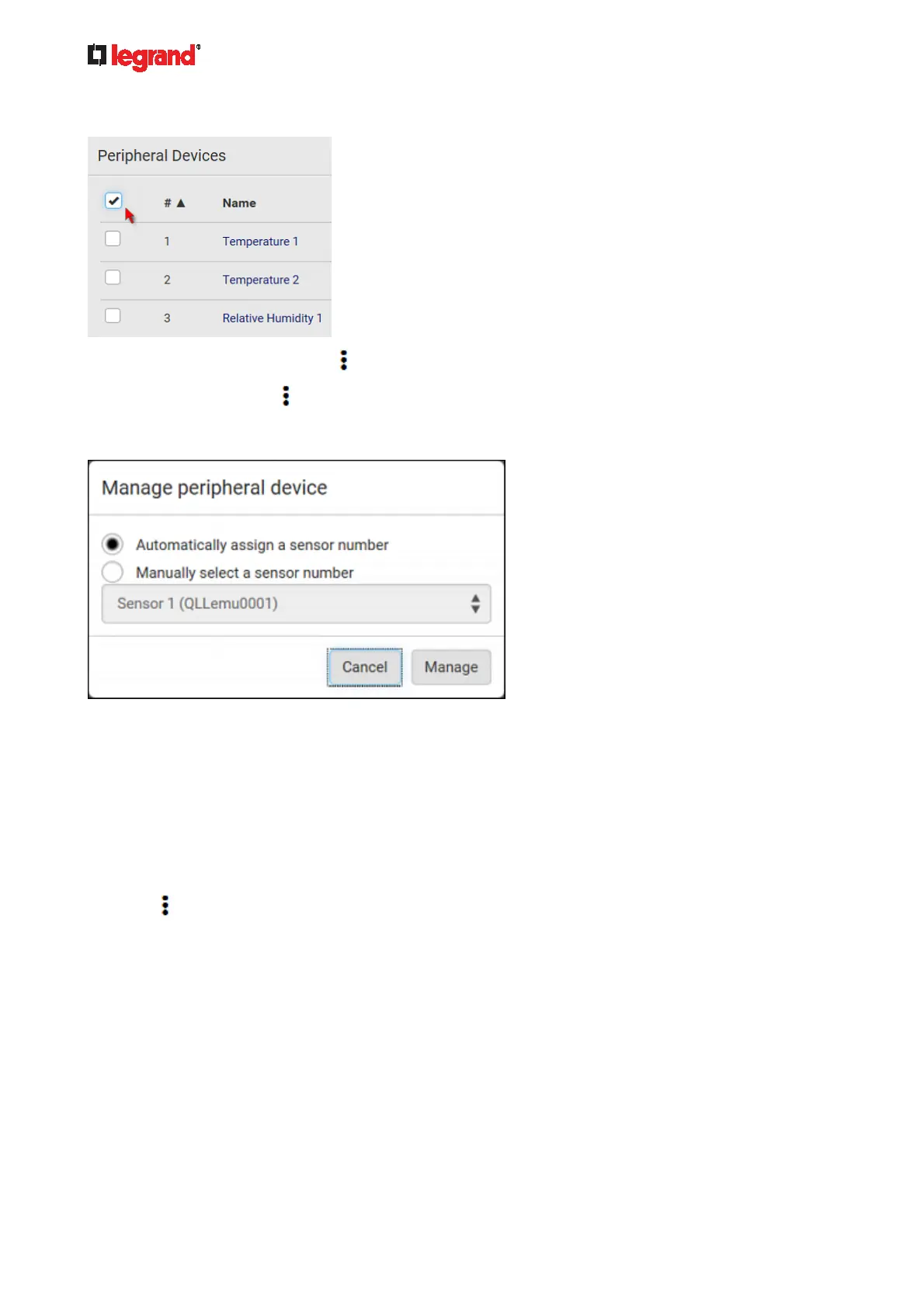
To select ALL sensors/actuators, select the topmost checkbox in the header row.
3. To release selected ones, click
> Release.
To manage them, click
> Manage.
The management action triggers a "Manage peripheral device" dialog. Simply click Manage if you are
managing multiple sensors/actuators.
If you are managing only one sensor/actuator, you can choose to assign an ID number by selecting
"Manually select a sensor number." See Managing One Sensor or Actuator (on page 124).
4. Now rel
eased sensors/actuators become "unmanaged."
Managed ones show one of the managed states.
To configure default threshold settings:
Note that any changes made to default threshold settings not only re-determine the initial threshold values
that will apply to newly-added sensors but also the threshold values of the already-managed sensors where
default thresholds are being applied. See Individual Sensor/Actuator Pages (on page 125).
1. Click
> Default Threshold Setup.



 To Next Page