June 2018
Legrand PDU User Guide 187
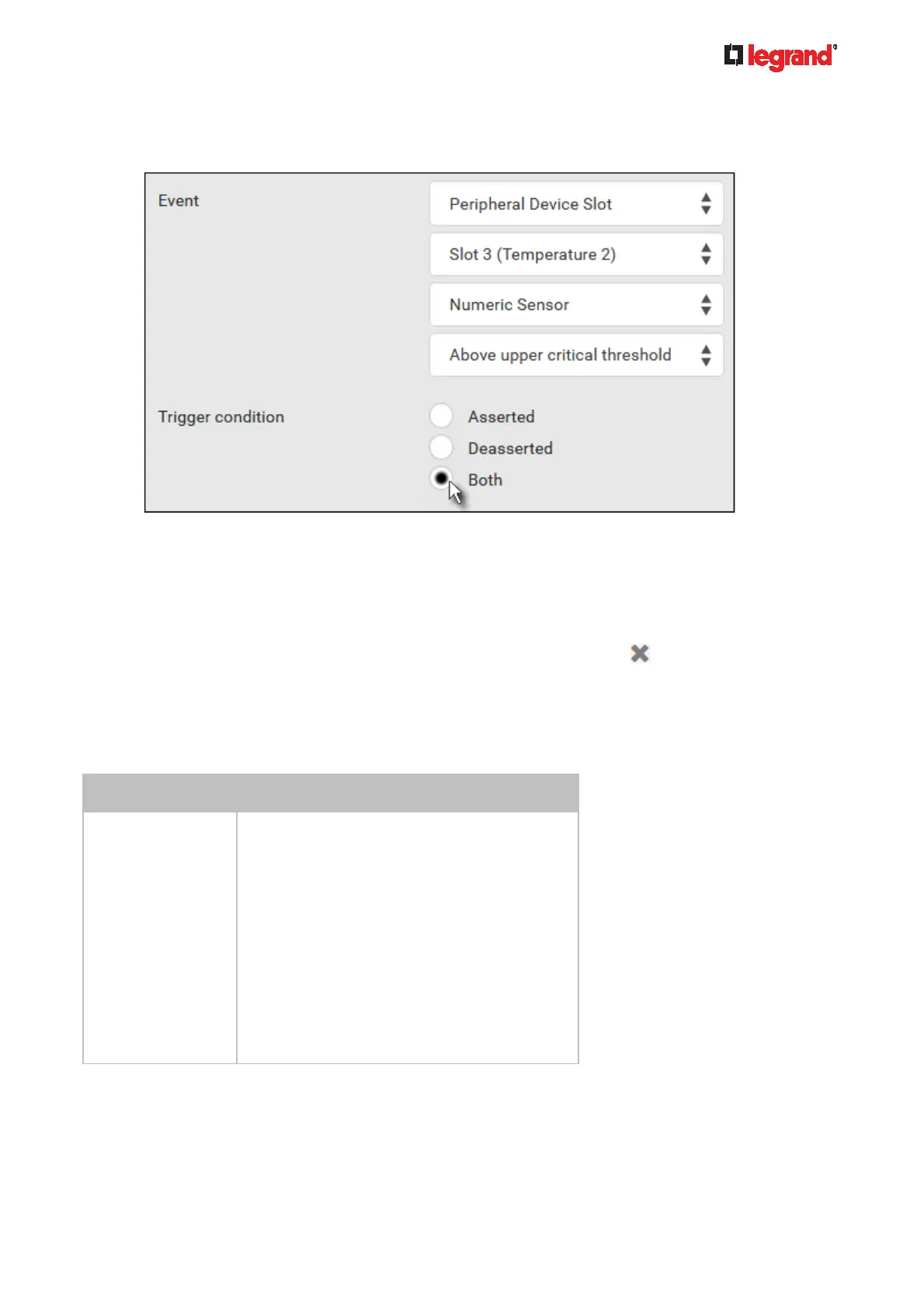
6. In this example, 'Above upper critical threshold' is selected because we want the Legrand PDU to react
only when the selected temperature sensor's reading enters the upper critical range. A "Trigger
condition" field appears, requiring you to define the "exact" condition related to the "upper critical" event.
7. Select the desired radio button to finish the event configuration. Refer to the following table for different
types of radio buttons.
If needed, you may refer to event rule examples in the section titled Sample Event Rules (on page
214).
8. To sele
ct any action(s), select them one by one from the Available Actions list.
To select all available actions, click Select All.
9. To remove any action(s) from the Selected Actions field, click that action's
.
To remove all actions, click Deselect All.
Radio buttons for different events:
According to the event you select, the "Trigger condition" field containing three radio buttons may or may not
appear.
Event types Radio buttons
Numeric sensor
threshold-crossing
events, or the
occurrence of the
selected event --
true or false
Available radio buttons include "Asserted,"
"Deasserted" and "Both."
Asserted: Legrand PDU takes the action
only when the selected event occurs. That
is, the status of the event transits from
FALSE to TRUE.
Deasserted: Legrand PDU takes the action
only when the selected event disappears or
stops. That is, the status of the selected
event transits from TRUE to FALSE.
Both: Legrand PDU takes the action both
when the event occurs (asserts) and when
the event stops/disappears (deasserts).



 To Next Page