June 2018
208 Legrand PDU User Guide
Send Sensor Report Example
To create a scheduled action for emailing a temperature sensor report hourly, it requires:
A 'Send email' action
A 'Send sensor report' action
A timer - that is, the scheduled action
Steps:
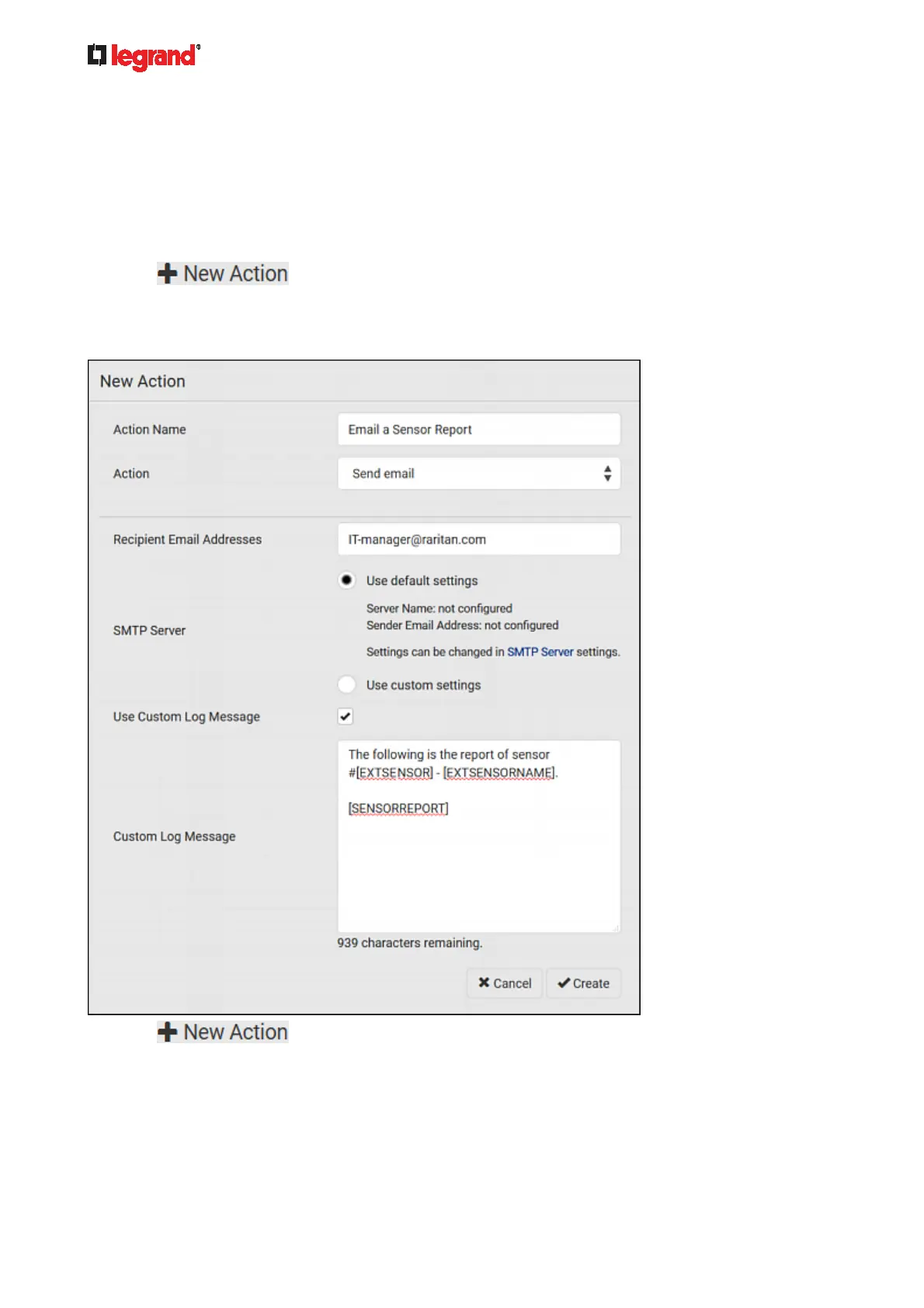
1. Click
to create a 'Send email' action that sends an email to the desired recipient(s).
For details, see Send Email (on page 200).
In this example, this action
is named Email a Sensor Report.
If intended, you can customize the email messages in this action.
2. Click
to create a 'Send sensor report' action that includes the 'Email a Sensor
Report' action as its destination action. For details, see Send Sensor Report (on page 201).
In this example, this action
is named Send Temperature Sensor Readings.



 To Next Page