June 2018
48 Legrand PDU User Guide
Exception: You CANNOT cascade DX-PD2C5 sensor packages. A Legrand PDU supports only one
DX-PD2C5.
3. Connect the first DX sensor package to the Legrand PDU by plugging its cable's connector into the
RJ-45 SENSOR port of the Legrand PDU.
4. If needed, connect a DPX2 sensor package to the end of the DX chain. See Connecting a DPX2
Sensor Package to DX (on page 48).
Warning: The Legrand PDU does NOT support simultaneous connection of both DX-PD2C5 and asset
management strip(s) so do NOT connect both of them at the same time.
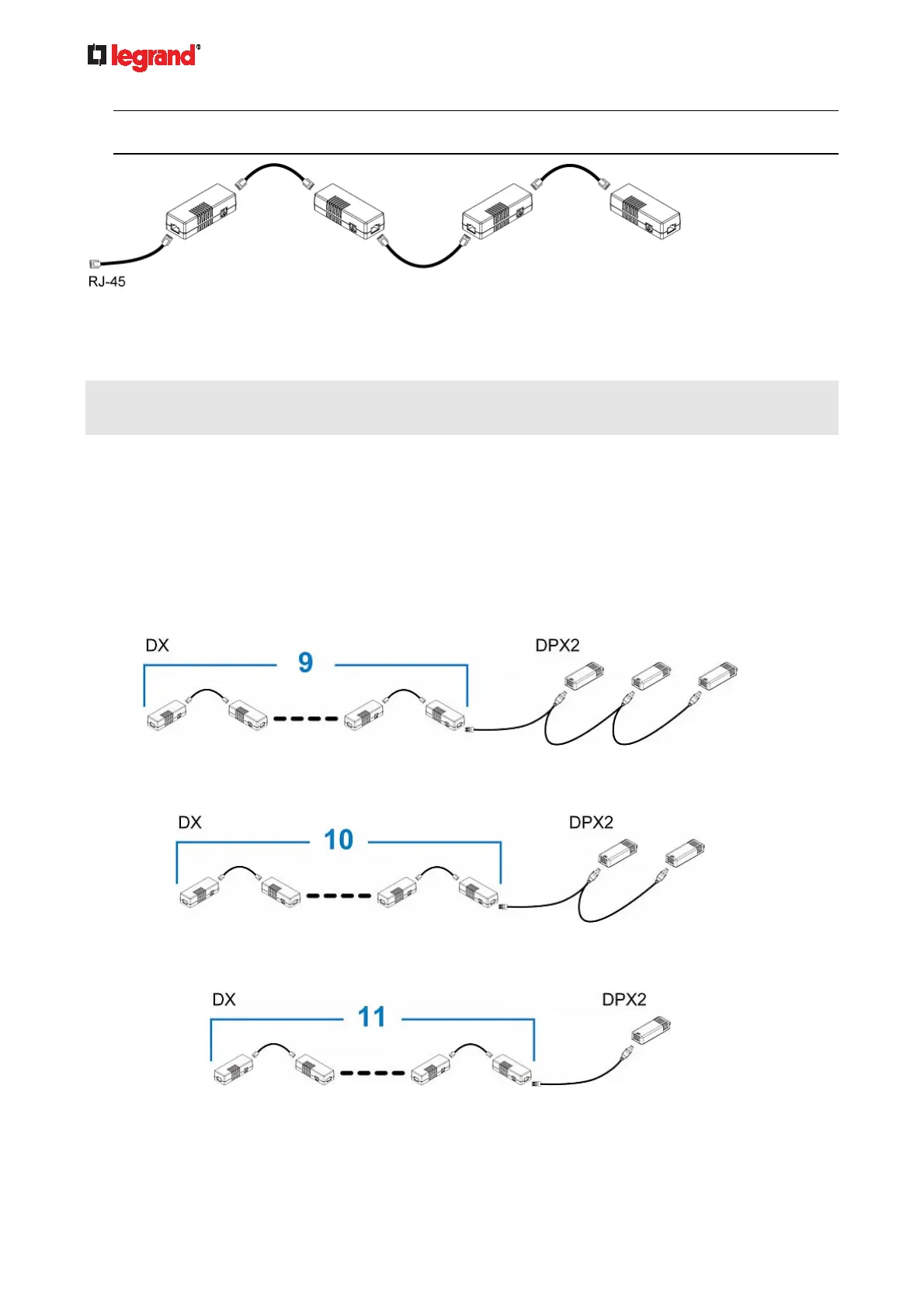
Connecting a DPX2 Sensor Package to DX
You can connect only one DPX2 sensor package to the "end" of a DX sensor chain. It is strongly
recommended to use an RJ-12 to RJ-45 adapter for connecting the DPX2 to the final DX in the chain.
The maximum number of DX sensor packages in the chain must be less than 12 when a DPX2 sensor
package is involved.
When connecting a DPX2 sensor package containing three DPX2 sensors:
A maximum of nine DX sensor packages can be cascaded because 12-3=9.
When connecting a DPX2 sensor package containing two DPX2 sensors:
A maximum of ten DX sensor packages can be cascaded because 12-2=10.
When connecting a DPX2 sensor package containing one DPX2 sensor:
A maximum of eleven DX sensor packages can be cascaded because 12-1=11.



 To Next Page