June 2018
Legrand PDU User Guide 65
Number Description
Current reading of the corresponding overcurrent protector.
3. If the desired overcurrent protector is not visible, press or to scroll up or down.
Note: If any circuit breaker trips, the list of overcurrent protectors looks slightly different from the above
diagram. The tripped one will show "open" instead of a current reading.
Outlets
This outlet-related section applies to Legrand Switched PDUs only.
With the front panel display, you can do the following for outlets:
Show each outlet's information.
Turn on, off or power cycle an individual outlet if your Legrand PDU is outlet-switching capable. To do
this, you must first enable the front panel outlet control function. See Front Panel Settings (on page
224).
Showing Outlets Information
Multiple outlet information can be displayed on the LCD display.
Control buttons that can be used and the system time are shown at the bottom of the LCD display.
To show outlets information:
1. Press
or to select "Outlets" in the Main Menu, and press .
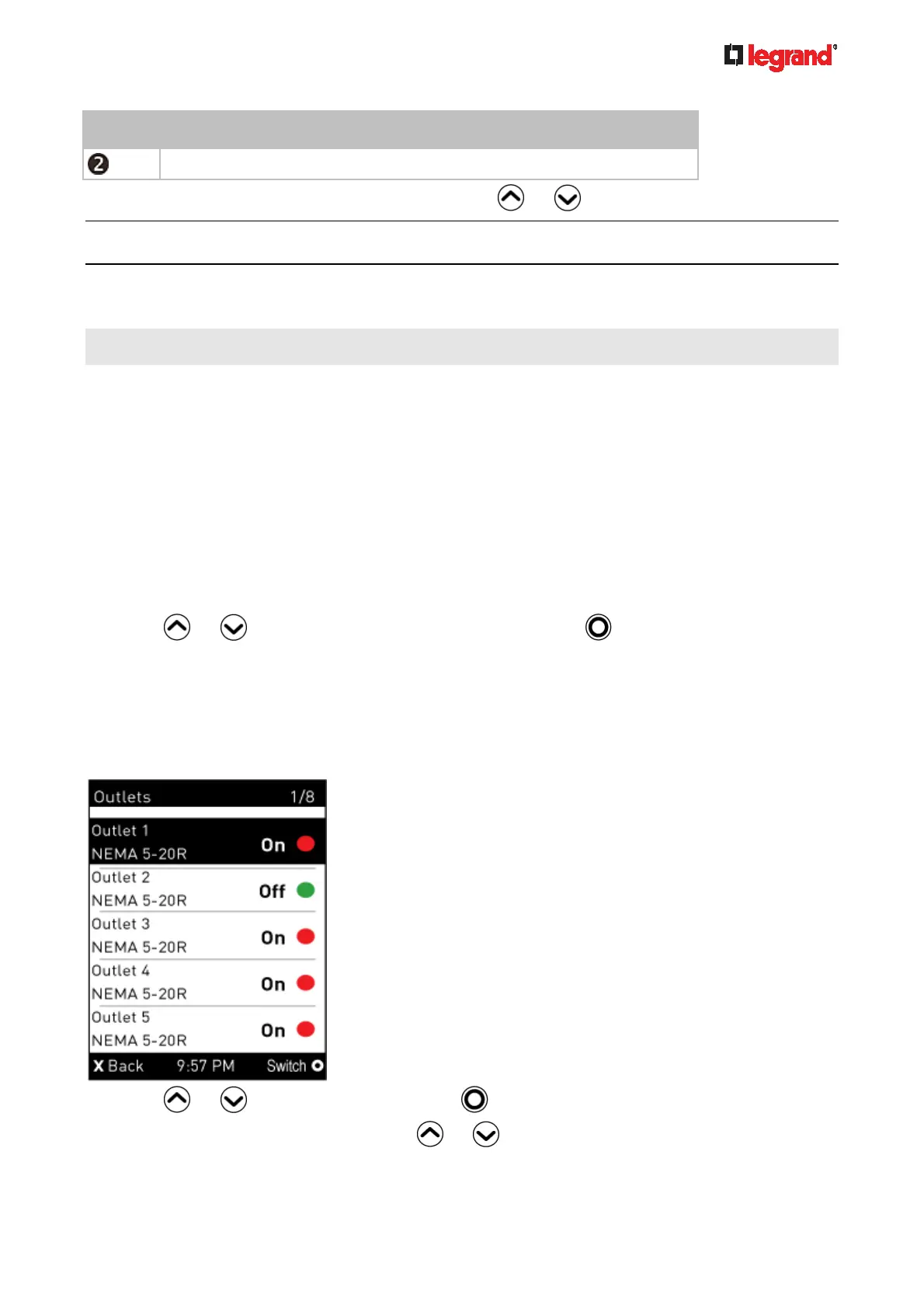
2. The LCD display shows a list of outlets with their receptacle types, and power states which are indicated
by the colors of circles.
The currently-selected outlet number and total of outlets are indicated in the top-right corner of the
display.
A red circle indicates that this outlet is powered on.
A green circle indicates that this outlet is powered off.
3. Press
or to select an outlet, and press .
If the desired outlet is not visible, press
or to scroll up or down.



 To Next Page