June 2018
72 Legrand PDU User Guide
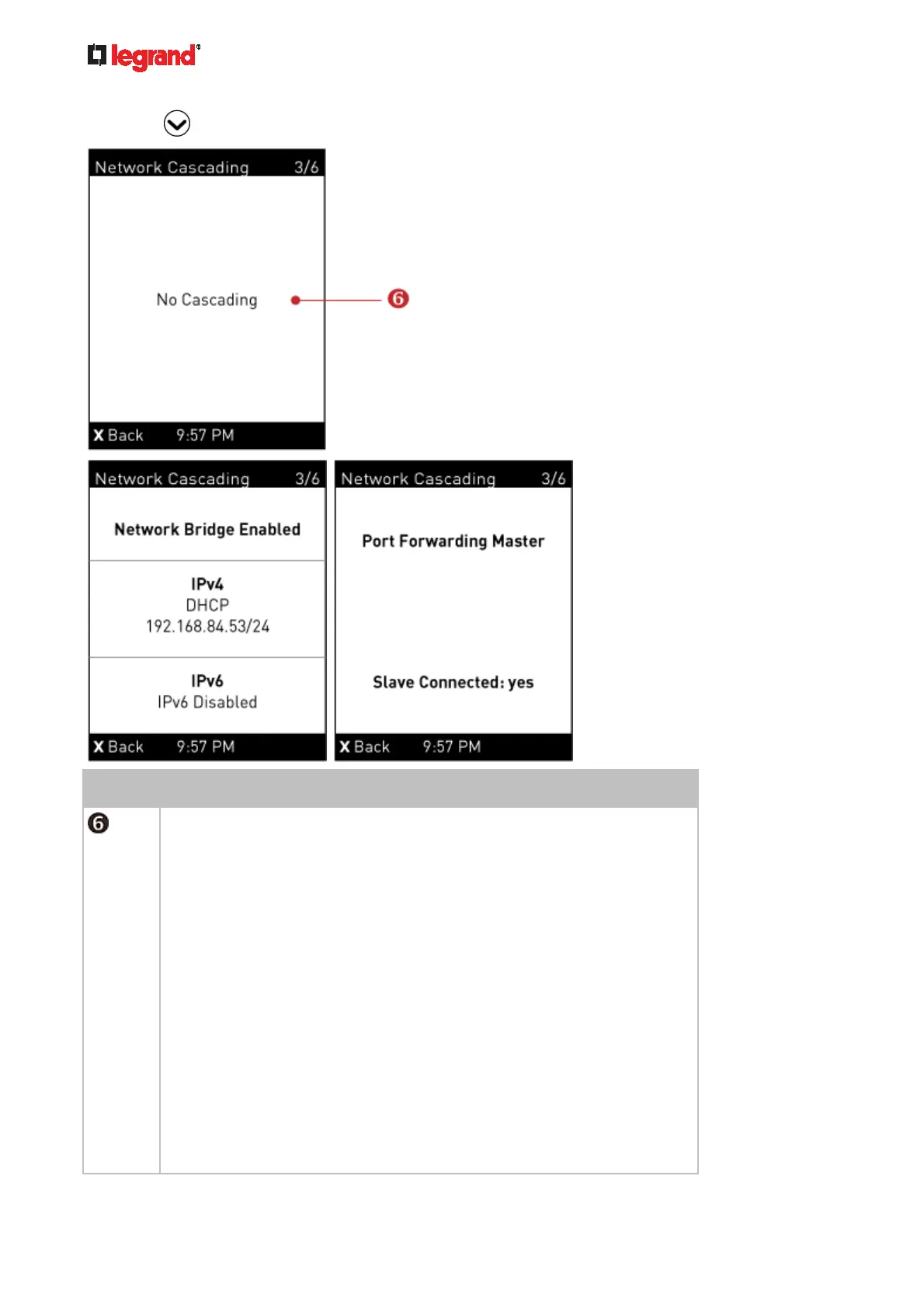
4. Press to show the Network Cascading page.
Number Description
Cascading status, which can be one of the following:
No Cascading: This device's cascading mode is set to None. See Setting
the Cascading Mode (on page 150).
Network Bridge Enabl
ed: This device's cascading mode is set to
Bridging. Its IP address is also displayed on this page.
Port Forwarding Master: This device's cascading mode is set to Port
Forwarding, and it is a master device.
Slave Connected: Indicates whether the presence of a slave device
is detected - yes or no.
Port Forwarding Slave: This device's cascading mode is set to Port
Forwarding, and it is a slave device.
Slave Connected: Indicates whether the presence of a slave device
is detected - yes or no.
Cascade Position: Indicates the position of a slave device in the Port
Forwarding mode. 1 represents Slave 1, 2 represents Slave 2, and
so on.
A port forwarding slave device will also display the master device's
IP address on this page.



 To Next Page