June 2018
Legrand PDU User Guide 73
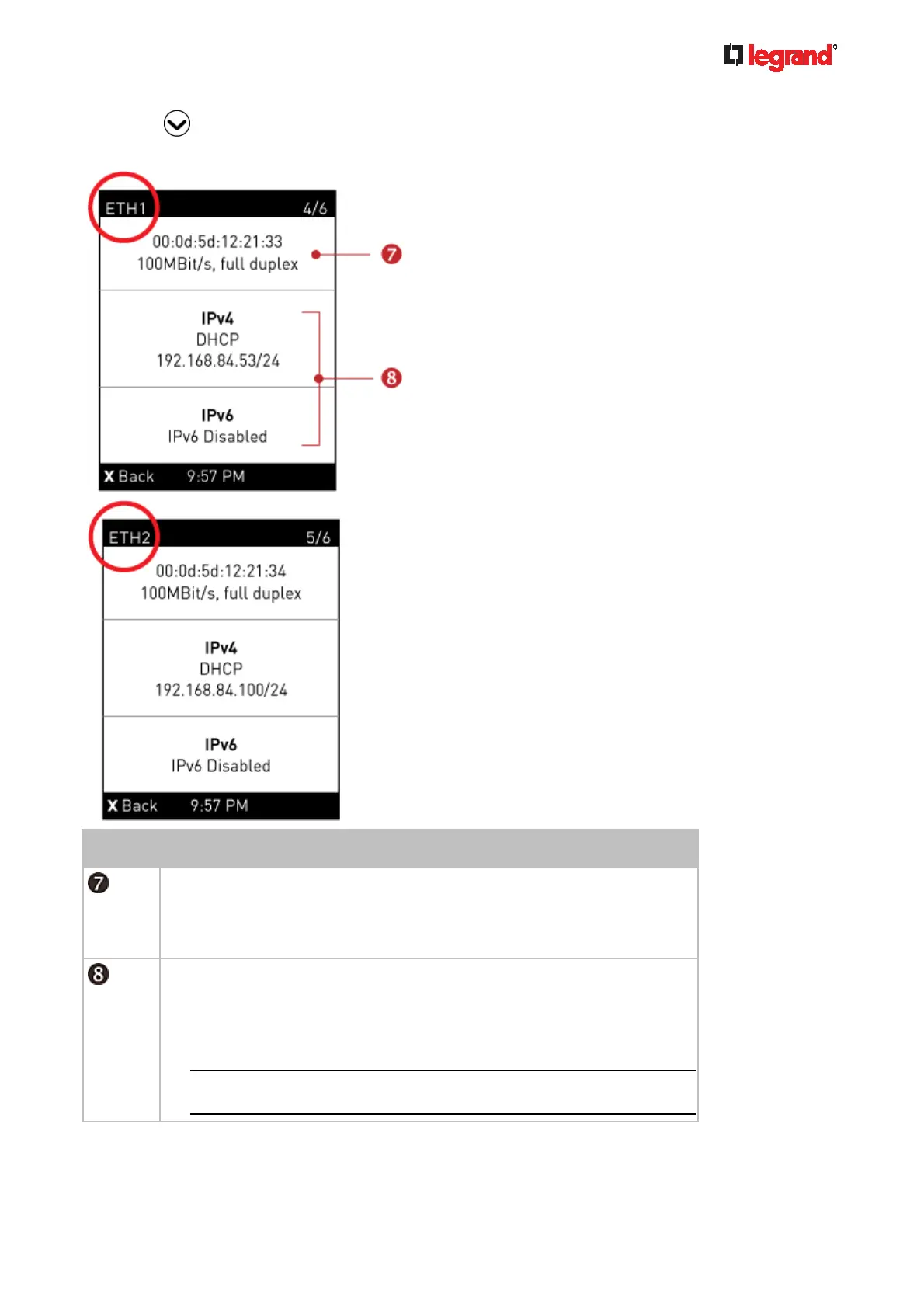
5. Press to show the Ethernet pages.
A Legrand PDU has two Ethernet pages -- ETH1 and ETH2.
Number Description
Ethernet interface information, including:
MAC address.
Speed.
Full or half duplex.
IPv4/IPv6 network information, including:
Network configuration: DHCP (or Automatic), or Static. Static represents
Static IP.
IP address.
Prefix length, such as "/24".
Note: If you disable any Ethernet interface, a message 'Interface
Disabled' is shown. See Ethernet Interface Settings (on page 143).
If you do not enable IPv4/IPv6 settings, an 'IPv4 (or IPv6) Disabled' message is displayed.



 To Next Page