Using your Edger...Usual procedure
3-34
LTO
3.2.3.2.1 MEASURING THE PRESENTATION LENS OR PATTERN
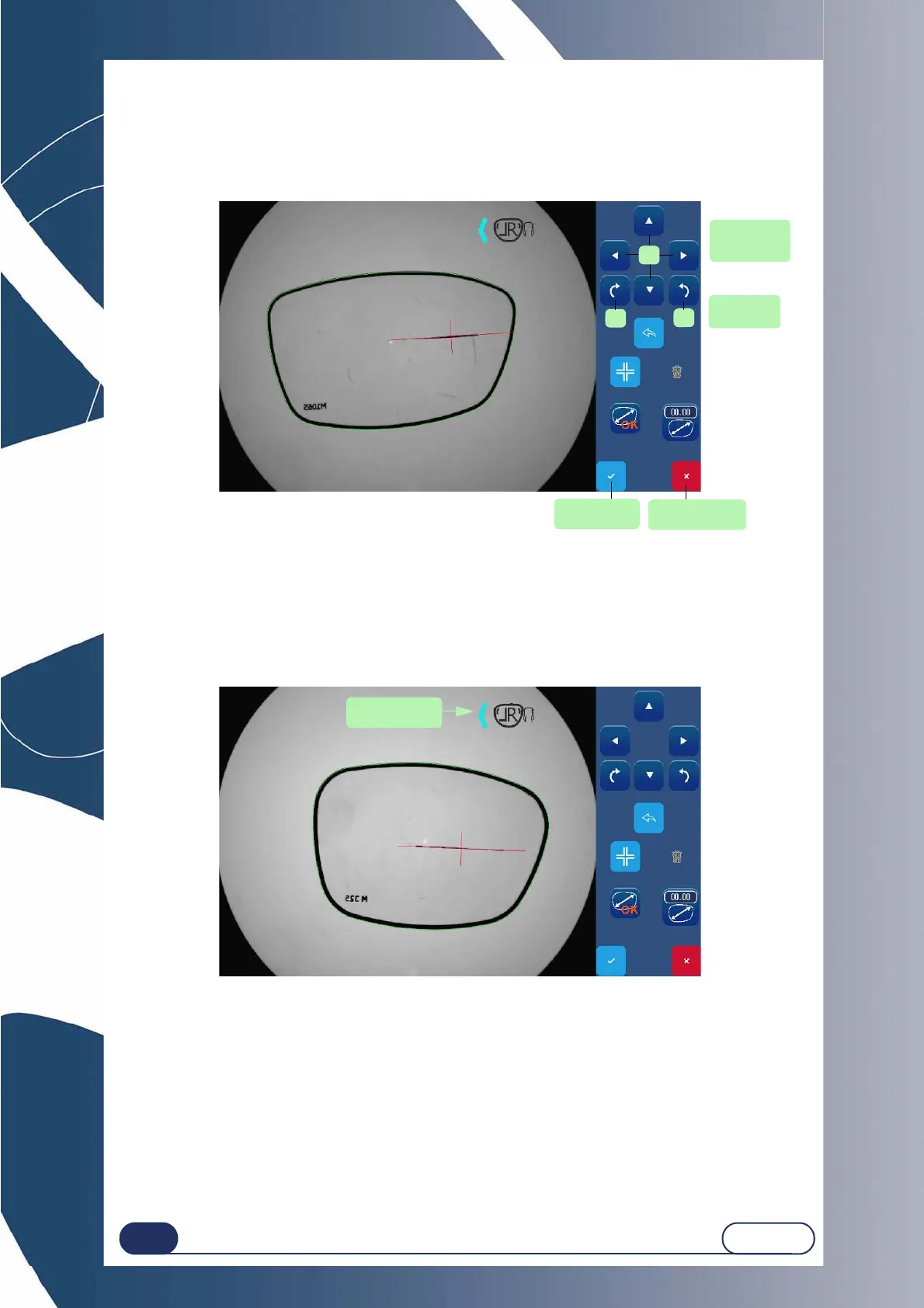
You may position the axis using arrows located on the right of the screen:
(1) translation / (2) rotation.
Screen 3-5 : Guided axis setting screen
3.2.3.2.2 SIDE OF THE PRESENTATION LENS OR PATTERN
Position the tip icon on the correct side according to the presentation lens or pattern (left or right).
For this purpose, press the icon to switch to the opposite side.
Screen 3-6 : Toggle screen
Tip! If you forget something, you can reverse the shapes on the entry screen.
Rotation of
the axis
Translation
of the axis
2
2
1
Cancellation of
treatment
Validation of
treatment



 To Next Page