262335 83 Revision A
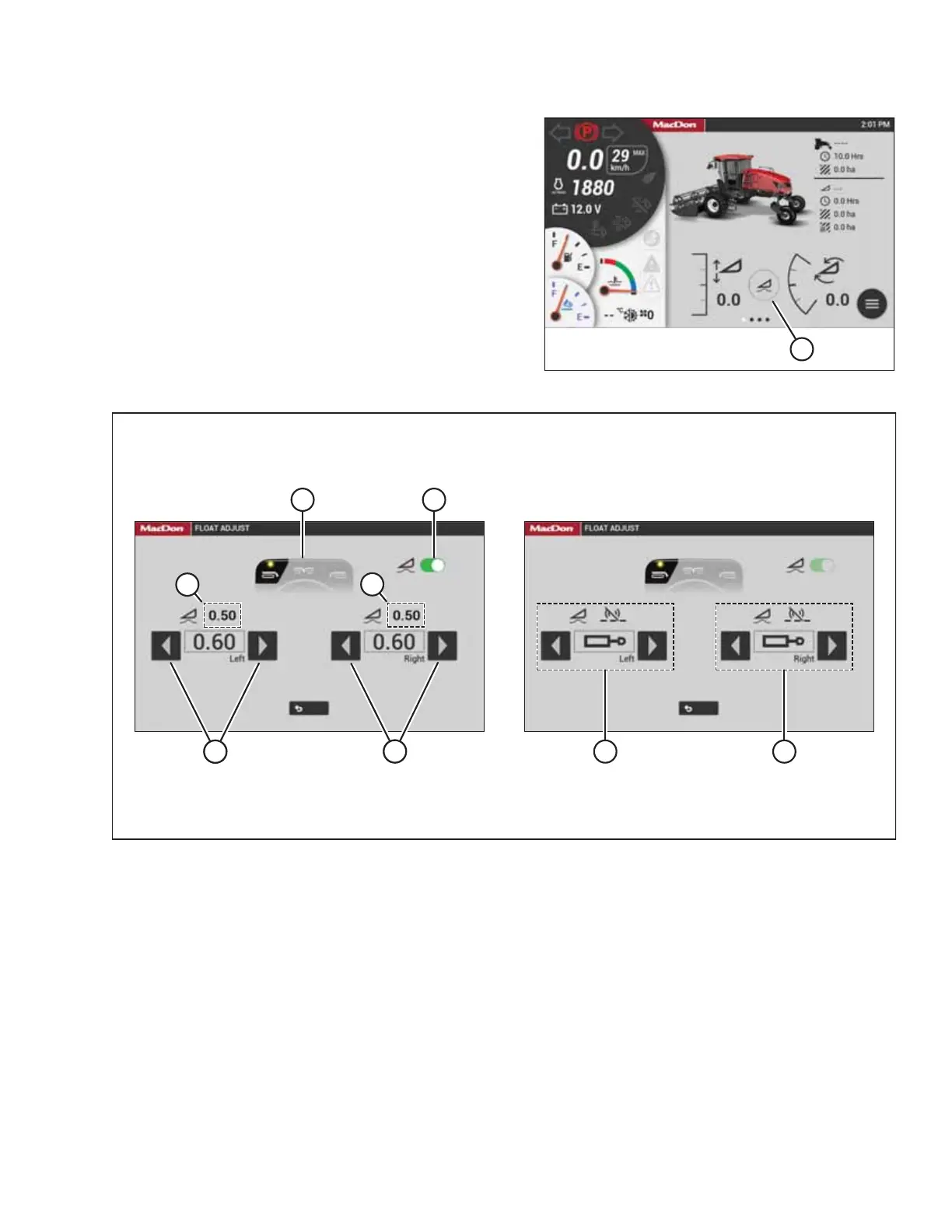
Figure 3.156: HarvestTouch
™
Display
19. Select FLOAT ADJUST (A).
Figure 3.157: Float Adjustment
20. Select switch (A), so that it turns green, to activate the float.
21. If the float is not already set up, set the float as follows:
a. The float preset, which is selected using the operator’s console, is displayed at location (B). Confirm if the desired
preset is selected.
b. Select arrows (C) to set the target float for the left side of the header. Value (E) is the actual amount of float
(measured by the left float sensor).
c. Select arrows (D) to set the target float for the right side of the header. Value (F) is the actual amount of float
(measured by the left float sensor).
NOTE:
Adjusting the float by increments of 1.0 (out of 10) changes the header weight at the cutterbar by approximately 91 kg
(200 lb.). Adjust the float in increments of 0.05 to fine-tune the header’s performance.
ASSEMBLING THE MACHINE



 To Next Page