214327 212 Revision B
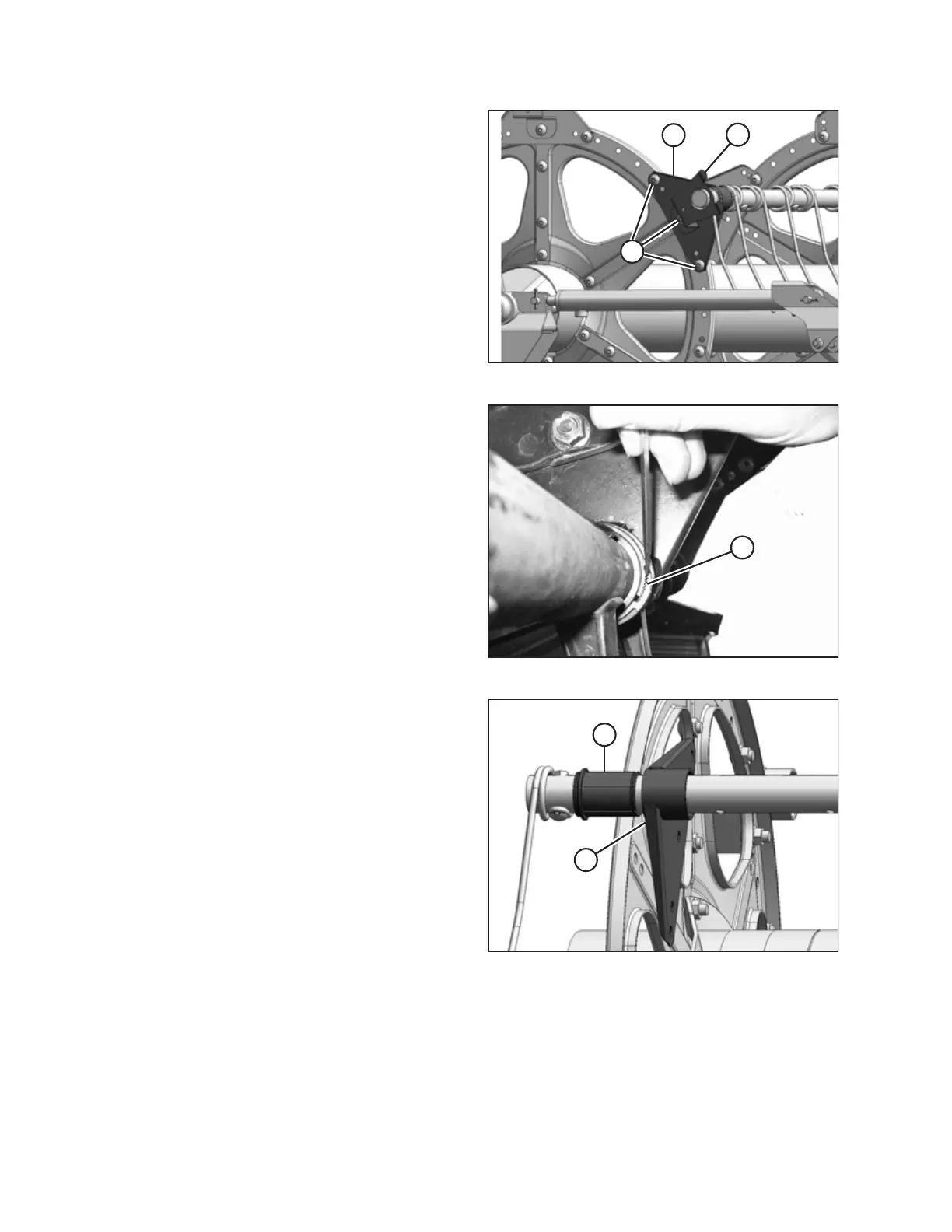
Figure 5.171: Tail End
5. Remove the reel endshields and endshield support (C) from
the tail end of the reel at the applicable tine tube location.
NOTE:
There are no endshields on the center disc.
6. Remove bolts (A) securing arm (B) to the disc.
IMPORTANT:
Note the hole locations in the arm and disc, and ensure
bolts (A) are reinstalled at the original locations.
Figure 5.172: Bushing Clamp
7. Release bushing clamps (A) using a small screwdriver to
separate the serrations. Pull the clamp off the tine tube.
Figure 5.173: Bushing
8. Rotate arm (A) until it is clear of the disc and slide the arm
inboard off of bushing (B).
9. Remove bushing halves (B). If required, remove the next
tine or plastic finger so the arm can slide off the bushing.
Refer to the following procedures as necessary:
• Removing Plastic Fingers, page 209
• Removing Steel Tines, page 208
Removing cam end bushings:
MAINTENANCE AND SERVICING



 To Next Page