M A E D A Mini-Crawler Crane Section 4 – MONITOR
9/2020 MC285CB-3 4-21
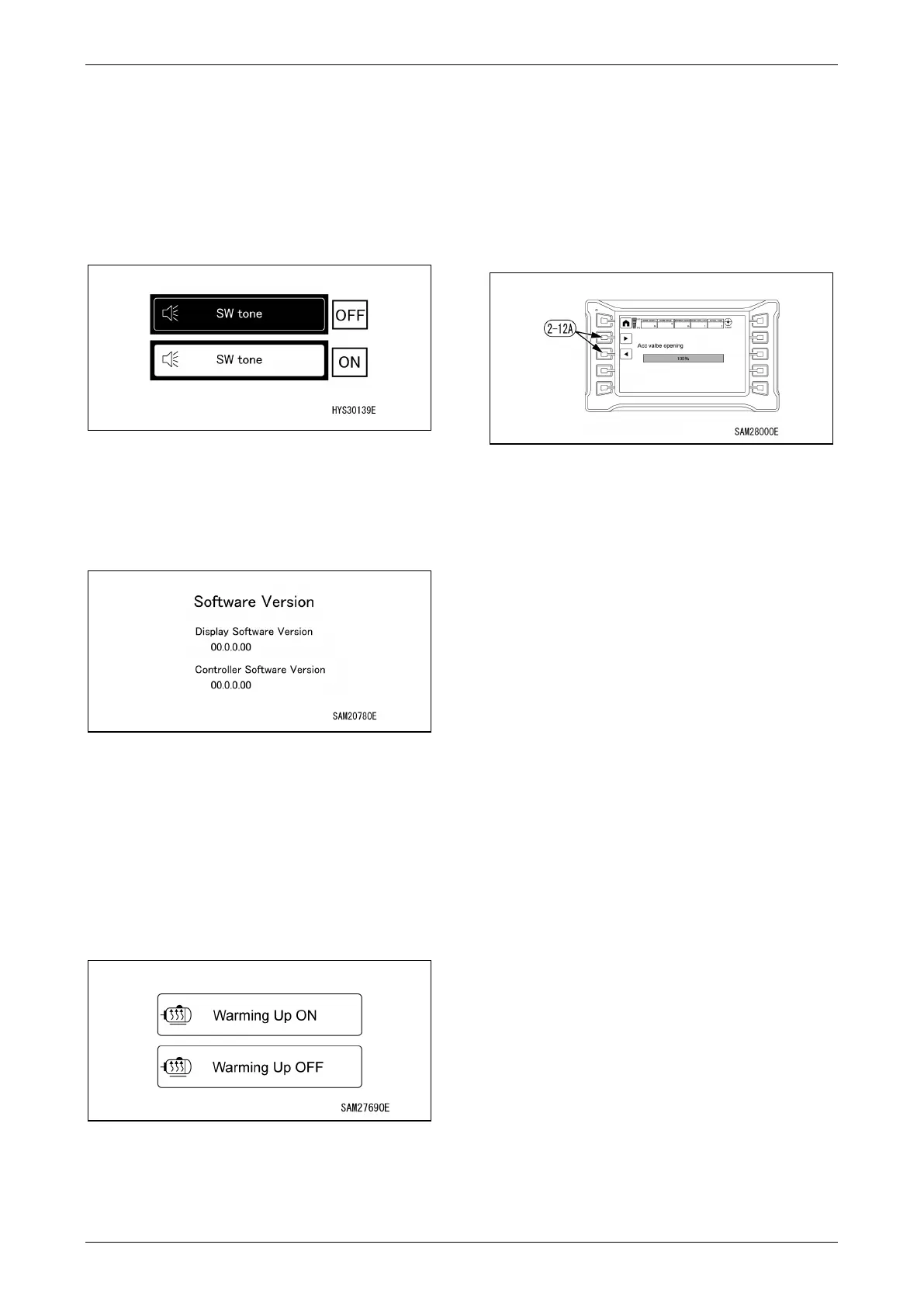
52BSwitch Tone ON/OFF Change
When the switch is pressed, switch tone can be
turned OFF and ON.
• OFF: No tone is heard when switches are
operated.
• ON: Tone is heard when switches are
operated.
Fig. 4-43
Software Version Check
The version of the controller software and
monitor can be checked.
Fig. 4-44
Warming Up ON/OFF Selection
Allows warming-up to be switched on or off.
• ON: The motor rotates even under no load
when the starter switch is turned on.
• OFF: The motor does not rotate under no load
when the starter switch is turned on. The motor
rotates when the levers are operated.
Fig. 4-45
NOTICE: It is recommended that warming-up be
turned on in cold conditions, as the machine and
the hydraulic oil may take time to warm up.
Radio Remote Control System
Accelerator Switch
The acceleration value can be adjusted for use
of the radio remote control system operation
lever.
Set the desired value using ◄ or ► on the
adjustment switch (2-12A).
Fig. 4-46
NOTICE: For example, if set to 60%, the
acceleration value will be 60% and not 100%
when the radio remote control system operation
lever is pushed all the way.
54BHome Switch
• Short press: Returns one page.
• Long press: Returns to home page.
NOTICE: The function of the Home switch is the
same for confirmation and setting screens.
55BDisplay Page Change
Each time the switch is pressed, the page
changes: “page 1/2 to page 2/2 to page 1/2”.
NOTICE: The function of the Display Page
Change switch is the same for confirmation and
setting screens if they cover more than one
page.



 To Next Page