20.2 Introducing acquisition / recording possibilities 171
while( sequencerMode == On )
{
take 1 image using set 0
take 1 image using set 1
take 1 image using set 2
take 1 image using set 3
take 5 images using set 4
}
• There are 2 C++ examples called GenICamSequencerUsage and GenICamSequencerParameter←-
ChangeAtRuntime that show how to control the sequencer from an application. They can be found in the
Examples section of the C++ interface documentation (p. 131)
The following steps are needed to configure the device as desired:
Note
This is the SFNC (p. 159) way how to create an acquistion sequence and consequently how you have to
programm it. However, wxPropView offers a wizard (p. 176) to define an acquisition sequence in a much
easier way.
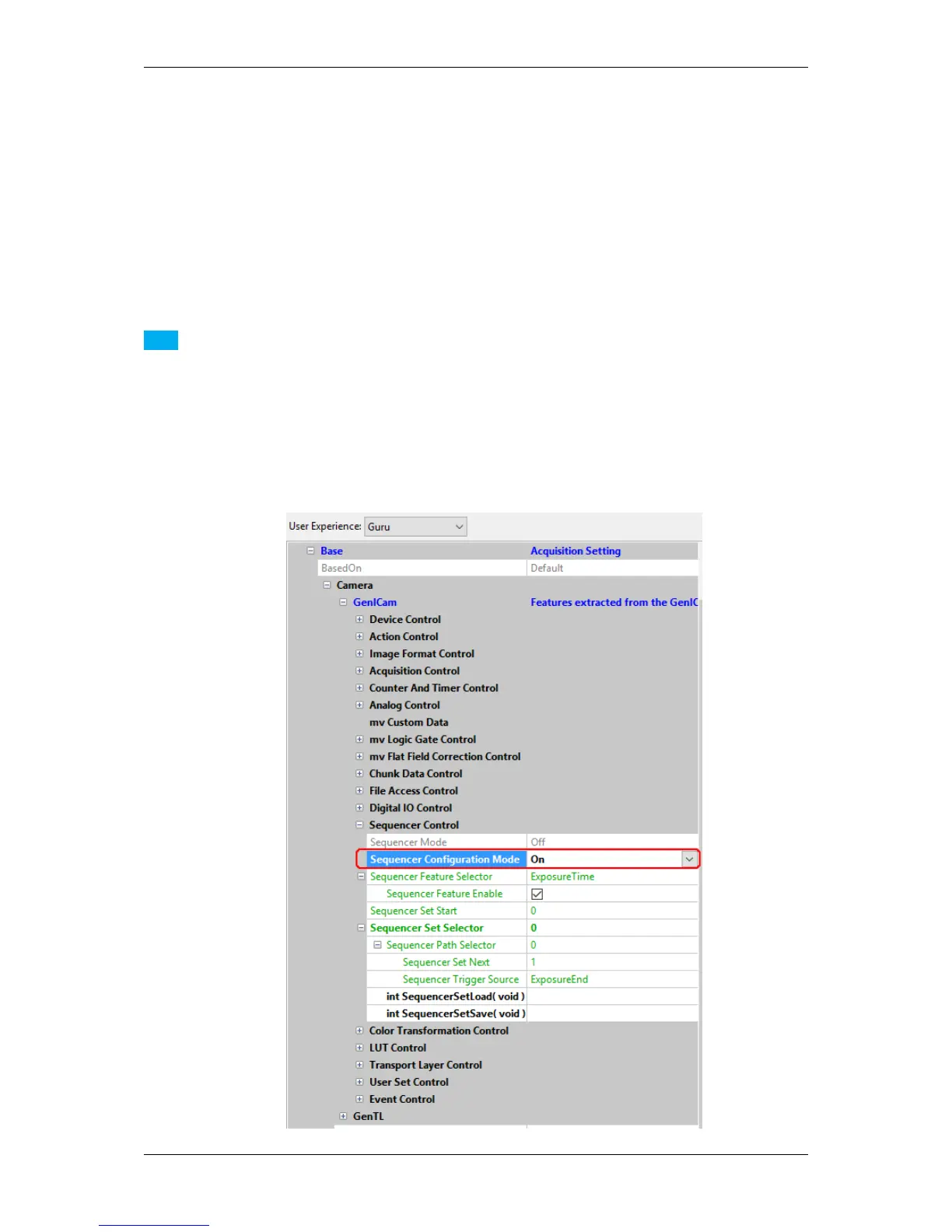
1. First, switch into the "Configuration Mode": "Sequencer Configuration Mode" = "On". Only then the se-
quencer on a device can be configured.
MATRIX VISION GmbH



 To Next Page