20.3 Improving the acquisition / image quality 205
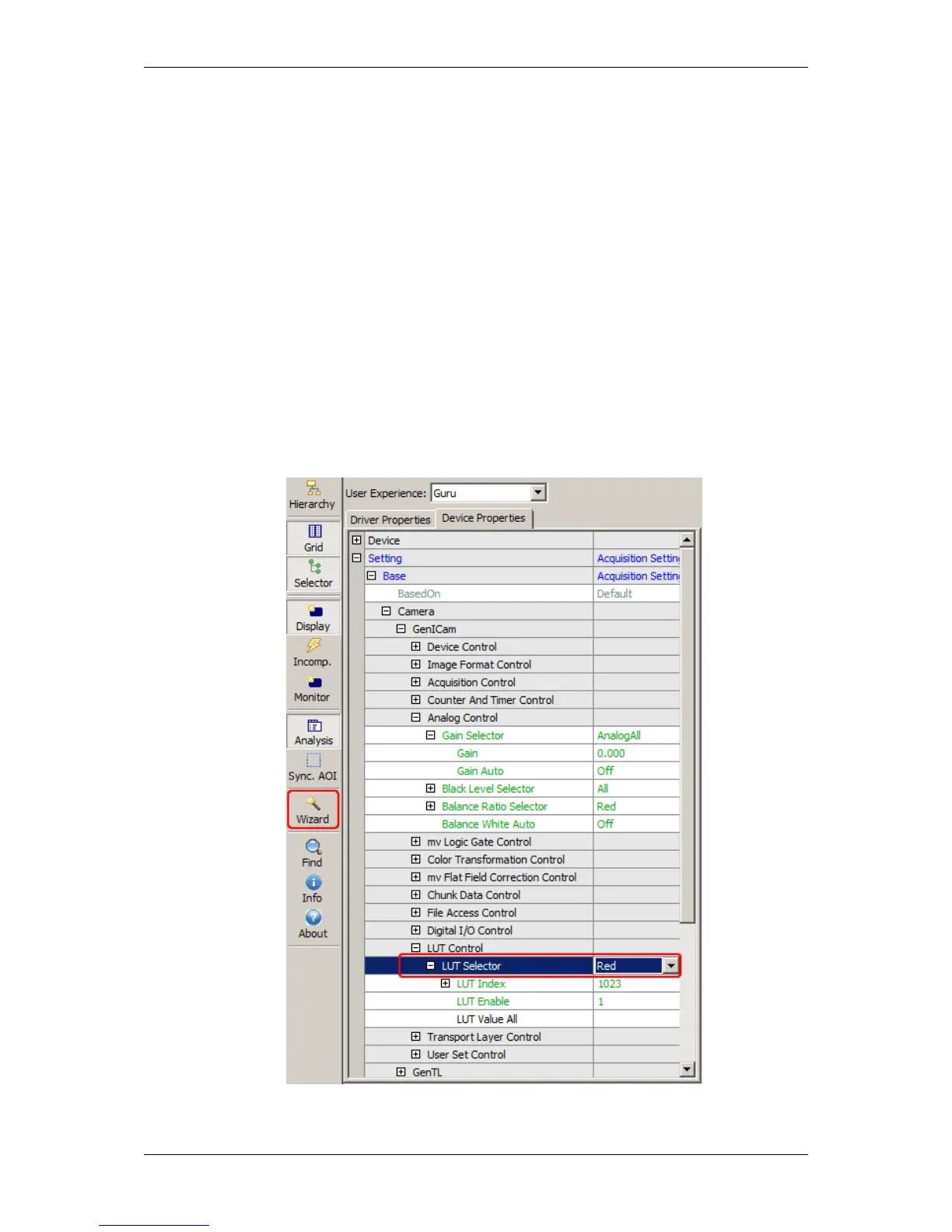
You can change the gain via wxPropView (p. 74) like the following way:
1. Click on "Setting -> Base -> Camera -> GenICam -> LUT Control -> LUT Selector".
2. Afterwards, click on "Wizard" to start the LUT Control wizard tool.
The wizard will load the data from the camera.
Figure 5: Selected LUT Selector and click on wizard will start wizard tool
MATRIX VISION GmbH



 To Next Page