20.3 Improving the acquisition / image quality 213
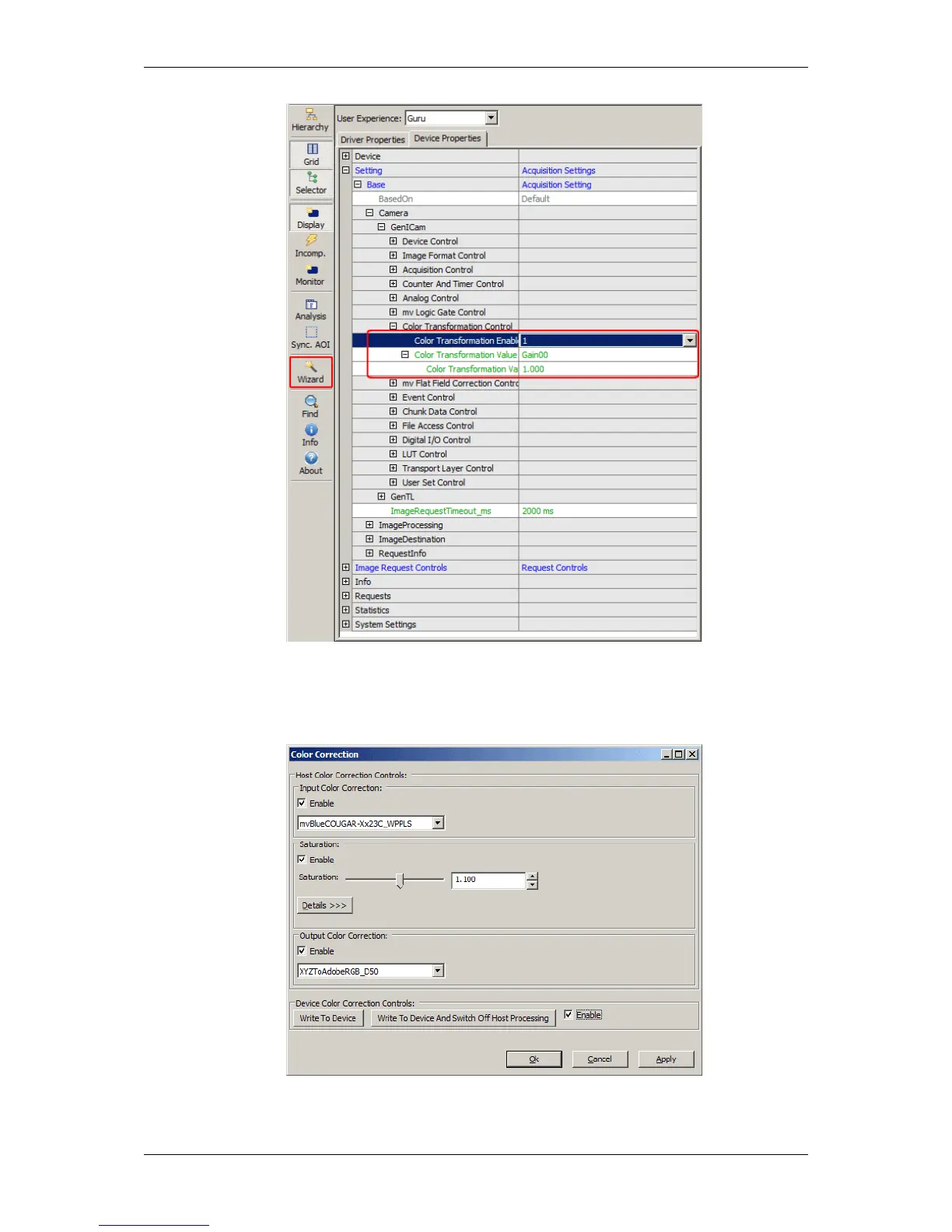
Figure 18: Selected Color Transformation Enable and click on wizard will start wizard tool
3. Now, you can adjust the saturation e.g. "1.1".
Figure 19: Saturation Via Color Transformation Control dialog
4. Afterwards, click on "Enable".
MATRIX VISION GmbH



 To Next Page