95
Appendix A - Cleaning and Maintenance
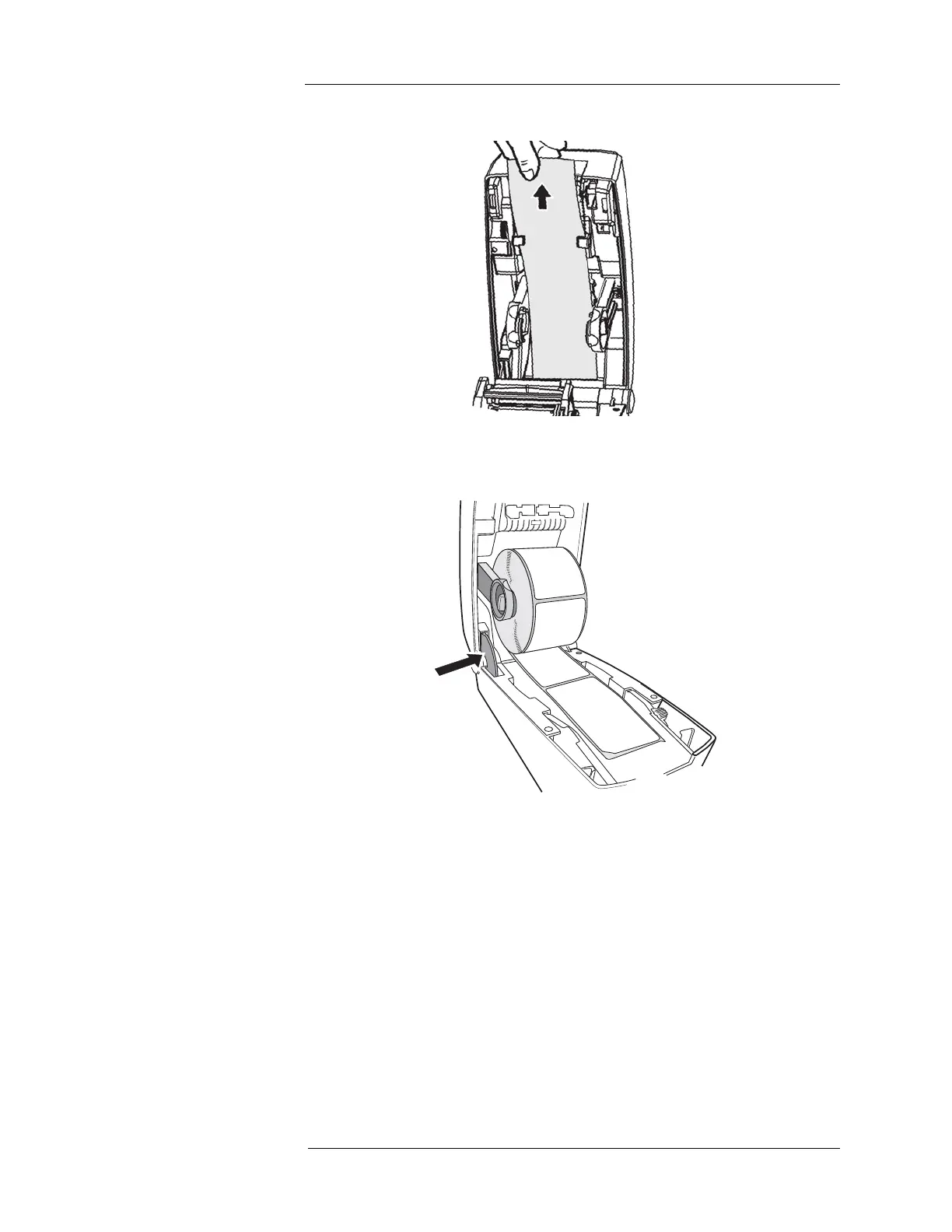
3. Insert the loose end of the roll into the paper guide.
4. Close the printer cover by pressing the release catch while lifting the printer cover back
into place. The buttons on either side of the printer cover should both snap back into
place.
Battery Maintenance and
System Storage
For optimal battery life, keep the Intego™ PET Infusion System batteries fully charged by
plugging the system into AC power whenever possible. This would include the following:
• Plug the system into AC power overnight.
The following apply only to INT SYS 200 systems.
• Plug the system into AC power immediately after it is driven every time.
• Plug the system into AC power immediately if the Drive System Status (Blue) Status
Indicator begins flashing.
• Only drive the cart if the Drive System Status Indicator (Blue) is illuminated
continuously.
NOTE: If the Intego™ PET Infusion System will not be used and cannot be powered for
more than 1 week, the user should contact MEDRAD to prepare the system for
storage.



 To Next Page