Medrad™ Intego™
PET Infusion System
88
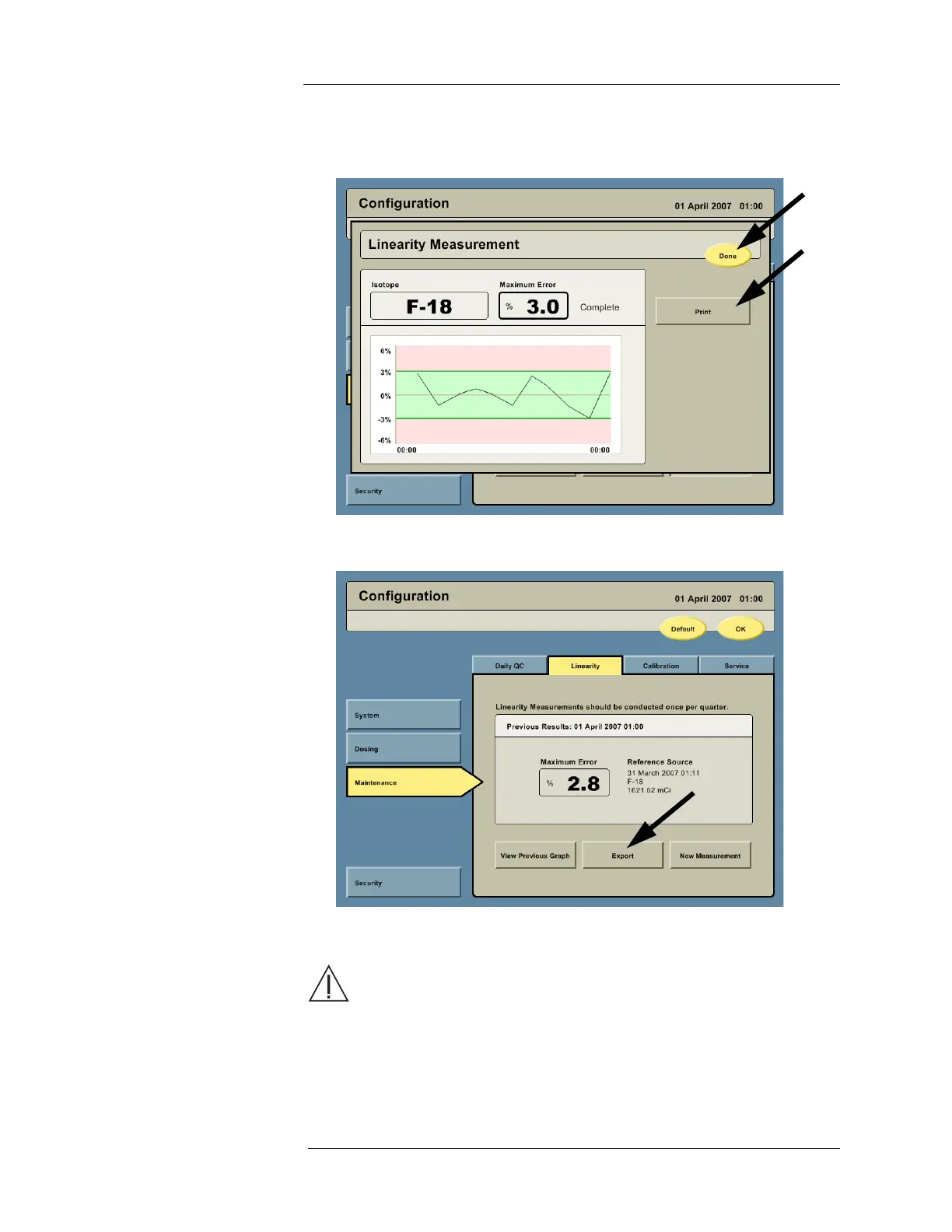
8. When the check is complete, the Intego™ PET Infusion System displays a summary
screen (the screen shown is an example). Press the PRINT button for a hard copy of the
results. Press the DONE button to exit.
9. To export the Linearity data, insert a USB memory device into the USB Port on the rear of
the Display and then press the EXPORT button.
Dose Calibrator
Calibration
WARNING: Using the Intego™ PET Infusion System without performing the
necessary QC processes could result in the patient receiving an incorrect
dosage of the RP indicated for use. Be certain to perform all necessary QC checks
at the recommended intervals.
NOTE: Dose Calibrator calibration requires
57
Co and
137
Cs sources.
NOTE: DO NOT use a rod calibration source to calibrate the system. Only a vial source
should be used to calibrate the Dose Calibrator.



 To Next Page