63
5 - Patient Infusion
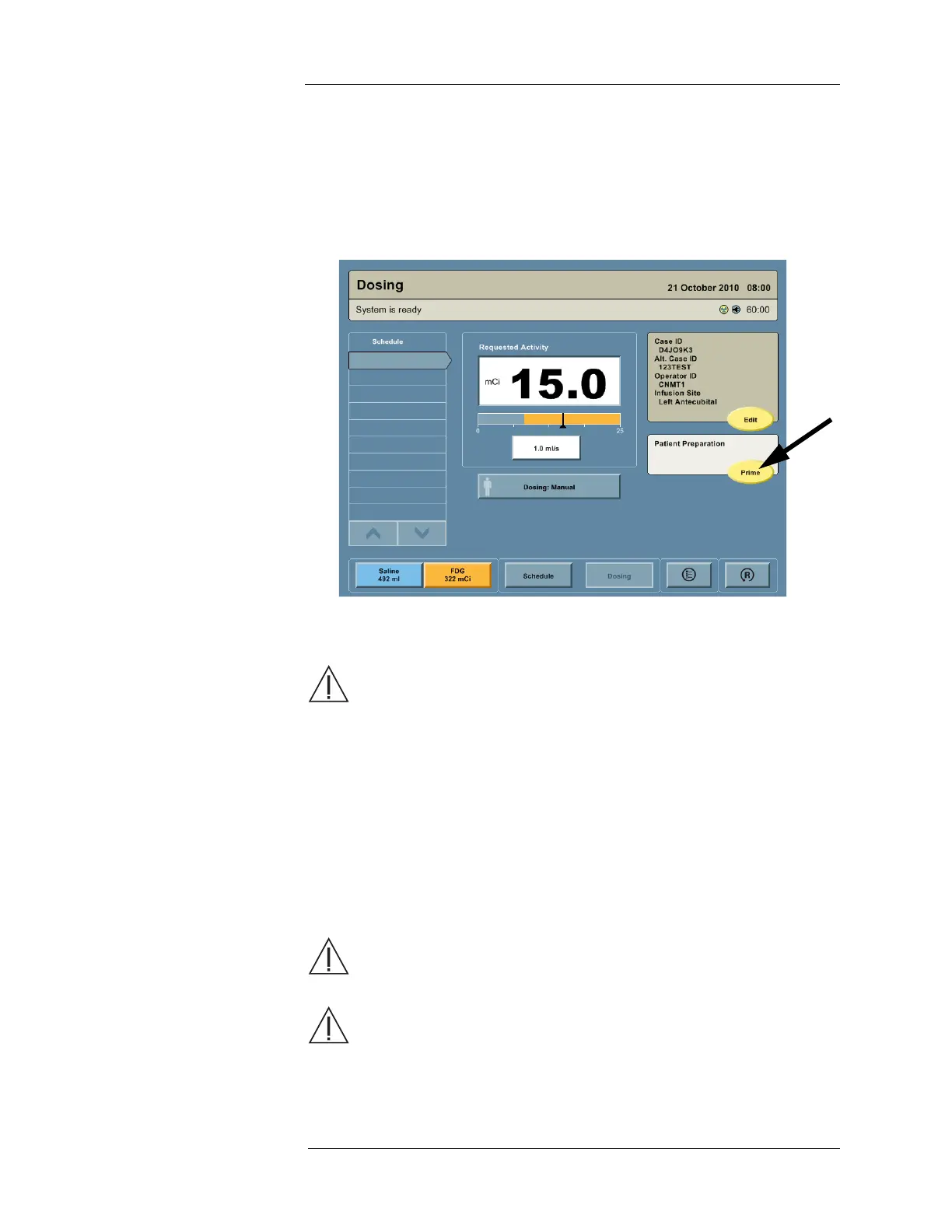
Priming the PAS 1. Install a PAS, if not already installed.
2. Hold the Removable Prime Tube on the PAS vertically so that the filter (white tip) is
pointed upward.
3. Press the PRIME button.
NOTE: The Intego™ PET Infusion System will prevent priming with less than three
minutes remaining on the battery meter.
4. When priming is complete, the Intego™ PET Infusion System will beep. Confirm that fluid
is in the Removable Prime Tube and visually inspect the PAS for air.
WARNING: Air embolism hazard. Injury or death can result from infusing air.
Ensure air is expelled from the disposable sets before beginning infusion.
NOTE: If air is present within the tubing set after PAS priming is complete, evaluate the
risk to the patient and reprime as needed by pressing the PRIME button.
Repriming the PAS may overflow the Removable Prime Tube. Before repriming
the PAS, remove the Removable Prime Tube and place the end of the PAS in
an appropriate container for the excess fluid. If such a reservoir is not available,
replace the PAS with a new one. A dialog box is displayed stating that PAS
priming is already complete and asks whether the clinician wishes to prime
again. Press the YES button.
5. Remove the Removable Prime Tube from the end of the PAS and discard.
6. Connect the PAS to the patient.
CAUTION: Only catheters 24 gauge and larger, or steel needles 23 gauge or
larger, should be used with the Intego™ PET Infusion System. The system
performance may not be achievable if smaller gauge catheters or needles are used.
CAUTION: Only use the Intego™ PET Infusion System PAS to connect to the
patient catheter or needle. The system performance may not be achievable if tubing
extension sets, additional tubing, or tubing other than an Intego™ PET Infusion
System PAS is used.



 To Next Page