61
5 - Patient Infusion
5 - Patient Infusion
WARNING: Explosion hazard. DO NOT use the Intego™ PET Infusion System
when flammable gases are present. Patient injury could result from using the
system in the presence of flammable gases (such as anesthetics).
Entering Patient
Information
Patient and operator information is used for dose infusion record-keeping. All patient and
operator information is optional. Fields that are not entered are left blank in the final dose
infusion record.
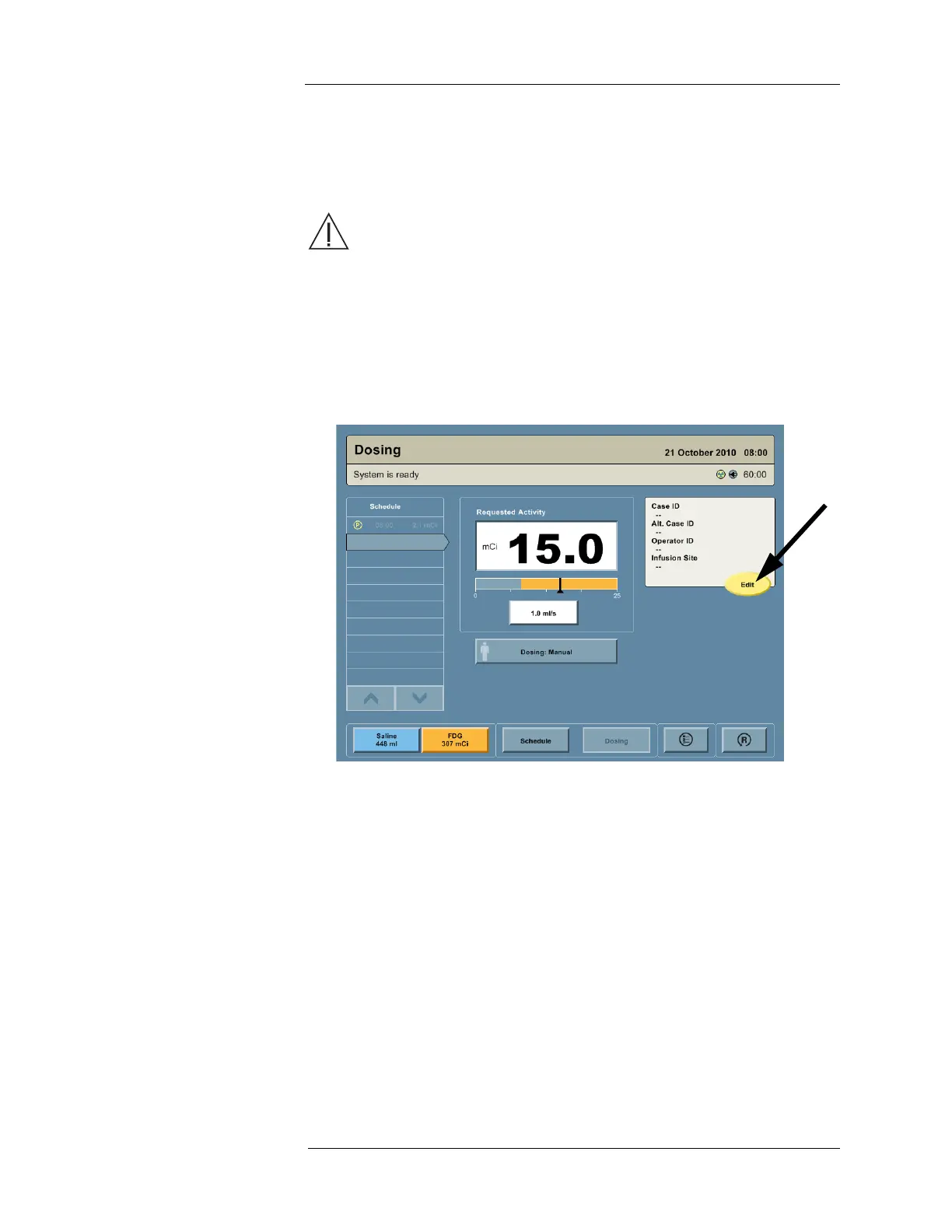
1. Press the DOSING button on the Navigation Bar to go to the Dosing screen.
2. To enter patient information, press the EDIT button located on the Patient Information
panel.
3. A patient information entry screen will appear.
NOTE: The patient information entry screen may appear with some or all patient
information populated with valid data. Pre-populated patient information can be
provided with an imported Multi-Dose Vial schedule or if retrying a patient for
which patient information was already entered. Pre-populating patient
information is a convenience feature to reduce the amount of hand-entry a user
must perform.
NOTE: The Intego™ PET Infusion System will prevent initiation of a patient infusion
with less than three minutes remaining on the battery meter.



 To Next Page