37
3 - System Configuration
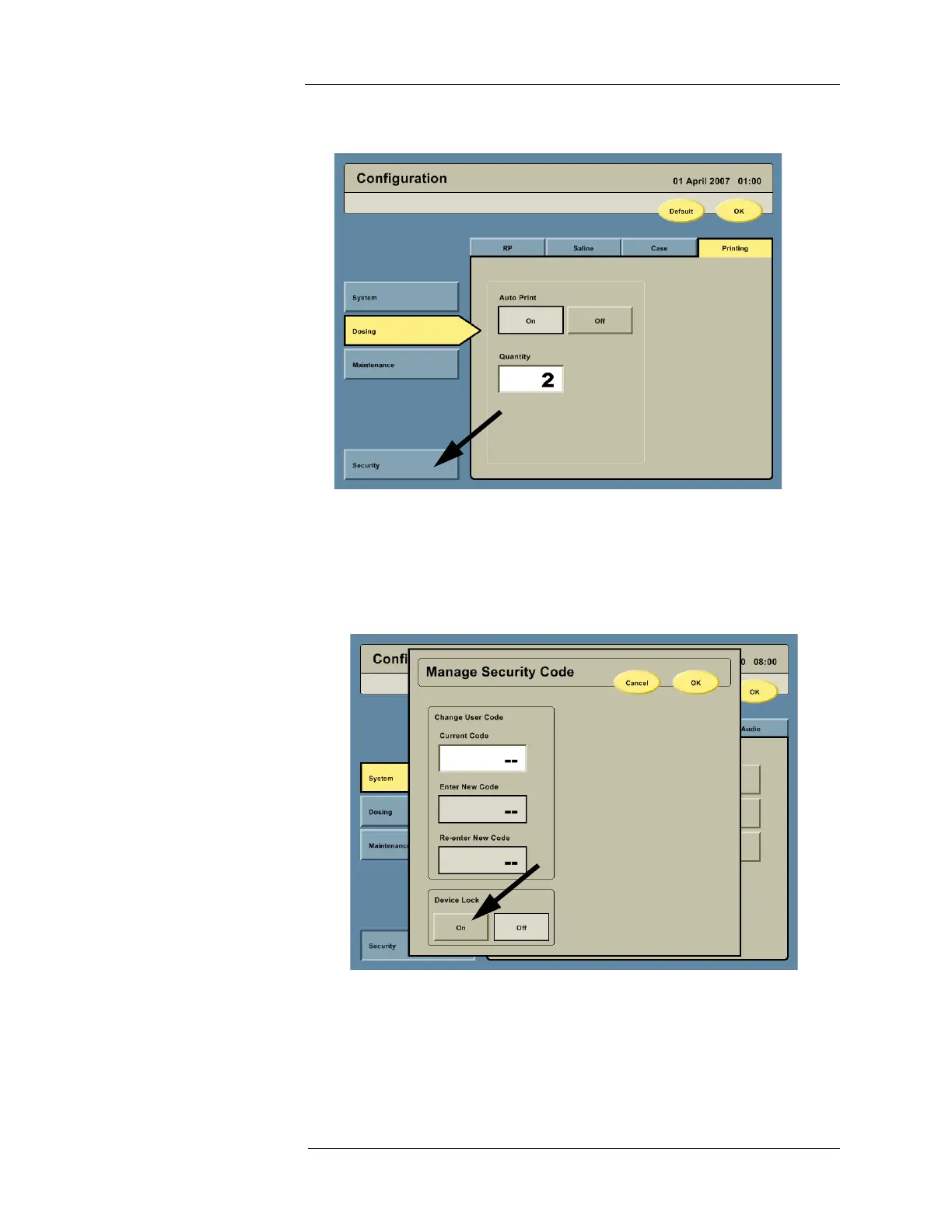
Security Settings 1. On the left side of the Configuration screen, press the SECURITY button to access the
security options. A Manage Security Code dialog box will appear.
2. Under Device Lock, press the ON button to enable the Device Lock feature. Press the
OFF button to disable the Device Lock feature.
NOTE: Locking the device prevents unauthorized use or movement of the Intego™
PET Infusion System (for INT SYS 200 only) and requires a user to enter the
default or a user-specific security code after powering On.
3. To create a unique security code, enter the current security code by pressing the Current
Code field. The factory set security code is 7237. It can be used to override any user
configured code. If the current user code is unknown, enter 7237 in the Current Code
field.
4. Press the Enter New Code field. Enter a unique four digit security code.
5. Press the Re-enter New Code field. Enter the same four digit security code.



 To Next Page