41
4 - Daily Setup
NOTE: Only screens for
18
F-FDG are shown here. When using
18
F-NaF, the text “FDG”
changes to “NaF” and RP-specific screen elements change from orange to
green (e.g., the RP button on the Navigation Bar).
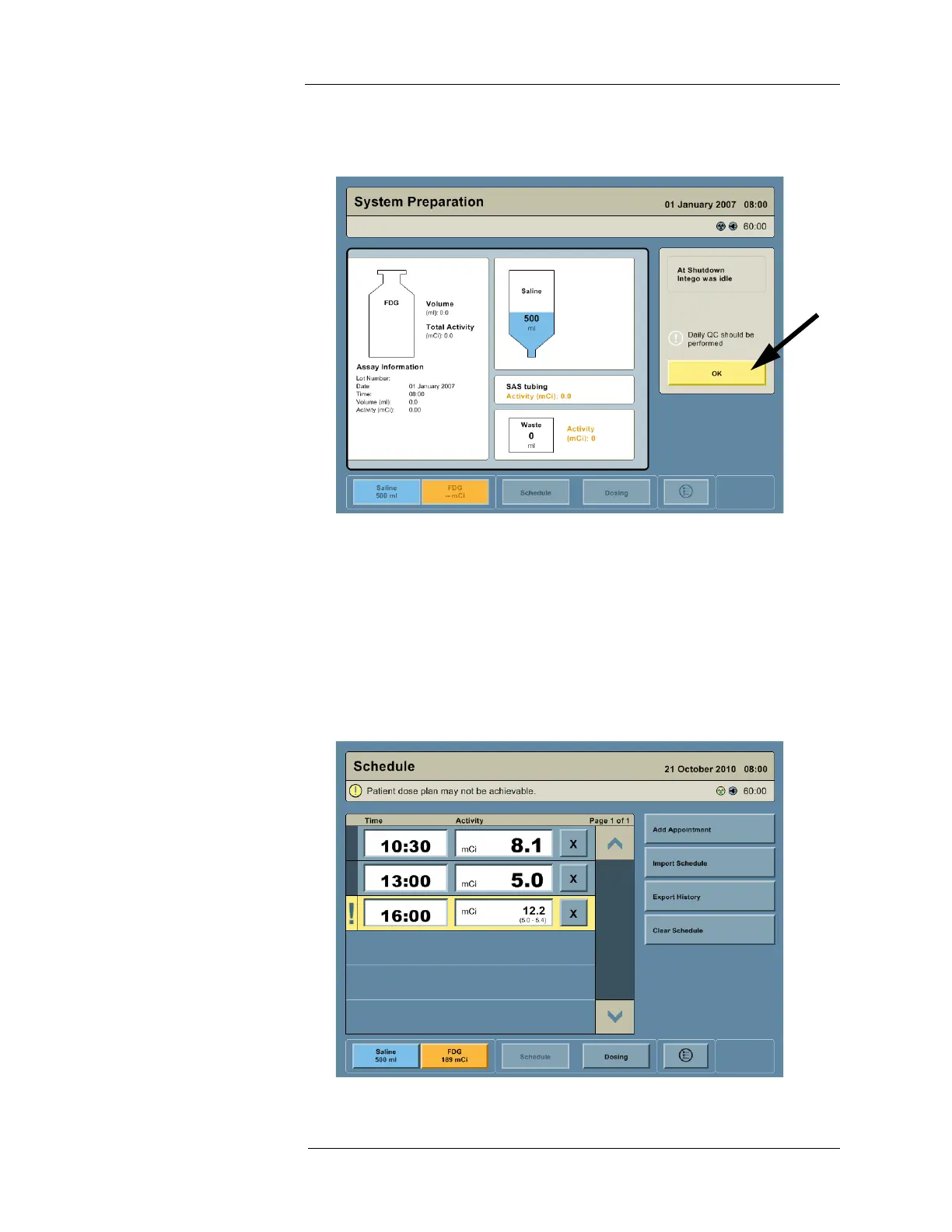
6. When the System Preparation screen appears, press the OK button to proceed. Allow up
to 15 minutes for the Dose Calibrator to warm up before proceeding; the Status Bar
indicates the warm-up time remaining.
Using the Schedule To access the Schedule screen, press the SCHEDULE button on the Navigation Bar. The
Multi-Dose Vial schedule can either be entered manually or imported via the USB Port. The
user may edit the schedule as it changes throughout the day.
NOTE: The Intego™ PET Infusion System may highlight scheduled RP infusions. Refer
to the "Vial Monitoring" section of this document for more information.



 To Next Page