18
Medrad™ Intego™
PET Infusion System
Powering Off the System
1. Press the ON/SHUTDOWN/STANDBY button.
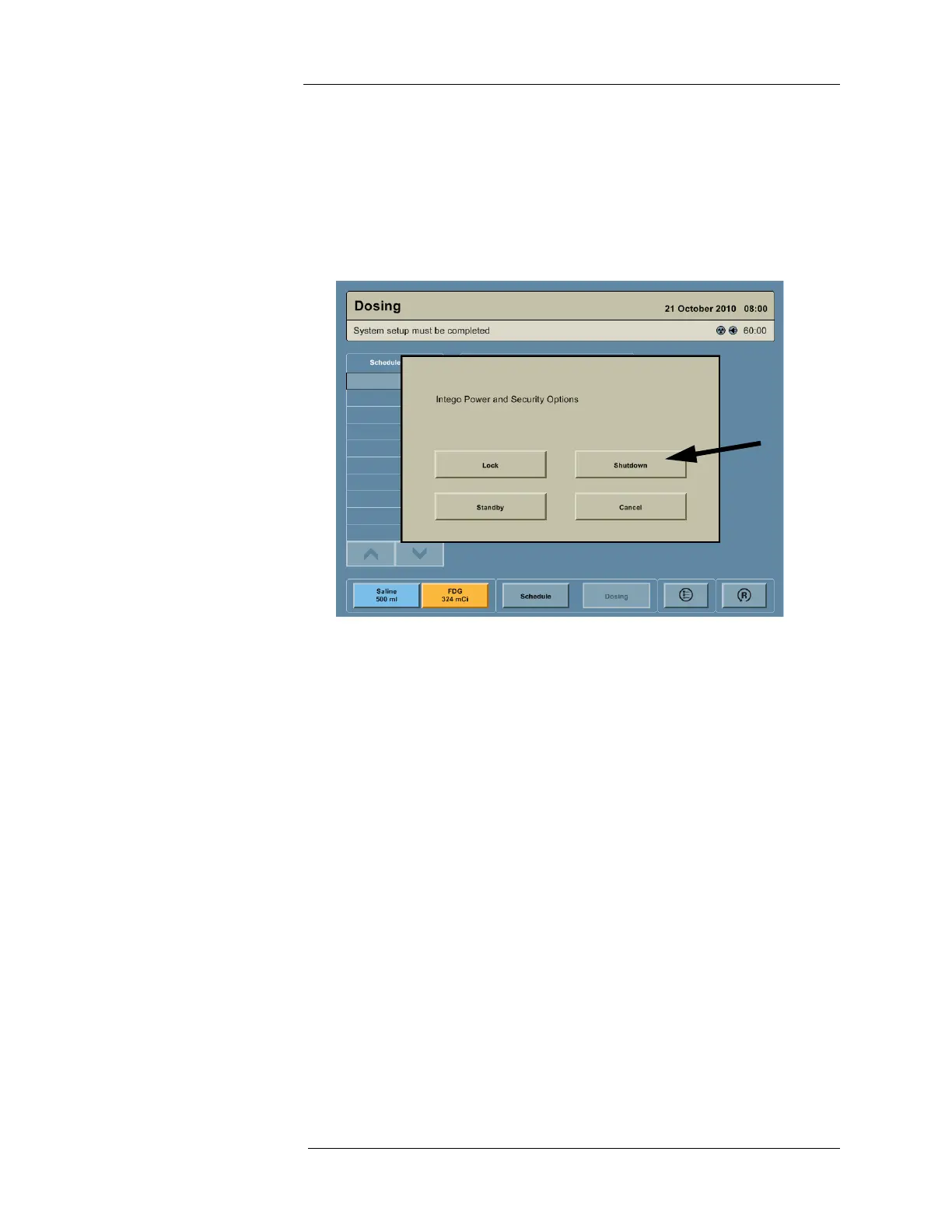
2. A dialog box appears on the screen with the message “Intego Power and Security
Options.” Press the SHUTDOWN button.
NOTE: If the Display is not functional, the ON/SHUTDOWN/STANDBY button can be
pressed and held for 15 seconds to power Off the Intego™ PET Infusion
System.
Placing the System into Standby
1. Press the ON/SHUTDOWN/STANDBY button.
2. A dialog box appears on the screen with the message “Intego Power and Security
Options.” Press the STANDBY button.
NOTE: Placing the system into Standby eliminates the need to wait for the Dose
Calibrator to warm up and allows the system to be driven (INT SYS 200 only). If
the system is Shutdown, the user will need to wait up to 15 minutes to use the
Dose Calibrator and the INT SYS 200 systems cannot be driven.
NOTE: If the Intego™ PET Infusion System is in Standby and the power cable is not
plugged into AC power within 30 minutes, the system will completely power Off.
NOTE: If the power cable is removed from an AC outlet, the Display will remain
powered for 60 minutes. After 60 minutes, the system will automatically go into
Standby.
Taking the System out of Standby
1. Press the ON/SHUTDOWN/STANDBY button to activate the Intego™ PET Infusion
System.



 To Next Page