Medrad™ Intego™
PET Infusion System
66
Entering the Requested
Dose Activity
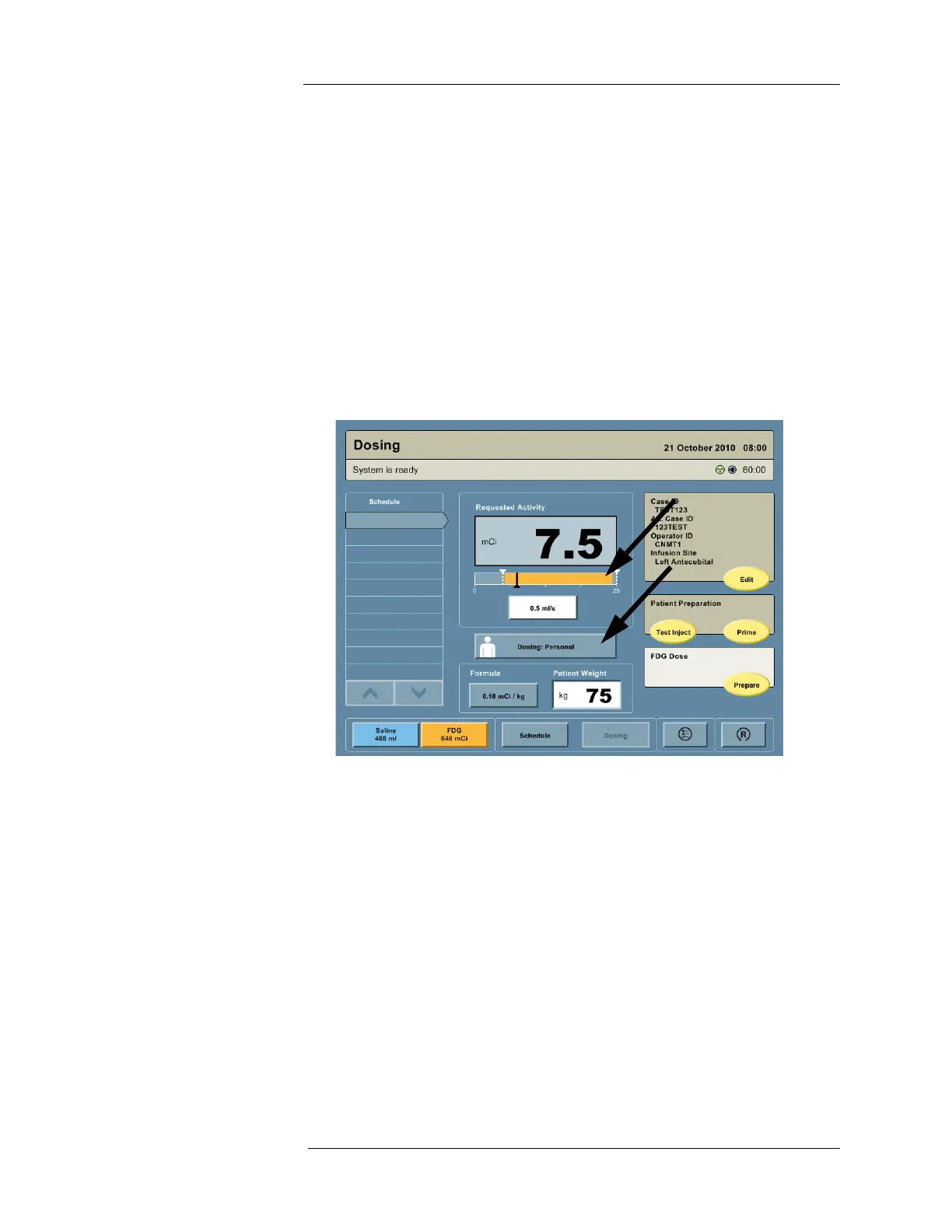
The requested patient dose is displayed in the Requested Activity field. The requested patient
dose may be entered by using a personalized dosing formula or manually.
Personalized Dose Entry
To select Personalized Dose Entry, press the dosing method button until it reads "Dosing:
Personal." The requested patient dose is then established as follows:
1. The FORMULA button displays the currently selected formula. If this formula is not the
desired formula, press the button and select the desired formula from the displayed list.
NOTE: See "System Configuration" to create formulas.
2. Press the Patient Weight field, enter the patient’s weight on the keypad, and then press
ENTER.
3. The Intego™ PET Infusion System automatically calculates the requested patient dose
using the entered weight and selected formula.
Manual Dose Entry
To select Manual Dose Entry, press the dosing method button until it reads “Dosing: Manual.”
The requested patient dose is established via one of the following:
a. Default Dose: When there are no scheduled RP infusions, the requested patient
dose is automatically set to the default value when initiating dosing for a new patient
or when the RESET button is pressed.
b. Scheduled Dose: If there are scheduled RP infusions, the requested patient dose is
automatically set to the current scheduled patient dose when initiating dosing for that
patient or when the RESET button is pressed.
c. Direct Entry: Direct entry may be used to override either a default patient dose or a
scheduled patient dose. Press the Requested Activity field and use the keypad to
enter the activity value. The Intego™ PET Infusion System will only accept a value
within the displayed Valid Range (the range of patient doses the system is capable of
delivering at the time).



 To Next Page