Medrad™ Intego™
PET Infusion System
42
Manually Entering Schedule Information
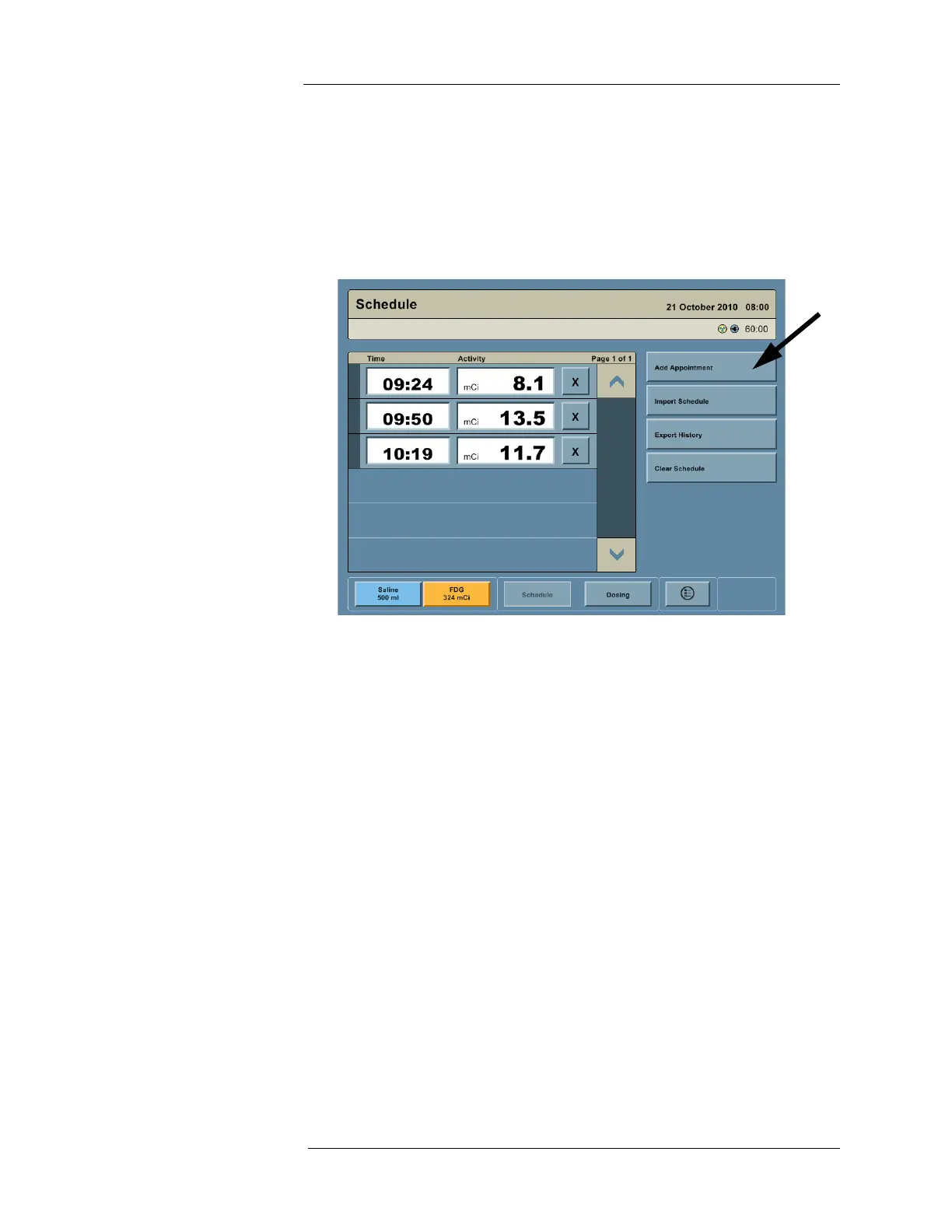
1. Press the ADD APPOINTMENT button or a blank row in the schedule.
2. Press the Time field to enter the planned infusion time.
3. Press the Activity field to enter the planned dose activity.
4. Repeat steps 1 through 3 until schedule entry is complete.
NOTE: More than six appointments can be added. Use the scroll bar to view
appointments not on the Schedule screen.
Importing the Schedule Information via the USB Port
NOTE: Importing a schedule replaces the existing schedule.
1. Create an electronic version of the schedule named “schedule.csv” and copy it to a USB
memory device. There are three ways to create an electronic schedule:
a. MEDRAD’s MVP software tool (Recommended).
b. Select third party nuclear medicine management software packages.
c. Using a spreadsheet program or text editor.
NOTE: Please contact MEDRAD for more information about creating an electronic
schedule.
2. Insert the USB memory device into the USB Port on the Display.
3. Press the IMPORT SCHEDULE button. The time and activity information automatically
populates for all scheduled RP infusions



 To Next Page