Medrad™ Intego™
PET Infusion System
48
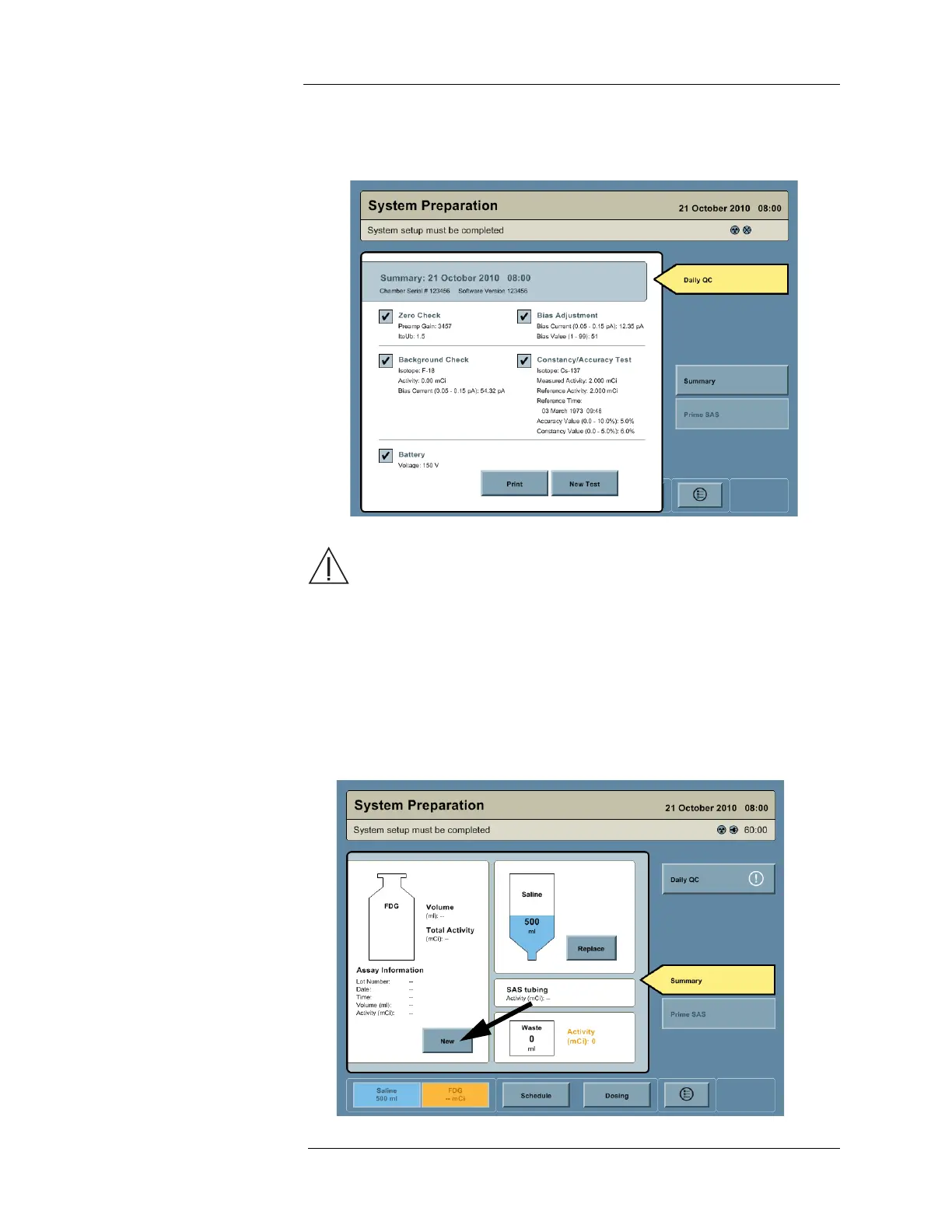
10. At the conclusion of the Daily QC, the Intego™ PET Infusion System displays a summary
screen. Print this screen to keep with the system's records.
11. Press the SUMMARY button to return to the main System Preparation screen.
Entering RP Assay and
Saline Information
WARNING: Radiation exposure hazard. Do not insert more than
27.75 GBq (750 mCi) into the Intego™ PET Infusion System.
NOTE: Entering RP Assay and Saline Information may be performed before or after
Installing the SAS or Installing the Multi-Dose Vial.
1. Access the System Preparation screen by pressing the SALINE or RP buttons on the
Navigation Bar.
2. If a Multi-Dose Vial is loaded in the Intego™ PET Infusion System, remove the Vial Shield
and SAS, then press the REMOVE button.
3. Press the NEW button to enter RP Assay information.



 To Next Page