Medrad™ Intego™
PET Infusion System
110
2. If the user selects the DISCARD option or if activity remains in the Dose Calibrator after all
attempts to resume, the remaining activity will be discarded into the Waste Container. The
status bar will display any messages relating to the infusion.
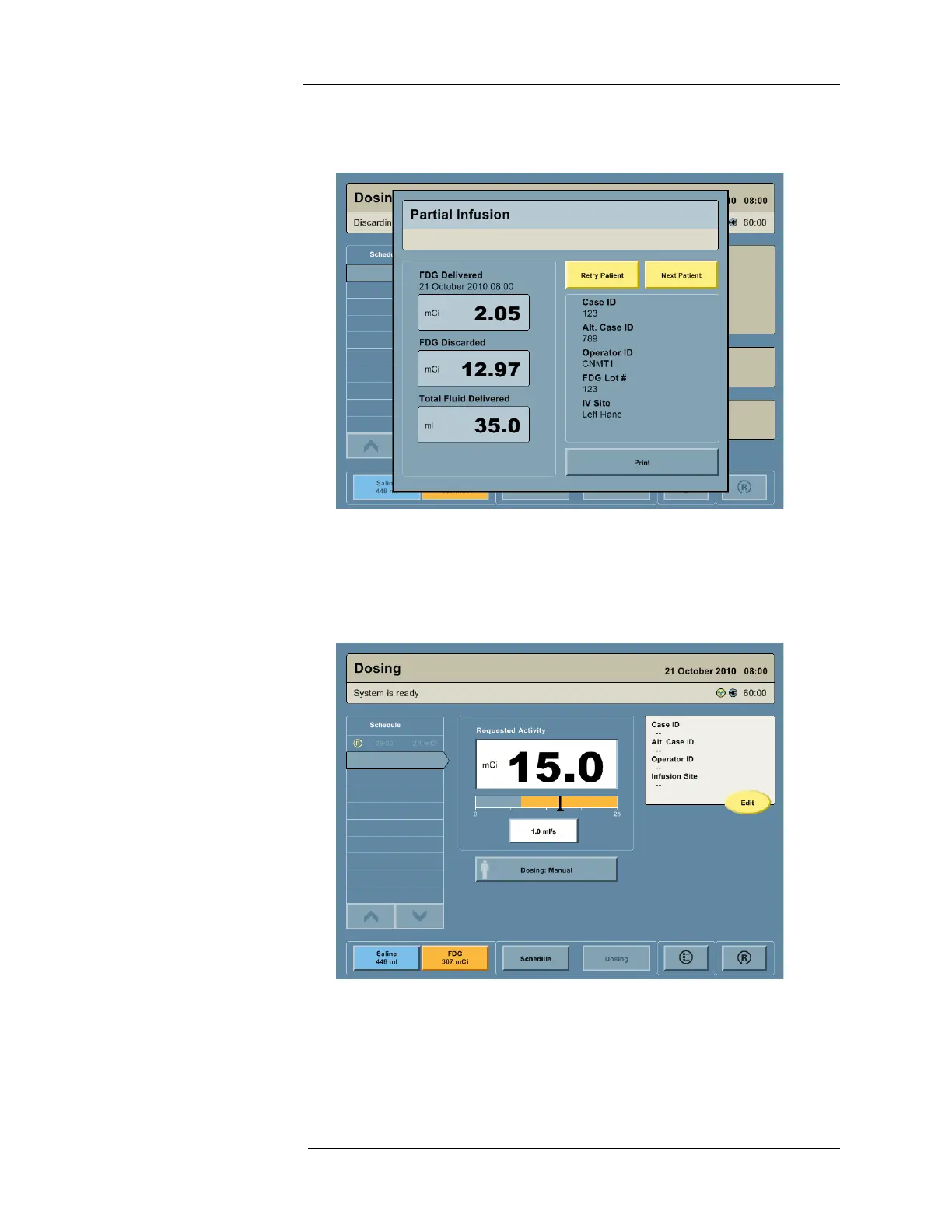
The interface will show the activity that was infused. The user is given the option to “Retry
the Patient” or try “Next Patient.”
a. If the RETRY PATIENT button is selected, the system will calculate the requested
activity based on the amount of activity that was previously infused. The calculated
activity can be edited by pressing the Requested Activity field and entering the new
activity number.
b. The NEXT PATIENT button will allow the user to select the next appointment on the
schedule or if the schedule feature has not been used to enter in new patient
information.
3. The history will update and an icon will appear, indicating a partial infusion.
4. If the occlusion remains after the user attempts to resume the infusion or discard the
dose, the user should check for occlusions in the Saline Container or Saline Line.



 To Next Page