73
5 - Patient Infusion
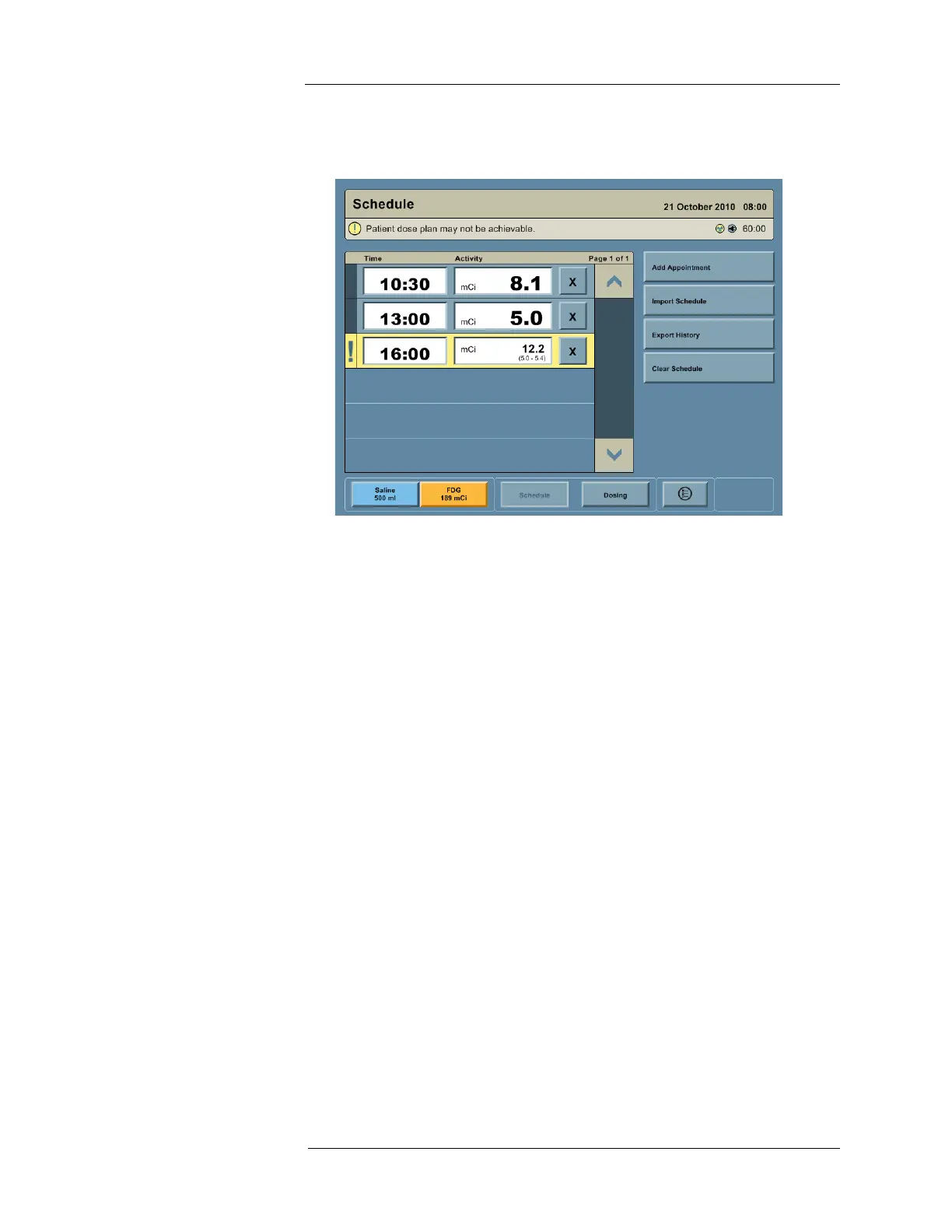
2. On the Schedule screen: By displaying an Attention icon and message in the Status Bar,
by highlighting the unachievable RP infusions in yellow, and by displaying the valid dose
range under the planned dose for the first unachievable RP infusions in the schedule.
While the Multi-Dose Vial is intended to meet the original Multi-Dose Vial schedule, there are
several reasons a schedule may become unachievable:
• Scheduled infusions were delayed.
• More activity is used per RP infusion than originally planned.
• Unplanned RP infusions are added during the day.
Users may temporarily enter schedule changes under consideration to determine if sufficient
RP activity is in the Multi-Dose Vial to support the new plan. Users should only commit to
schedule changes if the Vial Monitor does not raise an alert. If changes that create an
unachievable schedule cannot be avoided, the Vial Monitoring early warning alerts seek to
provide information and time for the clinician to plan for the potential Multi-Dose Vial activity
shortfall.



 To Next Page