79
7 - Training Mode
4. The Intego™ PET Infusion System will display a progress bar while switching to Training
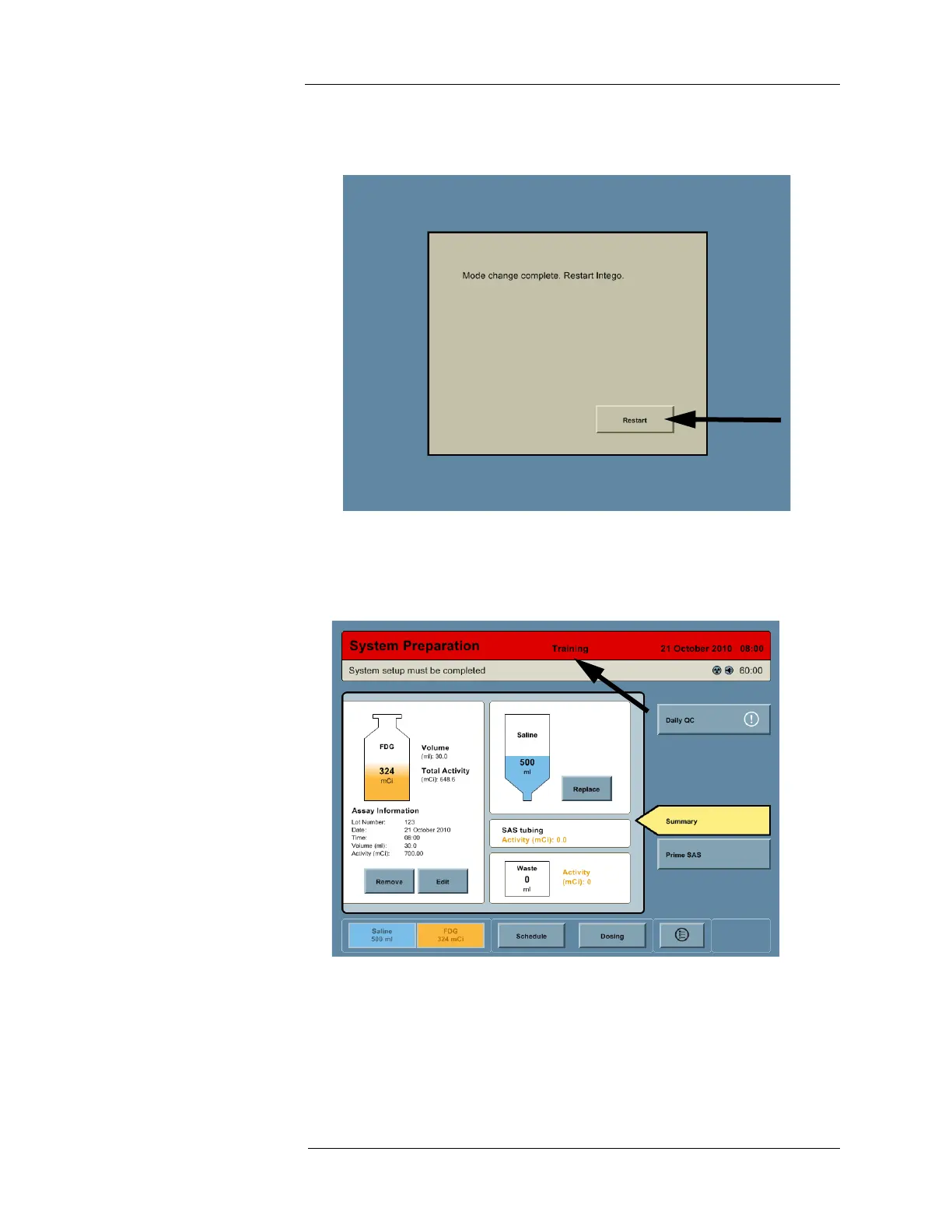
Mode. When complete, the system will display a message prompting the user to restart.
Press the RESTART button to Restart the system.
5. At the Introduction screen, press the TRAINING button.
NOTE: When the Intego™ PET Infusion System is in Training Mode, the Title Bar is
colored red and the word “Training” is displayed.
6. At the conclusion of the training exercise, return the Intego™ PET Infusion System to
Clinical Mode (See "Daily Setup"). Remove and discard the used disposable sets per site
guidelines.



 To Next Page